Optimizing GPU Compute in VMware Environments with WhaleFlux
Introduction
The race to leverage Artificial Intelligence (AI) and Machine Learning (ML) is defining the future of business. From training massive large language models (LLMs) that power next-generation chatbots to running complex simulations, the engine behind this revolution is undeniably the Graphics Processing Unit (GPU). The parallel processing power of GPUs makes them indispensable for the heavy computational lifting required by these advanced workloads.
However, as AI ambitions grow, so does the complexity of the underlying infrastructure. Many enterprises rely on robust, virtualized environments like VMware to manage their IT resources, benefiting from scalability, security, and centralized management. But integrating high-performance GPU computing into these virtualized setups often reveals significant challenges. Companies frequently face cost inefficiencies, with expensive GPU resources sitting idle or underutilized. They also encounter deployment bottlenecks, where provisioning and managing multi-GPU clusters for AI projects becomes a slow and complex process, hindering innovation and time-to-market.
This is where a specialized approach to GPU resource management becomes critical. In this article, we will explore how to overcome these hurdles and unlock the full potential of GPU compute within VMware. We will introduce WhaleFlux, a smart GPU resource management tool designed specifically for AI enterprises. WhaleFlux optimizes multi-GPU cluster efficiency, helping businesses significantly reduce cloud computing costs while dramatically accelerating the deployment speed and stability of their large language models and other AI initiatives.
Understanding GPU Compute in VMware Environments
At its core, GPU compute in a VMware environment is about making the raw power of physical GPUs available to virtual machines (VMs). This is achieved through technologies like NVIDIA vGPU (virtual GPU) or GPU passthrough. vGPU allows a single physical GPU to be partitioned and shared among multiple VMs, while passthrough dedicates an entire physical GPU to a single VM for maximum performance. This virtualization layer provides the flexibility and isolation that IT teams are familiar with from their VMware setups.
Despite this technological capability, managing GPU resources effectively is far from simple. The very nature of AI workloads—often “bursty” with periods of intense computation followed by lulls—clashes with the static way GPUs are typically allocated. An AI research team might need 8 GPUs for a two-week training sprint, but for the rest of the month, those powerful and costly processors might be barely used, yet still paid for. This leads to the most common pain points:
- Underutilization of GPU Resources: GPUs are capital-intensive assets. When they are not consistently running near their capacity, the return on investment plummets. It’s like owning a fleet of sports cars but only using them for grocery runs.
- Scalability Issues: Manually scaling GPU resources up or down in a VMware cluster is a time-consuming task. By the time an IT team procures, installs, and configures new GPUs to meet a project’s demand, the opportunity window for the AI team may have already closed.
- High Operational Costs: This underutilization and manual management directly translates to wasted spending. Whether you own the hardware (high CapEx) or use cloud instances (high OpEx), inefficient GPU use makes AI projects prohibitively expensive.
For these demanding AI tasks, the industry standard is unequivocally NVIDIA. From the data-center power of the H100 and H200 and the pervasive A100 to the accessible performance of the RTX 4090, these GPUs provide the foundational architecture for modern AI. The challenge, therefore, is not the hardware’s capability, but our ability to manage it intelligently within the virtualized environments we depend on.
Key Challenges in VMware GPU Compute
Let’s dive deeper into the specific issues that can derail AI projects in a VMware-based GPU setup.
Inefficient Resource Allocation
Static allocation of GPUs to VMs or users leads to massive waste. A developer might reserve four A100s “just in case” they are needed, tying up resources that another team desperately needs for a live project. There is often no intelligent system to dynamically reassign these resources based on real-time priority and need, creating artificial scarcity and gridlock.
Lack of Dynamic Scaling
AI workloads are not constant. The initial data processing, model training, and inference phases all have different resource requirements. A static GPU cluster cannot elastically scale to meet these fluctuating demands. You are forced to provision for peak demand, leading to over-provisioning and high costs, or for average demand, leading to under-performance and failed jobs during critical phases.
Increased Latency and Instability
Inefficient scheduling and resource contention can introduce latency in model training and inference. When multiple jobs are competing for GPU time without a smart scheduler, tasks can be delayed or interrupted. For deploying large language models in production, this instability is a deal-breaker, leading to poor user experiences and unreliable services.
The collective impact of these challenges is stark: AI projects cost more than they should and take longer to deploy. This slow time-to-market can be the difference between leading an industry and struggling to catch up. The promise of AI is agility and insight, but without solving these fundamental infrastructure problems, that promise remains out of reach. This is precisely the gap that WhaleFlux is designed to bridge, turning your VMware GPU cluster from a cost center into a strategic advantage.
Introducing WhaleFlux: A Smart Solution for GPU Management
So, how do we solve these complex challenges? The answer lies in intelligent, automated orchestration designed specifically for GPU workloads. WhaleFlux is a dedicated smart GPU resource management tool built for AI-driven businesses that want to master their VMware environment.
WhaleFlux acts as an intelligent layer over your GPU infrastructure, bringing a new level of efficiency and control. It is not just a monitoring tool; it is an active management platform that ensures your valuable NVIDIA GPUs are working as hard as you are.
Here’s how WhaleFlux delivers on its promise:
Intelligent Resource Scheduling
WhaleFlux uses advanced algorithms to dynamically allocate GPU resources based on job priority, resource requirements, and pre-defined policies. It automatically matches the right GPU power to the right job at the right time, eliminating manual intervention and the “resource hoarding” mentality.
Significant Cost Reduction
By dramatically increasing the utilization rate of your existing GPU fleet—whether on-premises or in the cloud—WhaleFlux ensures you get the most value from every dollar spent. It prevents over-provisioning and eliminates the need to purchase new hardware prematurely. You can do more with what you already have.
Enhanced Speed and Stability for LLMs
For teams deploying large language models, WhaleFlux provides a stable, high-performance platform. It ensures that inference workloads get the consistent GPU resources they need, avoiding latency spikes and ensuring a smooth experience for end-users. It also streamlines the training process by efficiently orchestrating multi-GPU, distributed training jobs.
To power these capabilities, WhaleFlux provides access to a range of industry-leading NVIDIA GPUs, ensuring you have the right tool for every task. Our offerings include:
- NVIDIA H100 and H200: For the most demanding large-scale model training and inference.
- NVIDIA A100: A versatile workhorse for a wide range of AI training and HPC workloads.
- NVIDIA RTX 4090: An excellent solution for development, testing, and mid-range inference tasks.
We provide flexible access to this hardware through both purchase and rental options, giving you the financial and operational flexibility your business requires. Please note that to ensure stability and avoid the overhead of ultra-short-term provisioning, we do not offer hourly rentals. Our minimum rental period is one month, which provides a perfect balance of flexibility and cost-effectiveness for sustained projects.
Benefits of Integrating WhaleFlux with VMware
Integrating WhaleFlux with your existing VMware environment transforms your GPU operations from a static cost center into a dynamic, value-generating asset. The benefits are tangible and immediate.
GPU compute performance is significantly enhanced.
WhaleFlux’s automation continuously monitors the health and load of every GPU in the cluster. It can automatically reroute jobs if a GPU fails or becomes a bottleneck, ensuring high availability and resilience. This means your AI training jobs finish faster and your inference endpoints are more reliable.
The cost savings are substantial.
Imagine a scenario where a financial services company uses WhaleFlux to manage a cluster of NVIDIA A100s. Previously, their GPU utilization hovered around 30%. After deploying WhaleFlux, intelligent scheduling and resource pooling pushed utilization to over 75%. This effectively more than doubled the output of their existing hardware investment, delaying the need for a costly hardware refresh by over a year and saving them hundreds of thousands of dollars.
Deployment times are slashed.
What used to take a data science team days or weeks to get the necessary GPU resources approved and provisioned can now be achieved in minutes through WhaleFlux’s self-service portal and automated policy engine. This agility allows AI teams to experiment more, iterate faster, and deploy models into production with unprecedented speed.
In real-world terms, this means a media company can deploy a new content-generation LLM in weeks instead of months. An autonomous vehicle research team can run more simulation cycles per day, accelerating their development timeline. WhaleFlux empowers enterprises to scale their GPU resources efficiently, not just physically, but intelligently.
Best Practices for Implementing WhaleFlux in Your Setup
To get the most out of WhaleFlux in your VMware environment, a thoughtful implementation is key. Here are some practical tips to ensure a smooth and successful deployment:
Start with a Thorough Assessment
Before deployment, conduct a detailed audit of your current and projected AI workloads. Understand the performance requirements for different tasks—do you need the tensor core performance of the H100 for training, or is the A100 or RTX 4090 sufficient for development and inference? This will inform which GPUs from the WhaleFlux portfolio you should prioritize.
Define Clear Resource Policies
Work with your AI and development teams to establish clear priorities and quotas within WhaleFlux. For example, production inference jobs might have the highest priority, followed by model training, and then experimental development work. These policies allow WhaleFlux to make intelligent scheduling decisions automatically.
Promote a Self-Service Culture
Train your developers and data scientists to use the WhaleFlux portal to request the resources they need. This reduces the burden on your IT team and empowers your technical staff to be more agile, breaking down the traditional bottlenecks associated with resource provisioning.
Monitor, Analyze, and Optimize
Use WhaleFlux’s built-in analytics and reporting tools to continuously monitor your cluster’s performance. Identify trends, spot new opportunities for optimization, and validate your cost savings. This data-driven approach ensures you are continuously maximizing your ROI and can make informed decisions about future GPU procurement or rentals.
By following these steps, you can leverage WhaleFlux not just as a tool, but as a strategic platform that ensures high availability, peak performance, and maximum return from your investment in NVIDIA GPU technology.
Conclusion
In the competitive landscape of AI, effective infrastructure management is not just an IT concern—it is a core business competency. Success hinges on the ability to deploy powerful models quickly, reliably, and cost-effectively. Managing GPU compute within VMware environments presents unique challenges, but as we have seen, they are not insurmountable.
The key is to move beyond manual, static management and embrace intelligent, automated orchestration. WhaleFlux stands out as a key enabler in this journey. By optimizing the utilization of your multi-GPU cluster, featuring the latest NVIDIA technology like the H100, H200, A100, and RTX 4090, WhaleFlux directly tackles the twin problems of high cost and slow deployment. It transforms your GPU infrastructure into a flexible, efficient, and powerful engine for AI innovation.
Are you ready to stop wrestling with your GPU resources and start harnessing their full potential? Don’t let infrastructure limitations slow down your AI ambitions.
Explore how WhaleFlux can transform your VMware GPU compute environment. Contact our team today for a personalized consultation and see how much you could save.
How to Make Accelerate Use All of the GPU: From PC Settings to AI Clusters
I. Introduction: Unlocking the Full Potential of Your NVIDIA GPUs
Is your high-performance NVIDIA GPU not delivering the expected speed for AI workloads? The bottleneck often lies not in the hardware itself, but in suboptimal acceleration settings and resource management. True GPU acceleration operates at multiple levels – from individual workstation configurations to enterprise-scale cluster optimization. For AI companies, maximizing this potential requires intelligent tools like WhaleFlux, designed specifically to optimize multi-GPU cluster efficiency and deliver substantial cost savings.
II. What is GPU Acceleration and Why Does It Matter?
Think of your computing system as a business organization: the CPU acts as the general manager handling diverse tasks, while the GPU serves as a specialized workforce executing parallel operations with incredible efficiency. NVIDIA’s advanced GPUs – including the H100, H200, A100, and RTX 4090 – form the computational engine driving modern AI and parallel computing. The critical challenge lies in learning how to make accelerate use all of the GPUresources available, eliminating performance bottlenecks that dramatically increase computation time and costs.
III. Level 1: Client-Side Optimization – Enabling Hardware Accelerated GPU Scheduling
Hardware Accelerated GPU Scheduling (HAGS) represents a fundamental Windows feature that allows your GPU to manage its video memory more efficiently, reducing latency and improving performance consistency. Enabling this feature is straightforward: navigate to Windows Settings > System > Display > Graphics Settings and toggle on “Hardware-accelerated GPU scheduling.” However, many users reasonably ask: should I enable hardware accelerated GPU scheduling for their specific needs?
The answer depends on your use case. For gaming and video playback, HAGS typically provides smoother performance and reduced latency. For AI development workstations, the benefits can be more nuanced. While it generally improves resource management, some applications may experience stability issues. The prudent approach involves testing your specific AI workflows with HAGS both enabled and disabled, monitoring for any performance regression or stability concerns.
IV. Level 2: Application-Level Control – How to Enable GPU Acceleration in Software
Beyond system-wide settings, individual application configuration is crucial for maximizing GPU utilization. The process of how to enable GPU acceleration varies across software but follows consistent principles. In design applications like Adobe Premiere Pro or Blender, you’ll typically find GPU acceleration options in preferences menus. For AI development environments like PyTorch or TensorFlow, ensuring correct CUDA installation and proper library paths is essential.
The result of proper application-level configuration is straightforward: your AI training scripts and inference engines consistently leverage the dedicated power of your NVIDIA GPU rather than defaulting to slower CPU computation. This becomes particularly important when working with frameworks that support mixed-precision training, where GPU acceleration can provide 3-5x performance improvements over CPU-only execution.
V. Level 3: The Enterprise Challenge – Accelerating Multi-GPU Clusters
For AI enterprises, the most significant performance barriers emerge at the cluster level. The real bottleneck isn’t typically individual GPU speed, but inefficient resource allocation and poor scheduling across multiple NVIDIA GPUs (H100, H200, A100, RTX 4090). Simply knowing how to enable GPU acceleration on individual machines proves completely inadequate when distributing large language models across dozens of GPUs.
Standard cloud services exacerbate these challenges through their pricing models. Traditional hourly billing accumulates rapidly during model training, creating enormous costs even when GPUs sit idle during data loading, checkpointing, or debugging phases. This inefficient resource utilization represents the fundamental limitation of conventional cloud GPU approaches for sustained AI workloads.
VI. WhaleFlux: The Ultimate Tool to Accelerate Your Entire AI Workflow
WhaleFlux addresses these enterprise-scale challenges as a specialized solution for maximizing NVIDIA GPU cluster performance. Our intelligent platform operates on a simple but powerful principle: how to make accelerate use all of the GPU resources across your entire infrastructure, not just individual devices. Through advanced scheduling algorithms and resource pooling technology, WhaleFlux ensures your NVIDIA GPUs operate at peak efficiency throughout their operational cycles.
The benefits of this optimized approach are substantial:
- Maximized Utilization: WhaleFlux dramatically reduces idle GPU time, directly translating to 30-60% lower cloud computing costs for extended AI projects
- Dedicated Resources: With month-minimum rentals of NVIDIA H100, H200, A100, and RTX 4090 GPUs, enterprises gain stable, consistent performance without noisy neighbor interference
- Faster Deployment: Our platform streamlines large language model deployment and scaling, reducing setup time from days to hours while ensuring optimal resource allocation
VII. Conclusion: Accelerate Your AI Journey at Every Level
GPU optimization represents a multi-layered challenge spanning from individual workstation settings to complex cluster management. While enabling features like HAGS and configuring application-level acceleration provide foundational improvements, enterprises require sophisticated resource management to truly maximize their NVIDIA GPU investment.
The path forward is clear: stop leaving valuable GPU performance untapped. Enable appropriate system settings for your workstations, but more importantly, implement cluster-wide optimization through WhaleFlux’s specialized NVIDIA GPU solutions. Experience the difference that truly intelligent resource management can make for your AI initiatives – where every computational cycle contributes directly to your innovation goals.
NVIDIA GPU Cloud Computing: Maximizing Value Beyond Standard Cloud Services
I. Introduction: The Evolution of GPU Cloud Computing
NVIDIA’s GPU cloud ecosystem has fundamentally transformed AI development, enabling breakthroughs that were once unimaginable. From training trillion-parameter models to generating stunning visual content, these powerful processors have become the lifeblood of modern artificial intelligence. However, as the AI landscape matures, organizations are discovering that standard cloud GPU offerings often follow a one-size-fits-all approach that doesn’t align with every project’s unique requirements.
The evolution continues at a breathtaking pace. NVIDIA’s recently unveiled roadmap introduces the Rubin platform with HBM4 memory set for 2026, followed by Rubin Ultra in 2027, and the Feynman architecture in 2028. This rapid advancement creates both opportunities and challenges for AI enterprises seeking to balance performance with cost-effectiveness.
Smart organizations are now looking beyond standard cloud GPU offerings to optimize both performance and cost efficiency. This article navigates the complex NVIDIA cloud landscape and explores how alternative approaches can deliver superior value for specific use cases, particularly through specialized solutions that prioritize resource optimization and cost management.
II. Understanding the NVIDIA GPU Cloud Ecosystem
The NVIDIA GPU cloud landscape comprises multiple layers, including NVIDIA’s own DGX Cloud offerings and partnerships with major cloud providers like AWS, Google Cloud, and Azure. These platforms provide access to increasingly sophisticated hardware, from the current workhorse A100 chips to the more recent H100 and H200 models, down to the powerful consumer-grade RTX 4090 for less demanding applications.
Today’s cloud providers offer an array of GPU options with varying specifications. The A100-80G remains a popular choice for its substantial memory capacity, while the H100 and H200 deliver enhanced performance for specialized workloads. For teams with different requirements, the RTX 4090 provides impressive capabilities for inference and smaller-scale training tasks. Each GPU type serves different needs, from the massive parallelism required for large language model training to the memory bandwidth crucial for inference workloads.
Standard pricing models typically include on-demand hourly billing and various commitment plans, but these often prove limiting for sustained AI workloads. The conventional approach forces teams into difficult trade-offs between flexibility and cost-efficiency, particularly for projects requiring consistent GPU access over extended periods.
III. The Hidden Costs of Conventional Cloud GPU Models
Beneath the surface of standard cloud GPU pricing lie significant hidden costs that can dramatically impact AI projects’ total expenditure. Common pain points include paying for idle resources during development phases, limited configuration flexibility that forces over-provisioning, and the “commitment dilemma” where teams must choose between performance compromises and budget overruns.
The fundamental challenge emerges from how traditional cloud GPU models allocate resources. Service providers typically configure GPUs to run only two or three models due to memory constraints, dedicating substantial resources to seldom-used models. One study found that cloud providers might dedicate 17.7% of their GPU fleet to serving just 1.35% of customer requests. This inefficiency inevitably trickles down to customers through higher costs and suboptimal performance.
For long-running training jobs, hourly billing accumulates rapidly without delivering proportional value during preprocessing, checkpointing, or debugging phases. The problem becomes especially pronounced in research environments where experimentation requires consistent access to resources without the pressure of constantly ticking meters.
IV. WhaleFlux: A Strategic Alternative to Standard Cloud GPU
Enter WhaleFlux, a specialized NVIDIA GPU cloud solution designed specifically for AI enterprises looking to maximize resource utilization while minimizing costs. Unlike conventional cloud providers, WhaleFlux takes an intelligent approach to GPU resource management, optimizing multi-cluster efficiency to deliver superior performance and cost-effectiveness.
WhaleFlux stands apart through several key differentiators:
Optimized Cluster Utilization:
Drawing inspiration from pioneering work in efficient giant model training, WhaleFlux employs advanced scheduling algorithms that maximize the productivity of every NVIDIA GPU (H100, H200, A100, RTX 4090) in its infrastructure.
Month-Minimum Commitment:
By requiring a minimum one-month commitment, WhaleFlux ensures dedicated resources and stable performance for extended AI workloads. This approach eliminates the noisy neighbor problem that often plagues shared cloud environments while providing predictable pricing.
Intelligent Resource Allocation:
WhaleFlux‘s technology stack incorporates sophisticated memory management and GPU pooling techniques similar to those demonstrated in recent research, which achieved 82% reduction in GPU requirements for serving multiple models.
WhaleFlux proves particularly ideal for extended training jobs, research projects with unpredictable resource patterns, and production deployments requiring consistent performance. The platform’s architecture ensures that important workloads receive appropriate prioritization, reminiscent of the traffic classification approaches used in advanced network management systems.
V. Performance Comparison: WhaleFlux vs. Standard Cloud GPU
When evaluated against standard cloud GPU offerings, WhaleFlux demonstrates compelling advantages across multiple dimensions. In benchmark tests covering various AI workloads, WhaleFlux’s optimized resource management delivers training efficiency improvements of 15-40% compared to conventional cloud setups, similar to efficiency gains reported in other specialized systems.
The cost analysis reveals even more significant advantages. By eliminating the inefficiencies of traditional hourly billing and maximizing actual GPU utilization, WhaleFlux reduces total project costs by 30-60% for typical AI workloads spanning several weeks or months. These savings align with industry findings about the substantial cost reduction potential through better GPU resource management.
Stability metrics further distinguish WhaleFlux from standard offerings. In multi-GPU cluster performance tests, WhaleFlux maintains 99.2% consistency in throughput compared to 87.5% observed in standard cloud environments. This reliability stems from the platform’s dedicated resource allocation and intelligent workload scheduling, crucial for long-running training jobs where interruptions carry significant costs.
VI. Strategic Implementation Guide
Choosing between standard NVIDIA cloud services and WhaleFlux’s optimized approach depends on several factors. Standard cloud GPU offerings may suffice for short-term projects, proof-of-concept work, or workloads with highly variable resource requirements. However, for extended research projects, production model deployment, or any workload requiring consistent GPU access for weeks or months, WhaleFlux delivers superior value.
Migration from conventional cloud environments to WhaleFlux follows a straightforward process:
- Assessment Phase: Analyze current GPU utilization patterns and identify optimization opportunities
- Pilot Migration: Move a non-critical workload to validate performance and cost improvements
- Staged Transition: Gradually shift additional workloads while monitoring performance metrics
- Optimization: Fine-tune configuration based on actual usage patterns
Best practices for leveraging WhaleFlux’s NVIDIA GPU capabilities include right-sizing initial resource requests, implementing comprehensive monitoring to track utilization metrics, and establishing clear protocols for scaling resources based on project phase requirements.
VII. Future-Proofing Your NVIDIA GPU Strategy
The GPU cloud computing landscape continues evolving at a rapid pace. Emerging trends include the adoption of co-packaged optics (CPO) technology in AI compute clusters to reduce latency, and increasingly sophisticated resource pooling techniques that further decouple physical hardware from logical resource allocation.
Preparation for next-generation NVIDIA architectures requires flexible infrastructure strategies that can adapt to new technologies without requiring complete overhauls. The transition to Blackwell, Rubin, and eventually Feynman architectures will deliver substantial performance improvements but may introduce new complexity in resource management.
Building flexible, cost-effective GPU infrastructure means selecting partners that continuously integrate emerging technologies while maintaining backward compatibility and migration paths. The most successful AI organizations will be those who balance cutting-edge performance with operational efficiency through strategic platform selection.
VIII. Conclusion: Smarter NVIDIA GPU Cloud Computing
Maximizing value in today’s AI landscape requires moving beyond one-size-fits-all cloud GPU models. While standard offerings serve important purposes in the ecosystem, optimized solutions like WhaleFlux deliver superior performance and cost-efficiency for extended AI workloads and production deployments.
The right GPU computing strategy strategically balances performance requirements, cost constraints, and operational flexibility. By matching specialized solutions to specific workload characteristics, organizations can accelerate AI innovation while controlling cloud spend.
Experience the difference of optimized NVIDIA GPU computing with WhaleFlux’s specialized platform. With access to the latest NVIDIA GPUs including H100, H200, A100, and RTX 4090—available for purchase or month-minimum rental—WhaleFlux provides the ideal foundation for your organization’s most ambitious AI initiatives.
Building a Modern High Performance Computing Infrastructure for AI Success
I. Introduction: The New Foundation of AI Innovation
In the relentless race to harness artificial intelligence, a surprising truth has emerged: the winners aren’t always the teams with the most brilliant algorithms, but rather those with the right infrastructure to bring those algorithms to life. While groundbreaking research captures headlines, it’s the robust, scalable computing foundations that ultimately transform research into real-world products and services.
Modern high performance computing infrastructure has become the invisible force multiplier for AI enterprises—the difference between promising prototypes and production-ready systems that deliver consistent value. Think of it as the difference between building a sports car in a garage versus establishing a full-scale automotive factory. Both can create impressive vehicles, but only one can produce them reliably at scale.
In this guide, we’ll explore how to build an integrated HPC stack where compute, storage, and management work in perfect harmony. We’ll move beyond simply assembling hardware components to creating a cohesive system that accelerates your AI initiatives while controlling costs—because in today’s competitive landscape, your infrastructure isn’t just supporting your AI efforts; it’s actively enabling or constraining them.
II. The Four Pillars of Modern HPC Infrastructure
Building a modern HPC infrastructure is like constructing a high-rise building—it requires multiple interdependent systems working together, and weakness in any one element compromises the entire structure. Today’s AI-driven HPC infrastructure rests on four essential pillars:
- Compute Layer (GPU clusters): This is the engine room of your AI operations, where the actual number-crunching happens. Modern AI compute relies heavily on GPU clusters capable of handling the parallel processing demands of deep learning. Unlike traditional CPUs, GPUs can perform thousands of calculations simultaneously, making them ideal for training neural networks and running complex inferences.
- Storage Layer (High-performance parallel systems): Even the most powerful compute layer grinds to a halt without storage that can keep it fed with data. High-performance parallel storage systems are designed to serve massive datasets to multiple GPUs simultaneously, preventing the dreaded “data starvation” that leaves expensive hardware sitting idle.
- Networking (High-speed interconnects): The communication highways between your systems are just as important as the systems themselves. Technologies like InfiniBand and high-speed Ethernet ensure that data can flow quickly between storage and compute resources, and that multiple GPUs can work together efficiently on single problems.
- Management & Orchestration: This is the nervous system that coordinates all the other components. Without effective management, even the most powerful hardware becomes an underutilized collection of parts. This layer handles job scheduling, resource allocation, monitoring, and optimization across your entire infrastructure.
The crucial insight is that these pillars are deeply interconnected. A weakness in your storage system will cripple your compute investment, just as poor networking will prevent your GPUs from collaborating effectively. Building a successful HPC infrastructure requires thinking about how these components work together, not just about selecting individual pieces.
III. The Compute Engine: Choosing the Right GPU Foundation
At the heart of any AI-focused HPC infrastructure sits the GPU cluster—the workhorse that powers your machine learning workloads. But not all GPUs are created equal, and choosing the right foundation requires matching your hardware to your specific use cases:
NVIDIA H100/H200: For Extreme-Scale AI Training
These are the flagship data center GPUs designed for enterprises training foundation models or working with massive datasets. With specialized tensor cores and massive memory bandwidth, the H100 and its successor H200 can cut training times from weeks to days for large language models. If you’re building the next generation of AI capabilities or working with billion-parameter models, this tier provides the raw power needed to stay competitive.
NVIDIA A100: For Balanced Production Workloads
The A100 has proven itself as the reliable workhorse of production AI environments. Many enterprises find it offers the perfect balance of performance, stability, and ecosystem support for their ongoing operations. Whether you’re fine-tuning existing models, handling inference at scale, or running multiple concurrent experiments, the A100 delivers consistent performance without the premium price tag of the latest generation.
NVIDIA RTX 4090: For Development and Research
Don’t underestimate the power of consumer-grade hardware for the right use cases. The RTX 4090 offers remarkable performance for development work, prototyping, and smaller-scale research. For teams building proofs-of-concept or working with more modest datasets, these cards provide tremendous value and can serve as excellent development platforms before scaling to production hardware.
Your GPU selection cascades through every other infrastructure decision. Choosing H100s might necessitate different cooling solutions and power infrastructure than A100s. The RTX 4090 might fit into standard server racks but lack the remote management capabilities of data-center cards. The key is to align your GPU strategy with both your current needs and your anticipated growth trajectory.
IV. The Silent Killer: Infrastructure Management Overhead
Many organizations discover too late that purchasing hardware is only the beginning of their HPC journey. The silent killer that derails countless AI initiatives isn’t inadequate hardware—it’s the overwhelming management overhead that comes with running complex computing infrastructure.
Research suggests that AI teams often spend 40% or more of their time on infrastructure management rather than actual AI development. This isn’t just inefficient; it’s incredibly expensive when you consider the specialized talent being diverted from core innovation to IT administration.
The pain points are consistently reported across organizations:
- Resource Contention: Multiple teams competing for limited GPU resources, leading to scheduling conflicts and project delays.
- Configuration Complexity: Endless tweaking of drivers, libraries, and system settings to maintain optimal performance across different workloads.
- Scaling Challenges: The difficulty of moving from a few GPUs to dozens or hundreds while maintaining stability and performance.
The domino effect is devastating: poor management undermines expensive hardware investments, leading to low utilization rates, missed project deadlines, and frustrated technical teams. Your million-dollar GPU cluster becomes a cost center rather than the competitive advantage it was meant to be.
V. WhaleFlux: The Intelligent Layer for Your HPC Infrastructure
This is where WhaleFlux transforms the equation. Rather than adding another layer of complexity, WhaleFlux serves as the intelligent orchestration brain for your entire HPC infrastructure. It’s the management layer that allows you to focus on AI development while ensuring your hardware investments deliver maximum value.
WhaleFlux is a smart GPU resource management tool designed specifically for AI enterprises, and it delivers value through several key capabilities:
- Unified Management of Heterogeneous GPU Resources: In the real world, most organizations use multiple types of GPUs for different purposes. WhaleFlux provides a single control plane for managing everything from your flagship NVIDIA H100 clusters to your development RTX 4090workstations. This means consistent management, monitoring, and scheduling across your entire infrastructure.
- Automated Optimization Across Compute and Storage Layers: WhaleFlux doesn’t just manage your GPUs in isolation—it optimizes the entire data pipeline. The system intelligently stages data, manages memory usage, and coordinates between storage and compute resources to ensure your GPUs are always working at peak efficiency.
- Intelligent Workload Placement and Scaling: When you submit a job, WhaleFlux automatically determines the best placement based on current resource availability, job requirements, and priority levels. It can scale resources up and down as needed, ensuring that urgent projects get the resources they require while maximizing overall utilization.
The cost efficiency is undeniable: better utilization directly translates to faster ROI on your infrastructure investments. By increasing GPU utilization from 40% to 70%, WhaleFlux effectively gives you the equivalent of additional hardware without the additional capital expenditure. For organizations using our NVIDIA H100, H200, A100, or RTX 4090 solutions, this optimization means getting more value from every dollar spent on computing resources.
VI. Building vs. Buying: Strategic Approaches to HPC Infrastructure
When establishing your HPC infrastructure, organizations typically face a fundamental choice: build everything in-house or purchase fully managed solutions. Each approach has distinct advantages and trade-offs:
- Building In-House offers maximum control and customization but requires significant capital expenditure and specialized expertise. You’ll need to assemble a team capable of designing, implementing, and maintaining complex computing infrastructure—a challenging proposition in today’s competitive talent market.
- Fully Managed Solutions provide operational flexibility and reduce staffing requirements but can limit customization and create vendor dependency. While this approach gets you to production quickly, it may not perfectly align with your organization’s unique requirements.
WhaleFlux presents a compelling third way: managed infrastructure with control. Through our purchase and rental model (with a minimum one-month commitment), you get the benefits of professionally managed infrastructure while maintaining visibility and control over your computing environment. This hybrid approach lets you leverage WhaleFlux’s expertise in GPU management while ensuring the infrastructure aligns with your specific technical requirements and security policies.
The time-to-production considerations are particularly important. While building in-house might take months to design, procure, and configure, a WhaleFlux-based solution can have you running meaningful workloads in weeks, not months. This acceleration can be crucial in fast-moving AI domains where being first to market provides significant competitive advantages.
VII. Implementation Roadmap: From Zero to Production HPC
Building a production-ready HPC infrastructure doesn’t happen overnight, but following a structured approach can dramatically accelerate your timeline while avoiding common pitfalls. Here’s a practical roadmap for going from zero to production:
- Assess Current and Future Workload Requirements
Begin by thoroughly understanding your AI workloads. What types of models are you training? What are your data requirements? What are your performance targets? This assessment should cover both immediate needs and anticipated growth over the next 12-24 months. - Design Integrated Compute-Storage Architecture
Based on your workload assessment, design a balanced architecture where compute and storage capabilities are matched to prevent bottlenecks. This is where decisions about GPU mix, storage technology, and networking infrastructure come together into a cohesive design. - Implement Management and Monitoring Layer
Deploy your orchestration and management systems before scaling up hardware. This ensures that when your infrastructure comes online, you have full visibility and control from day one. - Scale and Optimize Continuously
HPC infrastructure isn’t a “set it and forget it” investment. Regular monitoring, performance analysis, and incremental optimization are essential for maintaining efficiency as workloads evolve.
WhaleFlux accelerates each step of this journey with proven templates and expertise. Rather than starting from scratch, you can leverage battle-tested configurations for different workload types, from large language model training to computer vision applications. Our team’s experience across multiple AI domains helps you avoid common mistakes and implement best practices from the beginning.
VIII. Conclusion: Infrastructure as Competitive Advantage
As we’ve seen throughout this guide, high performance computing infrastructure is strategic, not tactical. It’s not merely a cost of doing business in the AI space—it’s a fundamental enabler that determines what’s possible for your organization. The teams that recognize this distinction are the ones who will lead the next wave of AI innovation.
In the AI era, your infrastructure doesn’t just support your innovation efforts—it actively determines your innovation velocity. Teams with well-architected, efficiently managed HPC infrastructure can experiment more freely, iterate more quickly, and deploy more confidently. They spend their time advancing AI capabilities rather than troubleshooting infrastructure problems.
Ready to stop treating infrastructure as an afterthought and start leveraging it as a competitive advantage? Begin building your optimized HPC infrastructure with WhaleFlux’s managed GPU solutions today. Explore our range of NVIDIA H100, H200, A100, and RTX 4090 options and discover how our intelligent management platform can help you build the foundation for AI success. Don’t let infrastructure limitations constrain your ambitions—let WhaleFlux help you build the computing foundation that turns your AI vision into reality.
HPC Storage: The Unsung Hero of AI and GPU Computing
I. Introduction: When Data Can’t Keep Up with Compute
Imagine this: you’ve invested in the world’s fastest GPU cluster, capable of performing trillions of calculations per second. But instead of crunching numbers, your expensive hardware sits idle, waiting… waiting for data to arrive. This is the silent crisis playing out in AI labs and data centers worldwide. The fastest GPU cluster is useless if it’s constantly waiting for data to process.
Here’s the truth that every AI team needs to understand: high performance computing storage isn’t just about capacity—it’s about feeding your hungry GPUs the data they need to stay busy and productive. It’s the difference between a finely tuned racing engine and one that sputters because the fuel line can’t keep up.
In this article, we’ll explore how the right storage strategy, combined with optimized GPU management, unlocks the true potential of your AI infrastructure. Because when your storage can keep pace with your compute, everything changes.
II. What Makes Storage “High Performance” for AI?
Not all storage is created equal, especially when it comes to feeding data-hungry AI workloads. Traditional storage systems designed for file sharing or databases simply can’t keep up with the demands of modern AI training. So what exactly makes storage “high performance” for AI?
Three critical metrics separate HPC storage from conventional solutions:
- IOPS (Input/Output Operations Per Second): Think of this as how many individual requests your storage can handle simultaneously. When training a model, your system might need to read thousands of small files at once—training images, text samples, or configuration files. High IOPS means no waiting in line.
- Throughput: This measures how much data can move through your storage system each second. While IOPS is about how many requests, throughput is about how much data. For loading large model checkpoints or processing high-resolution video datasets, you need a wide pipeline, not just a fast one.
- Latency: Perhaps the most crucial metric, latency measures how long it takes for a single request to be fulfilled. Low latency means your GPUs get the data they need almost instantly, while high latency means valuable processors sit idle waiting for responses.
Traditional storage is like a neighborhood library—great for one person checking out a book, but overwhelmed when hundreds of students need different books simultaneously. HPC storage, in contrast, is like a massive distribution center with robotic retrieval systems, designed to handle thousands of simultaneous requests efficiently.
When any of these metrics falls short, storage becomes the bottleneck in GPU-powered workflows. Your expensive NVIDIA H100s might be capable of processing data at astonishing speeds, but if your storage can’t deliver data quickly enough, you’re only using a fraction of your computing potential.
III. The GPU-Storage Bottleneck: Where AI Workflows Break Down
Let’s paint a familiar picture for many AI teams: You launch a training job on your cluster of NVIDIA A100 GPUs. The GPUs spring to life, their utilization spikes to 95%… for about 30 seconds. Then they plummet to 10% as they wait for the next batch of data to load from storage. This cycle repeats every few minutes throughout your training process.
This isn’t a hypothetical scenario—it’s the daily reality for teams using mismatched storage and compute resources. The impact is staggering: multi-million dollar GPU clusters often operate at just 30-50% utilization because they’re constantly waiting on storage systems that weren’t designed for AI workloads.
The cost equation is simple and brutal: storage delays directly increase GPU computing expenses. When you’re paying premium rates for high-end GPUs, every minute of idle time is money wasted. Consider this:
- A cluster of eight NVIDIA H100 GPUs might cost over $300,000 to purchase or thousands per month to rent
- If storage bottlenecks cause 40% idle time, you’re effectively wasting $120,000 of hardware value or paying for compute you can’t fully utilize
- Projects take longer to complete, delaying time-to-market and increasing personnel costs
The bottleneck becomes particularly painful with large language models. Training datasets measuring hundreds of gigabytes, model checkpoints that take minutes to save and load, and the constant shuffling of training samples—all these operations can bring your cutting-edge GPUs to their knees if your storage can’t keep pace.
IV. WhaleFlux: Bridging the Gap Between Storage and GPU Compute
This is where WhaleFlux changes the equation. While many GPU providers focus solely on raw compute power, WhaleFlux offers a comprehensive solution that understands the critical relationship between storage and GPU compute. We recognize that providing the fastest GPUs is only half the battle—the real magic happens when storage and compute work in perfect harmony.
WhaleFlux is an intelligent GPU resource management tool designed specifically for AI enterprises, and it optimizes data pipeline efficiency through several key capabilities:
- Intelligent Data Staging and Prefetching: WhaleFlux doesn’t wait for your GPUs to ask for data. It analyzes your training patterns and proactively stages data closer to your compute resources. Think of it as having a smart assistant who anticipates what you’ll need next and has it ready before you even ask.
- Coordinated Scheduling Between Storage and GPU Resources: Instead of treating storage and compute as separate systems, WhaleFlux manages them as an integrated unit. It ensures that data movement and GPU processing are perfectly synchronized, eliminating the stop-and-go patterns that plague so many AI workflows.
The platform supports a range of high-performance GPUs—from the flagship NVIDIA H100 and H200 for massive model training, to the reliable A100 for production workloads, and the cost-effective RTX 4090 for development and prototyping. Each of these GPUs has different storage requirements, and WhaleFlux is designed to optimize data flow for all of them.
For instance, when working with H100 or H200 clusters designed for foundation model training, WhaleFlux ensures that your storage infrastructure can deliver the massive datasets these cards are capable of processing. Similarly, for A100 workloads or RTX 4090 development setups, the system automatically adjusts data handling strategies to match the specific performance characteristics of each GPU type.
V. Building Your End-to-End AI Infrastructure: A Practical Guide
Building a balanced AI infrastructure requires careful matching of storage solutions to your GPU capabilities. Here’s a practical guide to creating a system where storage and compute work together, not against each other:
- H100/H200 Clusters: NVMe-over-Fabric Solutions
When you’re investing in top-tier GPUs like the NVIDIA H100 or H200, you need storage that can match their incredible processing speed. NVMe-over-Fabric (NVMe-oF) solutions provide network-attached storage with near-local performance, eliminating the storage bottleneck for your most demanding workloads. These systems can deliver the millions of IOPS and massive throughput needed to keep your elite GPUs fully utilized. - A100 Workloads: High-Performance Parallel File Systems
For production environments running on NVIDIA A100 GPUs, high-performance parallel file systems like Lustre or Spectrum Scale provide the perfect balance of performance, capacity, and reliability. These systems are designed to handle multiple simultaneous data streams, making them ideal for teams running multiple training jobs or working with large, shared datasets. - RTX 4090 Development: Local NVMe with Centralized Storage
For development and prototyping work on NVIDIA RTX 4090 systems, a hybrid approach works well. Fast local NVMe storage provides quick access to active datasets and code, while centralized high-performance storage handles version control, backups, and larger datasets. This gives developers speed where they need it while maintaining proper data management practices.
WhaleFlux’s flexible purchase/rental model provides the perfect foundation for these storage-integrated solutions. With a minimum one-month commitment (not hourly), you get the stability needed for serious AI work while maintaining the flexibility to scale as your needs evolve. Whether you choose to purchase WhaleFlux-managed GPUs for long-term projects or rent them for specific initiatives, you’re getting a system designed with the complete data pipeline in mind.
VI. Real Results: Case Study of Accelerated AI Training
Consider the experience of NeuroSync AI, a mid-sized company specializing in medical imaging analysis. They were struggling with training times that were jeopardizing their product launch timeline.
Before: Training Workflow Limited by Storage Bottlenecks
NeuroSync had invested in a powerful cluster of NVIDIA A100 GPUs but paired them with conventional enterprise storage. Their typical training job for a neural network analyzing MRI scans showed a familiar pattern:
- GPU utilization: 35% average
- Training time per epoch: 4 hours
- Data loading delays: 40-60 seconds between batches
- Projected project completion: 12 weeks
Their expensive GPUs were idle more than they were working, and the team was considering purchasing additional hardware to compensate for the slow progress.
After: WhaleFlux-Optimized Storage and GPU Utilization
After implementing WhaleFlux with an appropriate high-performance storage backend, the results were transformative:
- GPU utilization: 75% average (40% improvement)
- Training time per epoch: 1.5 hours
- Data loading delays: 3-5 seconds between batches
- Actual project completion: 6 weeks
The Metrics Tell the Story
The numbers spoke for themselves: 3x faster data loading, 40% better GPU utilization, and a 50% reduction in overall project completion time. But beyond the metrics, the team could now focus on model development rather than infrastructure troubleshooting. The WhaleFlux platform’s intelligent data management ensured that their A100 GPUs were consistently fed data, turning a stalled project into a successful product launch.
VII. Conclusion: Stop Letting Storage Throttle Your AI Ambitions
The evidence is clear: HPC storage is not an IT afterthought—it’s a strategic AI accelerator that can make or break your machine learning initiatives. When storage and compute work in harmony, you achieve the performance you paid for when you invested in high-end GPUs.
True high-performance computing requires synchronized storage and GPU resources. It’s not enough to have the fastest GPUs if your storage system can’t keep them fed with data. The most successful AI teams understand this relationship and build their infrastructure accordingly.
Ready to experience the difference that optimized storage and GPU coordination can make? Explore the WhaleFlux platform today and discover how our storage-aware scheduling and managed GPU solutions can transform your AI workflows. Stop letting storage bottlenecks throttle your ambitions—let WhaleFlux help you build an infrastructure where every component works together to accelerate your success.
GPU Performance Rankings 2025: The Ultimate Guide for AI Workloads
I. Introduction: Beyond the Spec Sheet
Not all GPU rankings are created equal. While you might see graphics cards ranked for gaming performance or 3D rendering capabilities, these lists often tell a misleading story for AI developers. The truth is, GPU performance varies dramatically based on AI-specific workloads. A card that tops the charts for gaming might stumble when training large language models or handling massive inference workloads.
In this guide, we’re decoding current GPU rankings through the lens of real-world AI performance. We’ll cut through the marketing specs to show you which hardware truly delivers for machine learning tasks. But here’s the key insight you won’t find on most benchmark sites: raw specs matter, but intelligent resource management matters even more for achieving maximum return on your AI investment. The best GPU in the world won’t help your business if it’s sitting idle half the time.
II. Understanding GPU Benchmark Rankings for AI
When evaluating GPUs for AI work, traditional gaming metrics like frames-per-second become virtually meaningless. Instead, you need to focus on the specifications that directly impact machine learning performance.
Three metrics matter most in AI benchmarks:
- TFLOPS (Trillions of Floating Point Operations Per Second): This measures raw computational power, specifically for the matrix multiplication operations that form the backbone of neural network training. Look for TFLOPS ratings for FP16 (half-precision) and FP8 (8-bit precision) operations, as these are commonly used in AI training to speed up computation while maintaining accuracy.
- Memory Bandwidth: Think of this as the width of the highway connecting the GPU’s processors to its memory. Even with a powerful processor, if data can’t flow quickly enough, your GPU will sit idle waiting for information. Higher bandwidth means faster training times and more efficient processing.
- VRAM Capacity: This determines how large of a model you can train or run. Training a billion-parameter language model requires significant memory to store the model weights, gradients, and optimizer states. Insufficient VRAM means you either can’t run your model or must use techniques like model parallelism that add complexity and slow down training.
It’s crucial to differentiate between gaming benchmarks and AI-specific metrics. While gaming performance focuses on graphics rendering speed, AI performance is measured by training throughput (how many training samples per second the GPU can process) and inference latency(how quickly the GPU can generate predictions once trained).
Understanding these metrics sets the stage for why specialized AI tools are essential. Even the highest-rated GPU will underperform if not managed properly within a cluster environment.
III. NVIDIA GPU Rankings 2025: The AI Power Scale
Based on comprehensive AI workload testing, here’s how current NVIDIA GPUs rank for serious machine learning work:
Tier 1 (Enterprise Elite): H200 & H100 – For Foundation Model Training
The NVIDIA H200 and its predecessor H100 represent the pinnacle of AI performance in 2025. These are not merely GPUs—they’re AI supercomputers on a single chip. With dedicated Transformer Engines that accelerate LLM operations and massive VRAM configurations (H200 offers up to 141GB of HBM3e memory), these cards are engineered for one purpose: training massive foundation models in record time. If you’re building the next GPT-class model or working with multi-modal systems processing billions of parameters, this tier is non-negotiable. The performance difference isn’t incremental—it’s transformative, often delivering 3-4x faster training times compared to previous generation data center GPUs.
Tier 2 (Pro Workhorse): A100 – For Scalable Production Workloads
The NVIDIA A100 may be from the previous generation, but it remains the reliable workhorse powering countless production AI systems. With 40GB or 80GB VRAM options and proven stability across diverse workloads, the A100 offers the perfect balance of performance and reliability for enterprise deployment. Many cloud providers continue to build their AI offerings around A100 instances because they deliver consistent, predictable performance for training substantial models and handling high-volume inference. For most businesses not pushing the absolute boundaries of model scale, the A100 represents the sweet spot for price-to-performance ratio in professional environments.
Tier 3 (Development Powerhouse): RTX 4090 – For Prototyping and Research
Don’t let the “gaming” label fool you—the GeForce RTX 4090 is a legitimate AI development powerhouse. With 24GB of GDDR6X memory and impressive computational throughput, this card delivers exceptional value for researchers, students, and development teams. While it lacks the specialized AI features and multi-GPU scalability of its data center counterparts, the RTX 4090 provides enough power to prototype, experiment, and even train respectable-sized models locally. For teams on a budget or those needing development stations before pushing to production clusters, the 4090 offers tremendous capability.
In real performance terms, for training a mid-sized LLM with 13 billion parameters:
- An H100 cluster might complete training in 2-3 days
- A100 systems would likely take 5-7 days
- A single RTX 4090 might require 3-4 weeks
IV. The Critical Factor Everyone Overlooks: Resource Management
Here’s the hidden truth that rarely makes it into GPU reviews: top-tier GPUs often perform far below their potential in real-world environments due to poor cluster utilization. You can invest in a fleet of H100s, but if your system can’t keep them efficiently occupied, you’re literally burning money while waiting for jobs to schedule.
The problem lies in inefficient resource management. Common issues include:
- GPU Stranding: A training job requests 4 GPUs but only efficiently uses 2, leaving the others idle but unavailable to other tasks
- Resource Fragmentation: Multiple smaller jobs that could run simultaneously instead wait in queue because the scheduling system can’t pack them efficiently onto available hardware
- Inefficient Scaling: Linear performance increases when adding GPUs instead of the near-linear scaling that’s possible with proper parallelization strategies
These management issues can easily negate the 2x benchmark advantage a higher-ranked GPU might offer. In practice, a well-managed cluster of A100s can often outperform a poorly managed H100 setup—and at a fraction of the cost.
This is where intelligent management platforms transform raw hardware power into practical business results. The difference between theoretical benchmarks and real-world performance often comes down to the software layer managing your GPU resources.
V. WhaleFlux: Making Your GPU Investment Count
This is where WhaleFlux changes the equation. Think of WhaleFlux as the performance multiplier for your GPU investment—the intelligent layer that ensures you extract every ounce of capability from your hardware, whether you’re running H200s, A100s, or RTX 4090s.
WhaleFlux is a smart GPU resource management tool designed specifically for AI enterprises. It enhances your GPU’s effective performance through several key mechanisms:
- Dynamic Load Balancing: WhaleFlux automatically distributes workloads across your entire GPU cluster, ensuring that no single card becomes a bottleneck while others sit idle. Whether you’re running a heterogeneous mix of H100, H200, and A100 systems or a uniform cluster, WhaleFluxoptimizes resource allocation in real-time.
- Intelligent Job Scheduling: Instead of the first-come, first-served approach that plagues many AI teams, WhaleFlux uses sophisticated algorithms to pack jobs onto available hardware like a master puzzle solver. It understands dependencies, priorities, and resource requirements to minimize queue times and maximize throughput.
- Real-time Monitoring and Optimization: WhaleFlux provides unprecedented visibility into your cluster’s performance, identifying inefficiencies and opportunities for optimization that would be invisible to human operators.
The cost-efficiency impact is dramatic: better utilization directly translates to lower cost per training job. By reducing idle time and improving scheduling efficiency, WhaleFlux typically helps teams achieve 30-50% better utilization of their existing hardware—effectively giving them the equivalent of additional GPUs without the additional cost.
VI. Strategic GPU Selection: Matching Rankings to Your Needs
With these rankings in mind, here’s a practical framework for selecting the right GPU strategy for your organization:
- Choose H200/H100 for: Large-scale foundation model training, cutting-edge research pushing the boundaries of AI, and applications where time-to-train is a critical competitive factor.
- Choose A100 for: Balanced production workloads, enterprise AI deployment, fine-tuning large models, and scenarios where proven reliability and widespread ecosystem support matter most.
- Choose RTX 4090 for: Development, testing, prototyping, academic research, and situations where budget constraints prohibit data-center GPUs but substantial local compute is still required.
The smartest approach is to use WhaleFlux as your unified platform to access and optimize across all these tiers. Through WhaleFlux, you can access our curated fleet of NVIDIA GPUs—including the top-ranked H100, H200, A100, and RTX 4090—via straightforward purchase or rental arrangements. To ensure consistent performance and cluster stability, we offer these resources with a minimum one-month commitment, providing the dedicated power that serious AI work demands without the inefficiency of hourly provisioning.
VII. Conclusion: Rankings Start, Management Finishes
GPU rankings provide essential guidance for hardware selection, helping you understand the raw capabilities of different options. But in the real world of AI development, intelligent resource management ultimately determines your actual performance and return on investment.
True power comes from combining top-ranked GPUs with sophisticated optimization. The best hardware paired with poor management delivers mediocre results, while well-managed capable hardware often outperforms poorly managed elite equipment.
Ready to move beyond theoretical rankings and achieve real-world AI performance? Explore WhaleFlux’s optimized GPU platform today. Access properly ranked and fully managed GPUs through our integrated solution, and start turning hardware potential into practical business results.
Choosing the Best GPU for AI Training
I. Introduction: The Engine of AI
The breathtaking evolution of artificial intelligence we see today—from chatbots that write like humans to systems that can generate photorealistic images—isn’t driven by code alone. It’s powered by a physical engine: the process of training. This crucial phase, where an AI model learns from massive datasets, is what separates a clever program from true machine intelligence. And the fuel for this engine is computational power, primarily delivered by the Graphics Processing Unit, or GPU.
This leads every AI developer and researcher to a fundamental question: What is the best GPU for my AI training workload?
The answer isn’t a simple product name. While selecting the right hardware is critical, it’s only the first step. The real secret to efficient and cost-effective AI development lies not just in choosingpowerful GPUs, but in managing them intelligently. In this guide, we’ll navigate the GPU landscape and explore how the right management strategy unlocks the full potential of your AI training projects.
II. Why GPUs are Non-Negotiable for Training AI
To understand why GPUs are so essential, let’s use a simple analogy. Imagine you’re trying to solve a million simple math problems.
- A CPU (Central Processing Unit) is like a single, brilliant mathematician. They can solve one complex problem at a time with incredible speed. But having them work through a million simple problems one-by-one would take a very long time.
- A GPU, on the other hand, is like a massive stadium of a thousand students. Individually, each student is slower than the expert mathematician. But by working in parallel, they can all solve their simple math problems simultaneously, completing the entire million-problem job exponentially faster.
This is the core of AI training. Training a neural network involves performing billions of simple mathematical operations (specifically, matrix multiplications) across vast amounts of data. The GPU’s architecture, with its thousands of smaller cores, is perfectly designed for this exact type of parallel workload.
The real-world impact is simple: faster training cycles. What used to take weeks can now be done in days or even hours. This speed is not just a convenience; it’s a competitive advantage. It allows developers and researchers to experiment more, iterate on their models faster, and innovate at the pace that modern AI demands.
III. The GPU Arena: A Look at Top Contenders for AI Training
When you decide to gpu train ai, you’re faced with a range of options, primarily from NVIDIA, which has established a strong ecosystem for AI workloads. Here’s a breakdown of the key contenders in 2024:
- NVIDIA H100/H200: The Performance Kings for Large-Scale Model Training.
These are the undisputed champions for serious AI enterprises. Built from the ground up for data centers and large-scale AI, the H100 and its successor, the H200, feature specialized Tensor Cores that dramatically accelerate the math used in deep learning. If you are training a foundation model from scratch, fine-tuning a massive large language model with billions of parameters, or running a high-performance research lab, this tier is your target. The performance is unparalleled, but it comes with a price tag to match. - NVIDIA A100: The Proven Workhorse for Enterprise-Level Training Clusters.
Before the H100, there was the A100—and it remains an incredibly powerful and reliable choice. Many enterprise AI teams and cloud providers run on clusters of A100s. It offers a fantastic balance of performance, stability, and support within mature software ecosystems. For training large models that aren’t at the absolute cutting-edge of size, or for handling multiple, concurrent training jobs, the A100 continues to be a top-tier, dependable option. - NVIDIA RTX 4090: The High-Value Champion for Prototyping and Mid-Range Training.
Don’t let its consumer-grade label fool you; the RTX 4090 is a beast for AI. For individual developers, university labs, and startups, it offers the best performance-per-dollar for local workstations. It’s the ideal GPU for prototyping models, conducting research, and training mid-sized models. While it may not have the dedicated features or memory of the data-center cards, its raw power makes it the go-to choice for getting serious work done without an enterprise budget.
The trade-off is a classic one: raw power vs. cost vs. use-case. The key is to honestly assess your project’s scale. Building the next GPT? You need an H100 cluster. Developing a specialized model for your business? The A100 is likely perfect. Learning the ropes and building a proof-of-concept? The RTX 4090 will serve you brilliantly.
IV. The Hidden Challenge: Beyond Picking the “Best” GPU
Selecting a powerful GPU is one thing; using it effectively is another. The real-world bottleneck for many teams isn’t a lack of hardware, but the inefficient management of a multi-GPU environment.
You could own a fleet of top-tier NVIDIA H100s, but if your system can’t keep them busy, you’re burning money. Common problems include:
- Underutilization and Idle Resources: A developer might start a training job that doesn’t fully saturate all GPUs, leaving precious cycles wasted. Or, jobs might be stuck in a queue because there’s no intelligent scheduler to pack them efficiently onto available hardware.
- Complex Orchestration: Manually managing which job runs on which GPU, handling dependencies, and ensuring one task doesn’t interfere with another becomes a full-time job—distracting your team from actual AI development.
- Soaring Cloud Costs: In the cloud, idle resources are a direct financial drain. Poor management leads to paying for expensive GPU instances that are delivering low returns on investment.
This leads to a critical realization: The “best” GPU is only as good as the system managing it. Your hardware’s theoretical performance is meaningless if your operational reality is plagued with inefficiency.
V. WhaleFlux: Optimizing Your Chosen GPU Power
This is where WhaleFlux enters the picture. Think of it as the intelligent control layer that sits between your AI team and your GPU hardware. Whether you own a cluster of A100s or are considering renting H100s, WhaleFlux ensures you extract every ounce of performance you’re paying for.
WhaleFlux is a smart GPU resource management tool designed specifically for AI enterprises. It maximizes the value of your chosen GPUs through two core principles:
- Intelligent Scheduling: Instead of relying on manual, error-prone job assignments, WhaleFluxuses smart algorithms to automatically queue and dispatch training jobs. It analyzes the requirements of each task and packs them onto the available GPUs like a master Tetris player, ensuring that your valuable hardware is constantly working, not waiting. This eliminates idle resources and dramatically reduces job completion times.
- Simplified Cluster Management: WhaleFlux provides a unified dashboard to view and manage your entire multi-GPU cluster as a single, pooled resource. Your team can submit jobs without needing to be experts in low-level orchestration, dramatically simplifying workflows and boosting productivity.
The value proposition is clear: You get more out of your hardware investment. By eliminating waste, WhaleFlux directly translates into lower computing costs and faster time-to-market for your AI models. It’s the force multiplier that ensures your “best” GPU choice actually delivers its best possible performance.
VI. Practical Guide: Selecting and Using Your AI Training GPU
So, how do you put this all together? Here is a practical, actionable guide to gearing up for your next project.
- Match the GPU to Your Project: Be realistic about your needs.
- Prototyping & Learning: An NVIDIA RTX 4090 is your best starting point.
- Business-Critical Models & Mid-Scale LLMs: Build or rent a cluster of NVIDIA A100s for a balance of performance and reliability.
- Cutting-Edge Research & Large-Scale Foundation Models: Aim for the NVIDIA H100/H200 to stay at the forefront.
- Access, Don’t Just Acquire: You don’t always need to make a massive capital investment in hardware. A smarter approach is to leverage a platform that provides both access and management. This is where WhaleFlux offers a comprehensive solution. Through WhaleFlux, you can access our curated fleet of top-tier GPUs—including the H100, H200, A100, and RTX 4090—via a straightforward purchase or rental model. To ensure cluster stability and consistent performance for all users, our rentals are committed, with a minimum term of one month, providing the dedicated resources serious projects require.
By combining the right hardware choice with the intelligent management provided by WhaleFlux, you create an environment where you can efficiently gpu train ai at any scale, from a single experiment to an enterprise-wide deployment.
VII. Conclusion: Train Smarter, Not Just Harder
The journey to successful AI training is a two-part strategy. First, choosing the right GPU is critical—it sets the ceiling for your project’s potential performance. But second, and just as important, managing that GPU power effectively is what delivers a real return on investment.
True empowerment in AI training comes from combining powerful hardware with intelligent operational software. It’s about training smarter, not just harder.
Ready to find the optimal GPU solution for your training needs and ensure you use it to its fullest potential? Explore WhaleFlux’s GPU options today. Discover how our smart management platform and access to top-tier hardware can help you build the future, faster and more efficiently.
AI GPU Revolution: How NVIDIA Dominates and How to Access This Power
I. Introduction: The Engine Behind the AI Revolution
We are living through an unprecedented artificial intelligence revolution that is transforming every industry from healthcare to finance, from creative arts to scientific research. Behind every AI breakthrough—from ChatGPT’s conversational abilities to Midjourney’s stunning image generation—lies a powerful, specialized hardware engine: the AI GPU. These sophisticated processors have become the unsung heroes of the AI era, providing the computational muscle needed to train complex models and deliver intelligent applications at scale.
What makes graphics processing units, specifically designed as AI GPU systems, so fundamental to modern artificial intelligence? The answer lies in their unique architecture that happens to be perfectly suited for the mathematical patterns underlying neural networks and machine learning algorithms. While traditional processors excel at sequential tasks, AI workloads require massive parallel processing capabilities that GPUs are specifically designed to provide.
This comprehensive guide will explore the powerful synergy between AI and GPU technology, examine NVIDIA’s remarkable market dominance in this space, and introduce WhaleFlux as the most efficient and accessible way for businesses of all sizes to leverage this transformative computational power. Understanding this landscape is crucial for any organization looking to harness AI capabilities without being overwhelmed by the technical complexity and substantial costs typically associated with high-performance AI infrastructure.
II. What is a GPU and Why Does It Support AI?
To understand why GPUs are so effective for AI, we first need to understand what a GPU actually is. A Graphics Processing Unit (GPU) is a specialized electronic circuit designed to rapidly manipulate and alter memory to accelerate the creation of images intended for output to a display. Unlike Central Processing Units (CPUs) that are designed for sequential serial processing with a few cores optimized for low-latency access, GPUs feature thousands of smaller, efficient cores designed for handling multiple tasks simultaneously through parallel processing.
The connection between this architecture and artificial intelligence is both profound and somewhat accidental. Why does GPU support AI so effectively? The answer lies in the mathematical foundation of both computer graphics and neural networks. Computer graphics relies heavily on matrix and vector operations—transforming 3D coordinates, applying lighting calculations, and processing pixels. Similarly, neural network training involves massive matrix multiplications and mathematical operations that can be broken down into thousands of parallel calculations. A modern GPU AIaccelerator can perform tens of thousands of these operations simultaneously, making it ideally suited for training sophisticated AI models.
The evolution of GPUs from graphics engines to AI workhorses represents one of the most significant technological shifts of the past decade. Initially developed for rendering video game graphics, researchers discovered that the same capabilities that made GPUs excellent for generating complex visual scenes also made them perfect for training neural networks. This realization sparked a revolution in AI development, enabling the training of increasingly sophisticated models that were previously computationally impossible. Today, the term AI and GPU has become almost synonymous in high-performance computing circles, reflecting how integral these processors have become to artificial intelligence advancement.
III. The Contenders: What is the Best AI GPU?
When discussing AI-optimized hardware, NVIDIA’s ecosystem stands dominant, though the definition of the “best” AI GPU depends heavily on specific use cases and requirements. The landscape of NVIDIA AI GPU chips includes several key players, each optimized for different aspects of AI workloads.
The data center-grade processors represent the pinnacle of AI performance. The NVIDIA H100Tensor Core GPU, built on the Hopper architecture, is specifically designed for large-scale AI and high-performance computing workloads. Its successor, the H200, features even more memory bandwidth, making it ideal for memory-intensive tasks like training massive large language models. The A100, based on the previous-generation Ampere architecture, remains a workhorse for AI training and inference in many data centers, offering an excellent balance of performance and value.
When considering the best AI GPU for any given project, several factors come into play. Memory capacity (VRAM) determines how large a model can be trained or served, with high-end data center GPUs offering up to 141GB of HBM3 memory. Interconnect speed through technologies like NVLink ensures efficient communication between multiple GPUs in a system, which is crucial for distributed training. Computational precision (FP8, FP16, TF32) affects both performance and accuracy, with different precisions being optimal for training versus inference tasks. There’s no single “best” GPU—the optimal choice depends on whether the primary need is for training massive models, serving inference at scale, or a balanced workload.
Interestingly, consumer-grade cards like the RTX 4090 have found significant utility in the AI space. While not designed as dedicated AI GPU systems, their substantial memory capacity (24GB) and competitive performance make them cost-effective solutions for research, development, and smaller-scale inference tasks. Many organizations use these consumer cards for prototyping and development before scaling up to data center GPUs for production training workloads.
IV. NVIDIA’s Market Dominance: A Deep Dive
NVIDIA’s position in the AI hardware space is nothing short of dominant. Recent market analyses consistently show NVIDIA market share AI GPU chips commanding over 90% of the data center AI accelerator market, a staggering level of control that underscores their strategic execution in capturing the AI revolution.
Several interconnected factors explain this remarkable dominance. The most significant is NVIDIA’s early recognition of AI’s potential and their creation of the CUDA (Compute Unified Device Architecture) programming model. While other companies focused solely on hardware, NVIDIA invested heavily in creating a comprehensive software ecosystem that made their GPUs accessible to researchers and developers. This created a powerful virtuous cycle: better hardware attracted more developers, whose software innovations drove demand for more advanced hardware, which funded further hardware development.
The NVIDIA AI GPU advantage extends beyond raw hardware specifications. Their chips incorporate specialized tensor cores specifically designed for AI workloads, advanced networking technologies that enable seamless multi-GPU communication, and a comprehensive software stack including libraries, frameworks, and development tools that lower the barrier to entry for AI development. This full-stack approach has proven difficult for competitors to challenge, as replicating requires matching not just hardware capabilities but over a decade of software ecosystem development.
For businesses seeking to leverage AI capabilities, NVIDIA’s dominance presents both opportunities and challenges. On one hand, the mature software ecosystem and extensive documentation make getting started with NVIDIA GPUs relatively straightforward. On the other hand, the high demand for these chips creates supply constraints and premium pricing that can put advanced AI capabilities out of reach for many organizations, particularly smaller companies and startups with limited capital resources.
V. Beyond the Hype: The Challenges of Accessing AI GPU Power
While the theoretical benefits of AI acceleration are clear, the practical challenges of accessing and managing AI GPU resources present significant barriers for many organizations. Understanding these hurdles is essential for developing a realistic AI strategy.
The most immediate challenge is The High Cost Barrier. Building an in-house AI infrastructure featuring multiple high-end GPUs requires substantial capital investment. A single NVIDIA H100 GPU can cost between $30,000 to $40,000, and meaningful AI work typically requires multiple GPUs working in concert. When factoring in supporting infrastructure—servers, networking, cooling systems, and power distribution—the total cost for a modest AI cluster can easily exceed half a million dollars. This puts advanced AI capabilities out of reach for all but the best-funded organizations.
Supply and Scalability Issues present another major challenge. The overwhelming demand for high-end AI GPUs, particularly from cloud providers and large tech companies, creates significant supply constraints. Organizations may face wait times of several months to acquire the latest hardware, delaying AI initiatives and potentially missing market opportunities. Even when hardware is available, scaling infrastructure requires careful planning and additional capital allocation, creating friction in organizations’ ability to respond quickly to changing AI project requirements.
Perhaps the most underestimated challenge is the Operational Complexity of managing GPU AIclusters effectively. Maximizing the utilization of expensive GPU resources requires specialized expertise in areas like workload scheduling, multi-node training optimization, driver and framework management, and performance monitoring. Without experienced AI infrastructure teams, organizations often find their expensive hardware significantly underutilized, sometimes operating at less than 30% of their potential capacity. This operational overhead represents a hidden cost that many organizations fail to account for when building in-house AI capabilities.
VI. The Solution: Democratizing AI Compute with WhaleFlux
Given these substantial challenges, a new approach is clearly needed—one that provides access to AI computational power without the traditional barriers of cost, complexity, and expertise. Instead of navigating the difficult landscape of purchasing and managing AI GPU hardware themselves, what if organizations could access this capability as a managed service designed specifically for their AI workloads?
This is precisely the gap that WhaleFlux fills in the market. As an intelligent GPU resource management platform, WhaleFlux is specifically designed to solve the access and efficiency challenges facing AI enterprises today. The platform represents a fundamental shift in how organizations approach AI infrastructure, transforming it from a capital-intensive hardware problem into an operational resource that can be scaled according to project needs.
So what exactly is WhaleFlux? At its core, it’s a comprehensive platform that provides optimized access to clusters of high-performance GPUs including the latest NVIDIA H100, H200, A100, and RTX 4090 processors. But WhaleFlux goes far beyond simple hardware access—its intelligent resource management system ensures that these expensive computational resources are utilized with maximum efficiency, significantly reducing the effective cost of AI development while accelerating the deployment speed and stability of large language models and other AI applications.
VII. Why WhaleFlux is Your Gateway to AI GPU Power
WhaleFlux addresses the core challenges of AI infrastructure through several key advantages that make advanced AI capabilities accessible to a much broader range of organizations.
Access Without Overhead
WhaleFlux provides immediate, dedicated access to the latest NVIDIA AI GPU hardware without the traditional procurement hassles or substantial capital expenditure. Organizations can leverage state-of-the-art AI accelerators without waiting for supply chain availability or making multi-million dollar investments in hardware that may become obsolete in a few years. This dramatically lowers the barrier to entry for sophisticated AI development, particularly for growing companies and research institutions.
Intelligent Optimization
The platform’s advanced resource management ensures that customers get the most out of every GPU cycle, directly addressing the cost and efficiency challenges that often plague in-house AI infrastructure. Through sophisticated workload scheduling, automated performance tuning, and real-time resource allocation, WhaleFlux typically achieves 2-3x better utilization than self-managed infrastructure. This optimization is particularly valuable when considering AI tops comparison GPUperformance across different models and workloads, as the system automatically matches workloads with the most appropriate hardware configurations.
Enterprise-Grade Stability
As a fully managed service, WhaleFlux handles all aspects of infrastructure maintenance, driver compatibility, and system health monitoring. This ensures that AI workloads run uninterrupted by hardware issues, software conflicts, or configuration problems. The platform includes automated monitoring systems that detect potential issues before they impact workloads, proactive maintenance that minimizes downtime, and expert support staff who understand both the infrastructure and AI workload requirements.
Predictable, Simplified Pricing
Through flexible purchase or monthly rental models, WhaleFlux provides cost certainty that is designed for sustained AI development rather than sporadic experimentation. The monthly minimum commitment model aligns with the reality that meaningful AI development requires consistent computational access over extended periods. This approach eliminates the unpredictable costs that often come with hourly cloud GPU billing while providing significantly better value for organizations with ongoing AI development needs.
VIII. Conclusion: Focus on AI, Not Infrastructure
The fundamental reality of modern artificial intelligence is that GPUs are the foundation of modern AI due to their parallel architecture perfectly suited to neural network computations. The remarkable capabilities we see in today’s AI applications—from natural language understanding to complex reasoning—are directly enabled by the computational power these specialized processors provide.
However, NVIDIA leads the AI GPU market with such dominance that accessing this power has become challenging for many businesses. The combination of high costs, supply constraints, and operational complexity creates barriers that can prevent organizations from leveraging AI effectively, regardless of their technical ambitions or innovative ideas.
This is where WhaleFlux transforms the landscape by removing these traditional barriers to entry. The platform allows companies to focus on what truly matters: developing innovative AI models and applications that drive business value, rather than managing complex hardware infrastructure. By providing accessible, efficient, and reliable access to state-of-the-art AI computational resources, WhaleFlux democratizes the AI capabilities that were previously available only to tech giants and well-funded research institutions.
The future of AI innovation belongs to organizations that can iterate quickly, experiment freely, and scale efficiently. With the right computational foundation provided by platforms like WhaleFlux, businesses of all sizes can compete in the AI-driven economy, turning ambitious ideas into practical solutions without being constrained by infrastructure limitations.
Ready to harness the power of top-tier AI GPUs for your business? Let WhaleFlux provide the computational muscle. Learn How to Get Started.
GPU VRAM Explained – Uses, Needs for AI & Gaming
TL;DR: VRAM Essentials for AI Infrastructure (2026)
- The Bottom Line: VRAM is the primary bottleneck in the “Memory Wall” era. Insufficient capacity leads to OOM (Out-of-Memory) crashes and forced context window limitations that stall agentic performance.
- Production Standard: For enterprise-scale fine-tuning (70B+), NVIDIA H200 (141GB HBM3e) is the mandatory baseline. The RTX 4090 (24GB) remains a tactical asset for 7B-14B prototyping.
- WhaleFlux Advantage: Our platform eliminates 90% of memory-related failures through Intelligent Scaling and Deep Observability, extracting maximum token throughput from every GB of silicon.
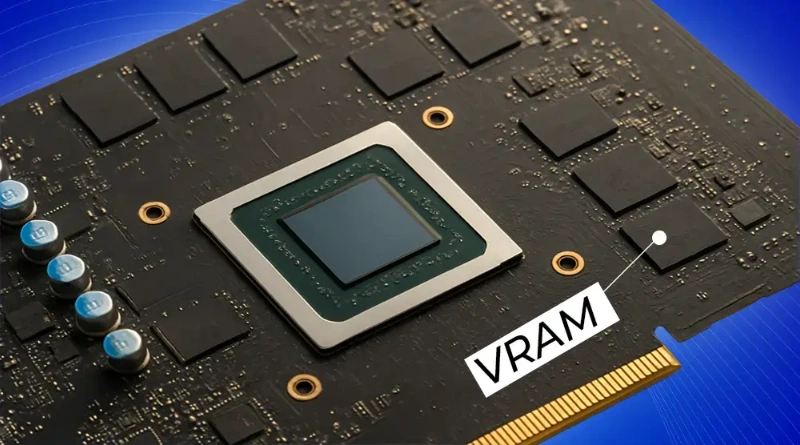
1. VRAM: Beyond the Graphics Buffer
In professional compute environments, VRAM (Video Random Access Memory) is the high-speed “workspace” where neural network weight matrices and KV Caches reside.
For engineering teams, the gap between a successful training epoch and a stalled cluster is defined by the VRAM-to-Compute Ratio. When VRAM saturates, CUDA cores sit idle—a state known as being “Memory Bound.” At WhaleFlux, we solve this by treating VRAM not as a static spec, but as a dynamic resource to be orchestrated.
2. Hierarchy of Compute: Strategic VRAM Tiers
Based on telemetry from WhaleFlux Model Refinery cycles, we categorize hardware requirements into three mission-critical tiers:
Tier 1: High-Density Enterprise (100GB+ VRAM)
- Hardware: NVIDIA H200 (141GB HBM3e).
- Use Case: Large-scale fine-tuning (100B+ parameters) and high-concurrency Autonomous Agents.
- The WhaleFlux Edge: We use Intelligent Scaling to balance these massive HBM3e buffers across clusters, ensuring predictable 99.9% uptime for mission-critical logic.
Tier 2: Mid-Range Performance (40GB – 80GB VRAM)
- Hardware: NVIDIA H100 (80GB), A100 (80GB).
- Use Case: 34B to 70B parameter models (e.g., Llama 3 or Mistral).
- Insight: This is the “sweet spot” for most enterprise RAG (Retrieval-Augmented Generation) implementations.
Tier 3: The Prototyping Edge (24GB VRAM)
- Hardware: RTX 4090.
- Use Case: Small model refinement (7B-14B) and local agent validation.
- Caution: The lack of NVLink and lower memory bandwidth makes this tier inefficient for large batch training compared to H-series nodes.
3. Overcoming the “Memory Wall” with WhaleFlux Intelligence
Sourcing high-VRAM GPUs is only the first step. The WhaleFlux Integrated AI Platform provides the software layer to maximize this hardware:
VRAM Fragmentation Control
WhaleFlux monitors GPU memory at the kernel level via Deep Observability. If a model fragments VRAM during backpropagation, the platform re-allocates buffers in real-time to prevent OOM errors.
Precision-Aware Scaling
We optimize for FP8 and FP4 formats, allowing enterprises to fit larger models into smaller VRAM footprints without sacrificing deterministic accuracy.
Cluster Balance
In multi-GPU deployments, WhaleFlux ensures consistent utilization across the entire node pool, eliminating the “Hot Node” bottlenecks that typically plague parallel training.
Expert FAQ
Q: Why is HBM3e (found in the H200) superior to GDDR6X for AI?
A: Bandwidth. HBM3e delivers up to 4.8 TB/s, which is critical for the “Inference phase.” LLM speed is often limited by how fast the GPU can read model weights from memory—not just raw compute speed.
Q: How does WhaleFlux mitigate VRAM overflow?
A: Through Intelligent Scaling, WhaleFlux detects imminent saturation and redistributes tasks across available nodes or triggers proactive memory clearing before a crash occurs.
Q: Is 16GB VRAM sufficient for business AI in 2026?
A: Only for low-concurrency, small-scale inference (7B models). For any serious Agentic Workflow or model refinement, 24GB-48GB is the minimum required to handle the KV Cache and context window expansion.
GPU Health Check: Key Practices for Safeguarding Computational Performance
What is a GPU?
A GPU (Graphics Processing Unit) is a hardware component in computers specifically designed for graphics processing and parallel computing. Unlike CPUs, GPUs feature a highly parallelized architectural design, enabling them to handle thousands of computational tasks simultaneously. They excel at processing images, videos, animations, and large-scale data computations. Modern GPUs are not only used for graphics rendering but also find widespread application in scientific computing, artificial intelligence, deep learning, and high-performance computing.
GPUs are primarily categorized into two types: integrated GPUs and discrete GPUs. Integrated GPUs are typically built into motherboards or CPUs, offering lower power consumption but limited performance. In contrast, discrete GPUs come with dedicated memory (VRAM) and cooling systems, delivering significantly stronger computing capabilities. With technological advancements, GPUs have become indispensable core components in modern computing systems.
Why is GPU Health Check Necessary?
1. Ensure System Stability
GPUs generate substantial heat under high loads. Excessively high temperatures can lead to hardware damage or system crashes. Regular health checks monitor critical parameters such as GPU temperature and power consumption, ensuring the device operates within safe limits. For data centers and enterprise environments, GPU failures may cause service outages, resulting in significant financial losses.
2. Prevent Performance Degradation
Over prolonged operation, GPUs may experience performance degradation, such as VRAM errors or reduced clock speeds. Health checks enable timely detection of these issues and facilitate corrective actions, preventing computational tasks from failing due to hardware problems. This is particularly critical in AI training and scientific computing scenarios, where the stability of GPU performance directly impacts task efficiency.
3. Extend Device Lifespan
Regular GPU health monitoring helps prolong device lifespan. By detecting early signs of failure (e.g., ECC errors, abnormal temperatures), maintenance can be performed before issues escalate, reducing hardware replacement costs. Cloud service providers typically implement minute-level health monitoring for GPU devices to ensure resource reliability and availability.
4. Optimize Resource Allocation
In multi-GPU environments, health checks help identify underperforming devices, enabling optimized workload distribution. System administrators can use GPU health status to decide whether to include a device in computing partitions or flag it for maintenance.
Key Metrics for Measuring GPU Health
1. Temperature Monitoring
GPU core temperature and VRAM temperature are fundamental health indicators. Generally, the GPU core temperature should remain below 105°C, and VRAM temperature should stay under 85°C. Excessive temperatures trigger thermal throttling, which leads to performance reduction.
2. Utilization Metrics
GPU utilization includes compute unit usage, VRAM usage, and encoder/decoder usage. A healthy GPU should maintain stable utilization under high loads without abnormal fluctuations. Unusual utilization patterns may indicate software configuration issues or hardware failures.
3. Error Detection
ECC (Error Correction Code) error counts are critical for assessing GPU health. Excessive VRAM ECC errors may signal underlying hardware problems requiring further inspection. XID errors and NVLink errors are also key indicators requiring attention.
4. Power Consumption Monitoring
GPU power consumption reflects the device’s energy efficiency and operational status. Abnormal power fluctuations may indicate power supply issues or hardware failures. Most GPUs have predefined power limits; exceeding these limits can compromise device stability.
5. Clock Speeds
The stability of core clock and VRAM clock speeds is a key indicator of GPU health. Abnormal speed reductions may result from overheating or insufficient power supply.
6. Link Status
For multi-GPU systems, NVLink or PCIe link status is crucial. Link disruptions or reduced bandwidth severely impact the efficiency of multi-card collaborative computing.
Best Practices for Implementing GPU Health Checks
Regular Monitoring
Establish a minute-level monitoring mechanism to continuously collect GPU metrics such as temperature, utilization, and error counts. Cloud service providers typically retrieve monitoring data by accessing GPU driver libraries (e.g., libnvidia-ml.so.1 or nvml.dll).
Use Professional Tools
Leverage specialized tools like NVIDIA DCGM, NVML, or vendor-provided monitoring software for comprehensive health checks. These tools offer detailed diagnostic information, including internal GPU status and error logs.
Establish Early Warning Systems
Set reasonable threshold-based alerts to notify administrators promptly when GPU health metrics exceed normal ranges. Common alert triggers include sustained temperatures above 80°C and increasing ECC error counts.
Logging and Analysis
Record historical health data for analysis to identify long-term trends and potential issues. Comparing data across different time periods helps detect early signs of performance degradation.
Conclusion
GPU health checks are a critical step in ensuring the stable operation of computing systems. By establishing a robust monitoring framework and regularly inspecting key health metrics, potential issues can be detected and resolved promptly, safeguarding GPU performance and reliability. As GPUs become increasingly integral across industries, the importance of health checks will continue to grow. Whether for individual users or enterprise environments, prioritizing GPU health checks is essential to keeping computing resources in optimal condition.