TL;DR: VRAM Essentials for AI Infrastructure (2026)
- The Bottom Line: VRAM is the primary bottleneck in the “Memory Wall” era. Insufficient capacity leads to OOM (Out-of-Memory) crashes and forced context window limitations that stall agentic performance.
- Production Standard: For enterprise-scale fine-tuning (70B+), NVIDIA H200 (141GB HBM3e) is the mandatory baseline. The RTX 4090 (24GB) remains a tactical asset for 7B-14B prototyping.
- WhaleFlux Advantage: Our platform eliminates 90% of memory-related failures through Intelligent Scaling and Deep Observability, extracting maximum token throughput from every GB of silicon.
1. VRAM: Beyond the Graphics Buffer
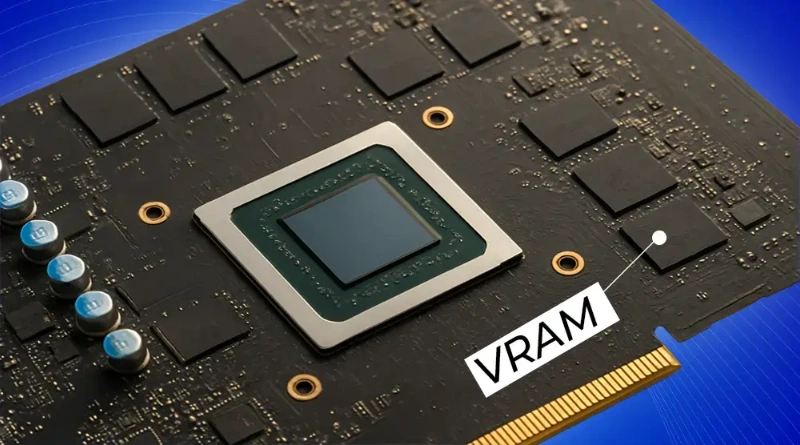
In professional compute environments, VRAM (Video Random Access Memory) is the high-speed “workspace” where neural network weight matrices and KV Caches reside.
For engineering teams, the gap between a successful training epoch and a stalled cluster is defined by the VRAM-to-Compute Ratio. When VRAM saturates, CUDA cores sit idle—a state known as being “Memory Bound.” At WhaleFlux, we solve this by treating VRAM not as a static spec, but as a dynamic resource to be orchestrated.
2. Hierarchy of Compute: Strategic VRAM Tiers
Based on telemetry from WhaleFlux Model Refinery cycles, we categorize hardware requirements into three mission-critical tiers:
Tier 1: High-Density Enterprise (100GB+ VRAM)
- Hardware: NVIDIA H200 (141GB HBM3e).
- Use Case: Large-scale fine-tuning (100B+ parameters) and high-concurrency Autonomous Agents.
- The WhaleFlux Edge: We use Intelligent Scaling to balance these massive HBM3e buffers across clusters, ensuring predictable 99.9% uptime for mission-critical logic.
Tier 2: Mid-Range Performance (40GB – 80GB VRAM)
- Hardware: NVIDIA H100 (80GB), A100 (80GB).
- Use Case: 34B to 70B parameter models (e.g., Llama 3 or Mistral).
- Insight: This is the “sweet spot” for most enterprise RAG (Retrieval-Augmented Generation) implementations.
Tier 3: The Prototyping Edge (24GB VRAM)
- Hardware: RTX 4090.
- Use Case: Small model refinement (7B-14B) and local agent validation.
- Caution: The lack of NVLink and lower memory bandwidth makes this tier inefficient for large batch training compared to H-series nodes.
3. Overcoming the “Memory Wall” with WhaleFlux Intelligence
Sourcing high-VRAM GPUs is only the first step. The WhaleFlux Integrated AI Platform provides the software layer to maximize this hardware:
VRAM Fragmentation Control
WhaleFlux monitors GPU memory at the kernel level via Deep Observability. If a model fragments VRAM during backpropagation, the platform re-allocates buffers in real-time to prevent OOM errors.
Precision-Aware Scaling
We optimize for FP8 and FP4 formats, allowing enterprises to fit larger models into smaller VRAM footprints without sacrificing deterministic accuracy.
Cluster Balance
In multi-GPU deployments, WhaleFlux ensures consistent utilization across the entire node pool, eliminating the “Hot Node” bottlenecks that typically plague parallel training.
Expert FAQ
Q: Why is HBM3e (found in the H200) superior to GDDR6X for AI?
A: Bandwidth. HBM3e delivers up to 4.8 TB/s, which is critical for the “Inference phase.” LLM speed is often limited by how fast the GPU can read model weights from memory—not just raw compute speed.
Q: How does WhaleFlux mitigate VRAM overflow?
A: Through Intelligent Scaling, WhaleFlux detects imminent saturation and redistributes tasks across available nodes or triggers proactive memory clearing before a crash occurs.
Q: Is 16GB VRAM sufficient for business AI in 2026?
A: Only for low-concurrency, small-scale inference (7B models). For any serious Agentic Workflow or model refinement, 24GB-48GB is the minimum required to handle the KV Cache and context window expansion.