Choosing the Best GPU for AI Training
I. Introduction: The Engine of AI
The breathtaking evolution of artificial intelligence we see today—from chatbots that write like humans to systems that can generate photorealistic images—isn’t driven by code alone. It’s powered by a physical engine: the process of training. This crucial phase, where an AI model learns from massive datasets, is what separates a clever program from true machine intelligence. And the fuel for this engine is computational power, primarily delivered by the Graphics Processing Unit, or GPU.
This leads every AI developer and researcher to a fundamental question: What is the best GPU for my AI training workload?
The answer isn’t a simple product name. While selecting the right hardware is critical, it’s only the first step. The real secret to efficient and cost-effective AI development lies not just in choosingpowerful GPUs, but in managing them intelligently. In this guide, we’ll navigate the GPU landscape and explore how the right management strategy unlocks the full potential of your AI training projects.
II. Why GPUs are Non-Negotiable for Training AI
To understand why GPUs are so essential, let’s use a simple analogy. Imagine you’re trying to solve a million simple math problems.
- A CPU (Central Processing Unit) is like a single, brilliant mathematician. They can solve one complex problem at a time with incredible speed. But having them work through a million simple problems one-by-one would take a very long time.
- A GPU, on the other hand, is like a massive stadium of a thousand students. Individually, each student is slower than the expert mathematician. But by working in parallel, they can all solve their simple math problems simultaneously, completing the entire million-problem job exponentially faster.
This is the core of AI training. Training a neural network involves performing billions of simple mathematical operations (specifically, matrix multiplications) across vast amounts of data. The GPU’s architecture, with its thousands of smaller cores, is perfectly designed for this exact type of parallel workload.
The real-world impact is simple: faster training cycles. What used to take weeks can now be done in days or even hours. This speed is not just a convenience; it’s a competitive advantage. It allows developers and researchers to experiment more, iterate on their models faster, and innovate at the pace that modern AI demands.
III. The GPU Arena: A Look at Top Contenders for AI Training
When you decide to gpu train ai, you’re faced with a range of options, primarily from NVIDIA, which has established a strong ecosystem for AI workloads. Here’s a breakdown of the key contenders in 2024:
- NVIDIA H100/H200: The Performance Kings for Large-Scale Model Training.
These are the undisputed champions for serious AI enterprises. Built from the ground up for data centers and large-scale AI, the H100 and its successor, the H200, feature specialized Tensor Cores that dramatically accelerate the math used in deep learning. If you are training a foundation model from scratch, fine-tuning a massive large language model with billions of parameters, or running a high-performance research lab, this tier is your target. The performance is unparalleled, but it comes with a price tag to match. - NVIDIA A100: The Proven Workhorse for Enterprise-Level Training Clusters.
Before the H100, there was the A100—and it remains an incredibly powerful and reliable choice. Many enterprise AI teams and cloud providers run on clusters of A100s. It offers a fantastic balance of performance, stability, and support within mature software ecosystems. For training large models that aren’t at the absolute cutting-edge of size, or for handling multiple, concurrent training jobs, the A100 continues to be a top-tier, dependable option. - NVIDIA RTX 4090: The High-Value Champion for Prototyping and Mid-Range Training.
Don’t let its consumer-grade label fool you; the RTX 4090 is a beast for AI. For individual developers, university labs, and startups, it offers the best performance-per-dollar for local workstations. It’s the ideal GPU for prototyping models, conducting research, and training mid-sized models. While it may not have the dedicated features or memory of the data-center cards, its raw power makes it the go-to choice for getting serious work done without an enterprise budget.
The trade-off is a classic one: raw power vs. cost vs. use-case. The key is to honestly assess your project’s scale. Building the next GPT? You need an H100 cluster. Developing a specialized model for your business? The A100 is likely perfect. Learning the ropes and building a proof-of-concept? The RTX 4090 will serve you brilliantly.
IV. The Hidden Challenge: Beyond Picking the “Best” GPU
Selecting a powerful GPU is one thing; using it effectively is another. The real-world bottleneck for many teams isn’t a lack of hardware, but the inefficient management of a multi-GPU environment.
You could own a fleet of top-tier NVIDIA H100s, but if your system can’t keep them busy, you’re burning money. Common problems include:
- Underutilization and Idle Resources: A developer might start a training job that doesn’t fully saturate all GPUs, leaving precious cycles wasted. Or, jobs might be stuck in a queue because there’s no intelligent scheduler to pack them efficiently onto available hardware.
- Complex Orchestration: Manually managing which job runs on which GPU, handling dependencies, and ensuring one task doesn’t interfere with another becomes a full-time job—distracting your team from actual AI development.
- Soaring Cloud Costs: In the cloud, idle resources are a direct financial drain. Poor management leads to paying for expensive GPU instances that are delivering low returns on investment.
This leads to a critical realization: The “best” GPU is only as good as the system managing it. Your hardware’s theoretical performance is meaningless if your operational reality is plagued with inefficiency.
V. WhaleFlux: Optimizing Your Chosen GPU Power
This is where WhaleFlux enters the picture. Think of it as the intelligent control layer that sits between your AI team and your GPU hardware. Whether you own a cluster of A100s or are considering renting H100s, WhaleFlux ensures you extract every ounce of performance you’re paying for.
WhaleFlux is a smart GPU resource management tool designed specifically for AI enterprises. It maximizes the value of your chosen GPUs through two core principles:
- Intelligent Scheduling: Instead of relying on manual, error-prone job assignments, WhaleFluxuses smart algorithms to automatically queue and dispatch training jobs. It analyzes the requirements of each task and packs them onto the available GPUs like a master Tetris player, ensuring that your valuable hardware is constantly working, not waiting. This eliminates idle resources and dramatically reduces job completion times.
- Simplified Cluster Management: WhaleFlux provides a unified dashboard to view and manage your entire multi-GPU cluster as a single, pooled resource. Your team can submit jobs without needing to be experts in low-level orchestration, dramatically simplifying workflows and boosting productivity.
The value proposition is clear: You get more out of your hardware investment. By eliminating waste, WhaleFlux directly translates into lower computing costs and faster time-to-market for your AI models. It’s the force multiplier that ensures your “best” GPU choice actually delivers its best possible performance.
VI. Practical Guide: Selecting and Using Your AI Training GPU
So, how do you put this all together? Here is a practical, actionable guide to gearing up for your next project.
- Match the GPU to Your Project: Be realistic about your needs.
- Prototyping & Learning: An NVIDIA RTX 4090 is your best starting point.
- Business-Critical Models & Mid-Scale LLMs: Build or rent a cluster of NVIDIA A100s for a balance of performance and reliability.
- Cutting-Edge Research & Large-Scale Foundation Models: Aim for the NVIDIA H100/H200 to stay at the forefront.
- Access, Don’t Just Acquire: You don’t always need to make a massive capital investment in hardware. A smarter approach is to leverage a platform that provides both access and management. This is where WhaleFlux offers a comprehensive solution. Through WhaleFlux, you can access our curated fleet of top-tier GPUs—including the H100, H200, A100, and RTX 4090—via a straightforward purchase or rental model. To ensure cluster stability and consistent performance for all users, our rentals are committed, with a minimum term of one month, providing the dedicated resources serious projects require.
By combining the right hardware choice with the intelligent management provided by WhaleFlux, you create an environment where you can efficiently gpu train ai at any scale, from a single experiment to an enterprise-wide deployment.
VII. Conclusion: Train Smarter, Not Just Harder
The journey to successful AI training is a two-part strategy. First, choosing the right GPU is critical—it sets the ceiling for your project’s potential performance. But second, and just as important, managing that GPU power effectively is what delivers a real return on investment.
True empowerment in AI training comes from combining powerful hardware with intelligent operational software. It’s about training smarter, not just harder.
Ready to find the optimal GPU solution for your training needs and ensure you use it to its fullest potential? Explore WhaleFlux’s GPU options today. Discover how our smart management platform and access to top-tier hardware can help you build the future, faster and more efficiently.
A Comprehensive Guide for AI Developers
Introduction
Artificial Intelligence is no longer a technology of the future; it’s the engine of our present. From crafting human-like text with large language models to enabling self-driving cars, AI is reshaping industries at a breathtaking pace. At the heart of this revolution is a special kind of engineer: the artificial intelligence developer. These are the architects of intelligence, the ones who turn complex algorithms into real-world solutions.
Yet, for all the excitement, the path of an AI developer is often paved with significant hurdles. Many teams find themselves grappling with the very infrastructure that powers their innovation: the GPU clusters. The challenges are all too familiar—sky-high cloud computing bills that drain budgets, frustrating delays in model training, and unpredictable instability when deploying these sophisticated models. The immense computational power required, especially for large language models, can become a bottleneck, slowing down progress and inflating costs.
This is where the need for intelligent infrastructure management becomes critical. What if you could focus more on designing groundbreaking AI and less on managing the complex hardware it runs on? This is precisely the problem WhaleFlux is designed to solve. WhaleFlux is an intelligent GPU resource management tool built specifically for AI enterprises. By optimizing how multi-GPU clusters are used, it directly addresses the core pain points of modern AI development, helping businesses significantly reduce cloud costs while dramatically speeding up the deployment and enhancing the stability of their large language models. Let’s explore how the modern AI developer can thrive by leveraging such smart tools.
Section 1: Understanding the Role of an Artificial Intelligence Developer
So, what does an artificial intelligence developer actually do? In essence, they are part data scientist, part software engineer, and part innovator. Their work involves a multi-stage process: they first define the problem an AI should solve, then gather and prepare massive datasets, design and select appropriate neural network architectures, train these models on powerful hardware, and finally, deploy them into production environments where they can deliver real value.
The most demanding part of this workflow, particularly for training and inference with large language models, is the computational heavy-lifting. Tasks like processing billions of text parameters or generating high-resolution images require parallel processing on a massive scale. This is where GPUs (Graphics Processing Units) come in. Unlike standard CPUs, GPUs have thousands of cores that can handle multiple calculations simultaneously, making them perfectly suited for the matrix and vector operations fundamental to deep learning.
However, simply having access to GPUs isn’t enough. The real challenge lies in using them efficiently. An AI developer might have a cluster of powerful GPUs at their disposal, but if those resources are poorly managed—if some GPUs sit idle while others are overloaded, or if jobs are queued unnecessarily—the entire development cycle suffers. Inefficient GPU usage directly translates into longer training times, missed deadlines, and wasted money. This inefficiency is the gap that WhaleFlux aims to close, ensuring that the valuable compute power available is fully and intelligently utilized.
Section 2: Key Steps in How to Develop Artificial Intelligence
To understand where tools like WhaleFlux add the most value, it’s helpful to walk through the fundamental steps of creating an AI model. While each project is unique, most follow a similar lifecycle.
- Data Preparation: This is the foundational step. AI developers collect, clean, and label vast amounts of data. The old adage “garbage in, garbage out” is especially true in AI. This stage requires significant storage and data processing power, but it’s the next steps where GPU demand skyrockets.
- Model Training: This is the most computationally intensive phase. Here, the AI model learns patterns from the prepared data. For a large language model, this involves feeding it terabytes of text and adjusting billions of internal parameters over and over again. This process can take weeks or even months on a single GPU. High-performance GPUs like the NVIDIA H100 or A100 are essential here, as their specialized tensor cores accelerate these calculations exponentially.
- Testing and Evaluation: Once trained, the model must be rigorously tested on unseen data to evaluate its accuracy, bias, and performance. This often involves running multiple inference jobs and can still require substantial GPU power, especially for complex models.
- Deployment: Finally, the trained model is deployed into a live environment—a website, an app, or an API—where it can serve users. This deployment phase requires not just power, but also remarkable stability and scalability to handle fluctuating user requests without crashing or slowing down.
Throughout this entire lifecycle, from the intensive training runs to the critical deployment stage, the reliance on high-performance GPUs is constant. Any bottleneck or instability in the GPU cluster can derail the project. WhaleFlux streamlines this entire process by acting as an intelligent orchestrator for your multi-GPU cluster. It ensures that during training, all available GPUs are used to their fullest capacity, drastically reducing training time. During deployment, it manages the load intelligently, preventing any single GPU from becoming a point of failure and ensuring your models remain stable and responsive for end-users.
Section 3: Common Challenges for Artificial Intelligence Developers in GPU Management
Despite having access to powerful hardware, AI teams frequently run into three major problems related to GPU management.
First is underutilized GPU clusters. It’s surprisingly common for expensive GPUs to sit idle due to poor job scheduling. Imagine a team with a cluster of eight NVIDIA A100 GPUs. Without intelligent management, one developer might accidentally lock all eight GPUs for a small job that only needs one, while another developer’s critical training job sits in the queue. Studies have shown that average GPU utilization in many clusters can be as low as 30%, meaning 70% of a company’s expensive compute investment is being wasted.
Second, soaring cloud expenses are a constant headache. Leading cloud providers charge a premium for on-demand GPU instances. When utilization is low, companies are essentially pouring money down the drain. Furthermore, the “pay-by-the-second” model, while flexible, can lead to shockingly high bills if a training job runs longer than expected or if resources are not promptly released after use.
Third, instability in model deployments can damage user trust and product reliability. When a deployed model suddenly experiences a spike in user traffic, an inflexible GPU resource allocation can cause slow response times or even total service outages. For a business relying on an AI-powered chatbot or recommendation engine, this instability directly impacts the bottom line and brand reputation.
These aren’t minor inconveniences; they are fundamental barriers that slow down AI innovation. They force developers to spend their time on DevOps and infrastructure firefighting instead of on core algorithm development. This is the critical juncture where WhaleFlux serves as a powerful remedy. By implementing intelligent resource allocation and automated scheduling, WhaleFlux ensures that every GPU in your cluster is working efficiently. It dynamically assigns workloads based on availability and priority, eliminating idle resources and queue times. This directly translates into lower cloud costs and a much more stable, reliable environment for deploying models, effectively breaking down the barriers that hinder AI development.
Section 4: How WhaleFlux Empowers AI Developers with Smart GPU Solutions
WhaleFlux is designed from the ground up to give AI developers a decisive edge. It operates as the intelligent control layer for your GPU infrastructure, built with features that directly tackle the challenges we’ve discussed.
Its core functionality rests on three pillars:
- Intelligent Scheduling: WhaleFlux automatically queues and dispatches AI workloads to the most appropriate GPUs in the cluster. It understands job priorities and resource requirements, ensuring that high-priority training jobs don’t get stuck behind less critical tasks. This eliminates manual assignment and dramatically boosts overall cluster productivity.
- Dynamic Load Balancing: When serving models in production, WhaleFlux doesn’t let any single GPU become a bottleneck. It distributes incoming inference requests evenly across the cluster, ensuring consistent performance and high availability even during traffic spikes.
- Comprehensive Monitoring: The platform provides a clear, real-time dashboard showing the health and utilization of every GPU. This gives teams full visibility into their resource consumption, helping them identify inefficiencies and make data-driven decisions.
The benefits for AI developers are immediate and substantial. Cost savings are realized through drastically improved utilization; you get more work done from the same set of GPUs, reducing the need to rent additional expensive instances. Improved deployment speed is achieved because the streamlined pipeline from training to deployment means models get to production faster. Most importantly, increased stability for large language models becomes the new normal, as the intelligent load balancing prevents crashes and ensures a smooth user experience.
To support these capabilities, WhaleFlux offers a curated fleet of top-tier NVIDIA GPUs, including the flagship NVIDIA H100 and H200 for the most demanding training workloads, the versatile A100 for a balance of performance and efficiency, and the powerful RTX 4090 for robust inference and mid-range training. We believe in providing flexible access to this power. Companies can either purchase these GPUs for their on-premise data centers or rent them through our platform. To maintain cluster stability and prevent the fragmentation that harms performance, our rental model is committed, with a minimum term of one month, ensuring dedicated, reliable resources for your serious AI projects.
Section 5: Practical Tips for AI Developers Using WhaleFlux
Integrating a powerful tool like WhaleFlux into your workflow is straightforward, but a few strategic steps can maximize its impact.
First, match the GPU to the task. Not every job requires the most powerful chip. Use the NVIDIA H100 or H200 for your most intensive, company-scale large language model training. For fine-tuning models or handling high-volume inference, the A100 or even the RTX 4090 can be a more cost-effective choice without sacrificing performance. WhaleFlux’s monitoring tools can help you analyze your workloads and make the right choice.
Second, use the scheduler proactively. Don’t just submit jobs blindly. Define the resource requirements and priorities for your training runs. By telling WhaleFlux what you need, it can optimally pack jobs into the cluster, ensuring your resources are used 24/7.
Consider the experience of a mid-sized AI startup, “Nexus AI,” that was struggling to deploy their new conversational AI model. Their training times were slow due to resource contention among their team of ten developers, and their weekly cloud bills were unsustainable. After integrating WhaleFlux, they saw a change within the first billing cycle. By using WhaleFlux’s intelligent scheduling on a rented cluster of NVIDIA A100s, they eliminated their internal queue and reduced their average model training time by 40%. Furthermore, the stability of their deployed model improved dramatically, with response times during peak hours dropping by 60%. Their cloud costs were cut in half, allowing them to re-invest those savings into further research and development.
This example shows that “how to develop artificial intelligence” is no longer just about writing better code. It’s about building a smarter, more efficient development infrastructure. WhaleFlux makes the entire process more efficient, reliable, and cost-effective, freeing developers to focus on what they do best: innovation.
Conclusion
The journey of an artificial intelligence developer is filled with immense potential, but it is also fraught with infrastructure-related challenges. Managing GPU resources efficiently is a critical, yet often overwhelming, task that can dictate the success or failure of AI initiatives. The hurdles of high costs, slow deployment, and system instability are real, but they are not insurmountable.
As we’ve seen, smart GPU management tools like WhaleFlux provide a reliable and powerful path to overcome these hurdles. By optimizing multi-GPU cluster utilization, WhaleFlux directly empowers AI developers and their enterprises to achieve more with less—less cost, less delay, and less complexity. It fosters an environment where innovation can thrive, unencumbered by the limitations of the underlying infrastructure.
Are you ready to accelerate your AI development, reduce your cloud spend, and deploy your models with confidence? It’s time to stop letting GPU management slow you down. Visit the WhaleFluxwebsite today to learn more about how our smart GPU solutions can transform your workflow. Explore our range of NVIDIA H100, H200, A100, and RTX 4090 GPUs and discover the flexible purchase and rental options designed to fuel your long-term AI ambitions.
Edge Artificial Intelligence: The Complete Guide to Deploying AI Where It Matters Most
I. Introduction: The Rise of Intelligent Edge Computing
Imagine an autonomous vehicle making split-second decisions to avoid obstacles, a smart factory detecting manufacturing defects in real-time, or a medical device analyzing patient vitals instantly without cloud dependency. These aren’t futuristic concepts—they’re real-world applications of edge artificial intelligence that are transforming industries today. This revolutionary approach moves AI processing from centralized cloud data centers directly to the devices where data is generated, enabling immediate insights and actions without latency or bandwidth constraints.
Edge artificial intelligence represents a fundamental shift in how we deploy and benefit from artificial intelligence. Instead of sending data to distant servers for processing, edge AI runs algorithms locally on devices—from smartphones and sensors to specialized hardware in factories and vehicles. This paradigm enables intelligent systems that can see, hear, understand, and respond to their environment in real-time, without constant internet connectivity.
This comprehensive guide explores the world of artificial intelligence at the edge, examining its transformative benefits, implementation challenges, and strategic considerations. We’ll also demonstrate how WhaleFlux provides the essential development infrastructure that enables teams to build, optimize, and deploy sophisticated edge AI solutions efficiently and cost-effectively.
II. What is Edge Artificial Intelligence?
At its core, edge artificial intelligence represents a fundamental architectural shift from cloud-dependent AI systems to localized, real-time intelligent processing. Where traditional AI relies on sending data to powerful remote servers for analysis, edge AI brings the computational power directly to the source of data generation. This approach transforms ordinary devices into intelligent systems capable of making autonomous decisions without external processing.
The key characteristics that define edge AI systems include:
Low Latency Decision-Making
By processing data locally, edge AI systems eliminate the round-trip time to cloud servers, enabling immediate responses. This is crucial for applications where milliseconds matter, such as autonomous vehicles detecting pedestrians or industrial robots avoiding collisions. The elimination of network latency means decisions happen in real-time, creating systems that can respond to their environment instantaneously.
Reduced Bandwidth Requirements
Edge AI significantly minimizes the need for continuous data transmission to the cloud. Instead of streaming high-volume sensor data 24/7, only processed results, alerts, or occasional model updates need to be transmitted. This not only reduces bandwidth costs but also makes AI practical in bandwidth-constrained environments like remote locations or mobile applications.
Enhanced Privacy and Data Security
Sensitive data never leaves the local device, addressing critical privacy concerns and regulatory requirements. Medical devices can process patient information locally, surveillance systems can identify threats without transmitting video footage, and industrial systems can protect proprietary processes while still benefiting from AI capabilities.
Operation Without Constant Internet Connectivity
Edge AI systems function reliably even when network connections are unavailable or intermittent. This ensures continuous operation in challenging environments—from offshore platforms and rural areas to moving vehicles and remote field operations. The intelligence travels with the device, independent of cloud infrastructure.
Contrasting edge AI with cloud-based systems reveals complementary rather than competing approaches. Cloud AI excels at training complex models, processing massive historical datasets, and serving applications that aren’t latency-sensitive. Edge AI specializes in real-time inference, privacy-sensitive applications, and environments where connectivity cannot be guaranteed. The most effective AI strategies often combine both, using the cloud for training and updates while deploying optimized models to the edge for real-time execution.
III. The Driving Forces Behind Artificial Intelligence at the Edge
Several powerful trends are accelerating the adoption of edge artificial intelligence across industries, each addressing specific limitations of cloud-only approaches while unlocking new capabilities.
Real-Time Requirements
Many modern applications simply cannot tolerate the latency of cloud round-trips. Autonomous vehicles must process sensor data and make driving decisions within milliseconds. Industrial automation systems need instant responses to ensure worker safety and manufacturing quality. Medical diagnostic devices must provide immediate analysis during critical procedures. In these scenarios, artificial intelligence at the edge isn’t just convenient—it’s essential for functionality and safety.
Bandwidth and Cost Optimization
The exponential growth of data from IoT devices, cameras, and sensors makes continuous cloud transmission impractical and expensive. A single high-definition camera can generate over 1TB of data per day—transmitting this to the cloud would be cost-prohibitive for most applications. Edge AI processes this data locally, sending only meaningful insights or compressed information, typically reducing bandwidth requirements by 90% or more while maintaining full analytical capabilities.
Privacy and Security
Increasingly stringent data protection regulations (GDPR, HIPAA, CCPA) and growing consumer privacy concerns make local data processing particularly attractive. Edge AI enables compliance by design—personal data, proprietary processes, and sensitive information remain secure on local devices. This approach is becoming mandatory in healthcare, finance, and any application handling personally identifiable information.
Reliability and Resilience
Systems that must function regardless of network conditions naturally gravitate toward edge AI. Agricultural equipment in remote fields, mining operations underground, emergency response systems during disasters, and military applications in contested environments all require AI capabilities that cannot be disrupted by connectivity issues. Edge AI provides autonomous intelligence that works consistently in any environment.
IV. Key Challenges in Edge AI Implementation
While the benefits of edge AI are compelling, successful implementation requires overcoming several significant technical and operational challenges.
Hardware Limitations
The fundamental constraint of edge AI lies in the balance between computational requirements and physical limitations. Edge devices must deliver meaningful AI performance while operating within strict power budgets, thermal envelopes, and size constraints. This creates an ongoing tension between model sophistication and practical deployment—the most accurate AI model is useless if it cannot run on available edge hardware. Developers must navigate complex trade-offs between performance, power consumption, cost, and physical form factors.
Model Optimization
Creating AI models that deliver adequate accuracy while meeting edge resource constraints represents a major technical challenge. Full-sized models trained in data centers typically require significant memory and computational resources that simply aren’t available on edge devices. Techniques like model pruning, quantization, knowledge distillation, and neural architecture search become essential but require specialized expertise. The optimization process often involves multiple iterations of training, compression, and validation to maintain accuracy while reducing computational demands.
Development Complexity
Building effective edge AI solutions demands expertise across multiple domains—machine learning, embedded systems, hardware design, and domain-specific knowledge. Teams must understand both the AI algorithms and the target deployment environment, including processor architectures, memory hierarchies, and power management. This interdisciplinary requirement makes edge AI development particularly challenging and often lengthens development cycles as teams navigate unfamiliar technical territory.
Scalability Issues
Managing AI models across thousands or millions of edge devices introduces operational complexity that many organizations underestimate. Model updates must be deployed efficiently without disrupting service, performance must be monitored across diverse environments, and security patches need to reach all devices promptly. The distributed nature of edge deployments makes traditional centralized management approaches inadequate, requiring new tools and processes for effective large-scale operation.
V. The Development Bottleneck: Why Edge AI Needs Powerful Infrastructure
A common misconception about artificial intelligence at the edge is that because the final deployment uses resource-constrained devices, the development process is similarly lightweight. In reality, the opposite is true—creating efficient, high-performing edge AI models demands more intensive computational resources and sophisticated development workflows than many cloud AI projects.
This training paradox emerges because developing optimized edge models requires extensive experimentation, hyperparameter tuning, and iterative optimization. Each round of model compression, quantization, or architecture search needs retraining and validation to ensure accuracy isn’t compromised. What begins as a straightforward model development project can quickly evolve into hundreds of training cycles as teams search for the optimal balance between performance and efficiency.
The infrastructure requirements for effective edge AI development are substantial. Teams need powerful GPU resources for rapid training iterations, robust testing environments that simulate edge conditions, and sophisticated tooling for model analysis and optimization. Without adequate infrastructure, development cycles stretch from days to months, innovation slows, and time-to-market increases significantly.
This infrastructure challenge is particularly acute because edge AI development often involves exploring multiple model architectures and optimization techniques simultaneously. Teams might need to compare traditional CNNs with more efficient architectures like MobileNets or SqueezeNets, experiment with different quantization approaches, and validate performance across various hardware targets—all requiring substantial computational resources.
VI. WhaleFlux: Accelerating Edge AI Development
Developing sophisticated edge artificial intelligence solutions requires the kind of iterative training and optimization that demands high-performance computing resources typically unavailable to most development teams. The constant cycle of training, compression, validation, and deployment creates computational demands that can overwhelm traditional development infrastructure and significantly delay project timelines.
WhaleFlux provides the essential GPU infrastructure that edge AI teams need to rapidly develop, test, and optimize their models before deployment. By removing computational constraints from the development process, WhaleFlux enables teams to focus on innovation rather than infrastructure management. The platform understands that creating efficient edge models requires extensive experimentation—exactly the kind of workload that benefits from scalable, high-performance computing resources.
So what exactly is WhaleFlux? It’s an intelligent GPU resource management platform specifically optimized for AI development workloads. While the final deployment of edge AI happens on resource-constrained devices, WhaleFlux provides the powerful foundation needed during the development phase. The platform enables faster iteration and better optimization for edge AI models through dedicated high-performance computing, ensuring that teams can explore more approaches, validate more thoroughly, and deliver higher-quality solutions in less time.
VII. How WhaleFlux Supports Edge AI Innovation
WhaleFlux addresses the unique challenges of edge AI development through several key capabilities that accelerate innovation while controlling costs.
Rapid Model Development
Access to clusters of high-performance GPUs including NVIDIA H100, H200, A100, and RTX 4090enables edge AI teams to run multiple training experiments simultaneously, dramatically reducing iteration time. Instead of waiting days for model training to complete, researchers can test new architectures, hyperparameters, and optimization techniques in hours. This accelerated experimentation cycle is crucial for finding the optimal balance between model accuracy and efficiency that defines successful edge deployments.
Efficient Optimization Workflow
The powerful GPU resources provided by WhaleFlux enable quick cycles of model compression, quantization, and pruning while maintaining accuracy. Teams can experiment with different optimization strategies in parallel, comparing results across multiple approaches to identify the most effective techniques for their specific use case. This comprehensive optimization process—often too computationally expensive for most organizations to undertake thoroughly—becomes practical and efficient with WhaleFlux’s scalable infrastructure.
Simulation and Testing
Before deploying models to physical edge devices, WhaleFlux provides robust infrastructure for simulating edge environments and validating model performance at scale. Teams can test their optimized models against large datasets that represent real-world conditions, identify edge cases, and validate reliability across diverse scenarios. This simulation capability reduces the risk of deployment failures and ensures models perform correctly in their target environments.
Cost-Effective Development
Through monthly rental options, WhaleFlux provides predictable pricing for sustained edge AI development projects. Unlike hourly cloud services that create unpredictable costs during intensive development phases, WhaleFlux’s model aligns with the reality of AI development workflows. Teams can maintain consistent access to the resources they need without worrying about budget overruns, making sophisticated edge AI development accessible to organizations of all sizes.
VIII. Real-World Applications of Edge Artificial Intelligence
The practical impact of edge AI is already visible across numerous industries, delivering tangible benefits through intelligent, localized processing.
Smart Manufacturing
Factories are deploying edge AI for real-time quality control, identifying defects as products move along assembly lines. Predictive maintenance systems analyze equipment vibrations and temperatures to anticipate failures before they cause downtime. These applications require immediate processing—stopping a production line to send video to the cloud for analysis simply isn’t practical. Edge AI enables milliseconds response times that transform manufacturing efficiency and quality.
Autonomous Vehicles
Self-driving cars represent one of the most demanding edge AI applications, requiring processing of multiple high-resolution sensor streams in real-time. Object detection, path planning, and collision avoidance must happen instantaneously, without reliance on cloud connectivity. The computational demands of these systems are enormous, yet they must operate within strict power and thermal constraints—exactly the challenge that edge AI hardware and optimization techniques are designed to address.
Healthcare Devices
Medical applications benefit tremendously from edge AI’s combination of real-time processing and privacy preservation. Portable ultrasound devices can provide immediate analysis during emergency procedures, continuous glucose monitors can adjust insulin delivery automatically, and wearable ECG patches can detect arrhythmias as they occur. These applications demonstrate how edge AI saves lives by providing instant insights while protecting sensitive patient data.
Retail and Surveillance
Smart retail systems use edge AI to analyze customer behavior while preserving privacy, security systems can identify threats without transmitting sensitive footage, and inventory management systems can track stock levels in real-time. These applications showcase edge AI’s ability to deliver business intelligence while addressing privacy concerns and reducing operational costs through localized processing.
IX. Conclusion: Building the Future of Intelligent Edge Systems
Edge artificial intelligence is fundamentally transforming how we deploy and benefit from AI, enabling real-time, localized processing that unlocks new capabilities across industries. From manufacturing and healthcare to transportation and retail, intelligent edge systems are delivering immediate insights, enhanced privacy, and reliable operation without constant connectivity. This paradigm shift represents one of the most significant trends in modern computing, bringing AI capabilities to environments where cloud-dependent approaches simply cannot function.
However, developing effective edge AI solutions requires powerful infrastructure for training and optimization. The paradox of edge AI development—that creating efficient models for resource-constrained devices demands substantial computational resources—means that teams need access to high-performance computing to innovate effectively. Without adequate infrastructure, development cycles stretch unacceptably, optimization becomes superficial, and time-to-market increases dramatically.
WhaleFlux provides the essential GPU resources that edge AI teams need to innovate faster and deploy with confidence. By removing computational constraints from the development process, WhaleFlux enables teams to focus on what matters most: creating sophisticated AI solutions that deliver real value in edge environments. The platform’s combination of high-performance hardware, intelligent resource management, and predictable pricing makes advanced edge AI development accessible to organizations of all sizes, democratizing capabilities that were previously available only to well-resourced technology giants.
As edge artificial intelligence continues to evolve and expand into new domains, having the right development infrastructure will increasingly determine which organizations lead in innovation and which struggle to keep pace. With solutions like WhaleFlux providing the computational foundation for edge AI development, teams can build the intelligent systems that will define our future—systems that see, understand, and respond to the world around them in real-time, wherever they’re needed most.
AI GPU Revolution: How NVIDIA Dominates and How to Access This Power
I. Introduction: The Engine Behind the AI Revolution
We are living through an unprecedented artificial intelligence revolution that is transforming every industry from healthcare to finance, from creative arts to scientific research. Behind every AI breakthrough—from ChatGPT’s conversational abilities to Midjourney’s stunning image generation—lies a powerful, specialized hardware engine: the AI GPU. These sophisticated processors have become the unsung heroes of the AI era, providing the computational muscle needed to train complex models and deliver intelligent applications at scale.
What makes graphics processing units, specifically designed as AI GPU systems, so fundamental to modern artificial intelligence? The answer lies in their unique architecture that happens to be perfectly suited for the mathematical patterns underlying neural networks and machine learning algorithms. While traditional processors excel at sequential tasks, AI workloads require massive parallel processing capabilities that GPUs are specifically designed to provide.
This comprehensive guide will explore the powerful synergy between AI and GPU technology, examine NVIDIA’s remarkable market dominance in this space, and introduce WhaleFlux as the most efficient and accessible way for businesses of all sizes to leverage this transformative computational power. Understanding this landscape is crucial for any organization looking to harness AI capabilities without being overwhelmed by the technical complexity and substantial costs typically associated with high-performance AI infrastructure.
II. What is a GPU and Why Does It Support AI?
To understand why GPUs are so effective for AI, we first need to understand what a GPU actually is. A Graphics Processing Unit (GPU) is a specialized electronic circuit designed to rapidly manipulate and alter memory to accelerate the creation of images intended for output to a display. Unlike Central Processing Units (CPUs) that are designed for sequential serial processing with a few cores optimized for low-latency access, GPUs feature thousands of smaller, efficient cores designed for handling multiple tasks simultaneously through parallel processing.
The connection between this architecture and artificial intelligence is both profound and somewhat accidental. Why does GPU support AI so effectively? The answer lies in the mathematical foundation of both computer graphics and neural networks. Computer graphics relies heavily on matrix and vector operations—transforming 3D coordinates, applying lighting calculations, and processing pixels. Similarly, neural network training involves massive matrix multiplications and mathematical operations that can be broken down into thousands of parallel calculations. A modern GPU AIaccelerator can perform tens of thousands of these operations simultaneously, making it ideally suited for training sophisticated AI models.
The evolution of GPUs from graphics engines to AI workhorses represents one of the most significant technological shifts of the past decade. Initially developed for rendering video game graphics, researchers discovered that the same capabilities that made GPUs excellent for generating complex visual scenes also made them perfect for training neural networks. This realization sparked a revolution in AI development, enabling the training of increasingly sophisticated models that were previously computationally impossible. Today, the term AI and GPU has become almost synonymous in high-performance computing circles, reflecting how integral these processors have become to artificial intelligence advancement.
III. The Contenders: What is the Best AI GPU?
When discussing AI-optimized hardware, NVIDIA’s ecosystem stands dominant, though the definition of the “best” AI GPU depends heavily on specific use cases and requirements. The landscape of NVIDIA AI GPU chips includes several key players, each optimized for different aspects of AI workloads.
The data center-grade processors represent the pinnacle of AI performance. The NVIDIA H100Tensor Core GPU, built on the Hopper architecture, is specifically designed for large-scale AI and high-performance computing workloads. Its successor, the H200, features even more memory bandwidth, making it ideal for memory-intensive tasks like training massive large language models. The A100, based on the previous-generation Ampere architecture, remains a workhorse for AI training and inference in many data centers, offering an excellent balance of performance and value.
When considering the best AI GPU for any given project, several factors come into play. Memory capacity (VRAM) determines how large a model can be trained or served, with high-end data center GPUs offering up to 141GB of HBM3 memory. Interconnect speed through technologies like NVLink ensures efficient communication between multiple GPUs in a system, which is crucial for distributed training. Computational precision (FP8, FP16, TF32) affects both performance and accuracy, with different precisions being optimal for training versus inference tasks. There’s no single “best” GPU—the optimal choice depends on whether the primary need is for training massive models, serving inference at scale, or a balanced workload.
Interestingly, consumer-grade cards like the RTX 4090 have found significant utility in the AI space. While not designed as dedicated AI GPU systems, their substantial memory capacity (24GB) and competitive performance make them cost-effective solutions for research, development, and smaller-scale inference tasks. Many organizations use these consumer cards for prototyping and development before scaling up to data center GPUs for production training workloads.
IV. NVIDIA’s Market Dominance: A Deep Dive
NVIDIA’s position in the AI hardware space is nothing short of dominant. Recent market analyses consistently show NVIDIA market share AI GPU chips commanding over 90% of the data center AI accelerator market, a staggering level of control that underscores their strategic execution in capturing the AI revolution.
Several interconnected factors explain this remarkable dominance. The most significant is NVIDIA’s early recognition of AI’s potential and their creation of the CUDA (Compute Unified Device Architecture) programming model. While other companies focused solely on hardware, NVIDIA invested heavily in creating a comprehensive software ecosystem that made their GPUs accessible to researchers and developers. This created a powerful virtuous cycle: better hardware attracted more developers, whose software innovations drove demand for more advanced hardware, which funded further hardware development.
The NVIDIA AI GPU advantage extends beyond raw hardware specifications. Their chips incorporate specialized tensor cores specifically designed for AI workloads, advanced networking technologies that enable seamless multi-GPU communication, and a comprehensive software stack including libraries, frameworks, and development tools that lower the barrier to entry for AI development. This full-stack approach has proven difficult for competitors to challenge, as replicating requires matching not just hardware capabilities but over a decade of software ecosystem development.
For businesses seeking to leverage AI capabilities, NVIDIA’s dominance presents both opportunities and challenges. On one hand, the mature software ecosystem and extensive documentation make getting started with NVIDIA GPUs relatively straightforward. On the other hand, the high demand for these chips creates supply constraints and premium pricing that can put advanced AI capabilities out of reach for many organizations, particularly smaller companies and startups with limited capital resources.
V. Beyond the Hype: The Challenges of Accessing AI GPU Power
While the theoretical benefits of AI acceleration are clear, the practical challenges of accessing and managing AI GPU resources present significant barriers for many organizations. Understanding these hurdles is essential for developing a realistic AI strategy.
The most immediate challenge is The High Cost Barrier. Building an in-house AI infrastructure featuring multiple high-end GPUs requires substantial capital investment. A single NVIDIA H100 GPU can cost between $30,000 to $40,000, and meaningful AI work typically requires multiple GPUs working in concert. When factoring in supporting infrastructure—servers, networking, cooling systems, and power distribution—the total cost for a modest AI cluster can easily exceed half a million dollars. This puts advanced AI capabilities out of reach for all but the best-funded organizations.
Supply and Scalability Issues present another major challenge. The overwhelming demand for high-end AI GPUs, particularly from cloud providers and large tech companies, creates significant supply constraints. Organizations may face wait times of several months to acquire the latest hardware, delaying AI initiatives and potentially missing market opportunities. Even when hardware is available, scaling infrastructure requires careful planning and additional capital allocation, creating friction in organizations’ ability to respond quickly to changing AI project requirements.
Perhaps the most underestimated challenge is the Operational Complexity of managing GPU AIclusters effectively. Maximizing the utilization of expensive GPU resources requires specialized expertise in areas like workload scheduling, multi-node training optimization, driver and framework management, and performance monitoring. Without experienced AI infrastructure teams, organizations often find their expensive hardware significantly underutilized, sometimes operating at less than 30% of their potential capacity. This operational overhead represents a hidden cost that many organizations fail to account for when building in-house AI capabilities.
VI. The Solution: Democratizing AI Compute with WhaleFlux
Given these substantial challenges, a new approach is clearly needed—one that provides access to AI computational power without the traditional barriers of cost, complexity, and expertise. Instead of navigating the difficult landscape of purchasing and managing AI GPU hardware themselves, what if organizations could access this capability as a managed service designed specifically for their AI workloads?
This is precisely the gap that WhaleFlux fills in the market. As an intelligent GPU resource management platform, WhaleFlux is specifically designed to solve the access and efficiency challenges facing AI enterprises today. The platform represents a fundamental shift in how organizations approach AI infrastructure, transforming it from a capital-intensive hardware problem into an operational resource that can be scaled according to project needs.
So what exactly is WhaleFlux? At its core, it’s a comprehensive platform that provides optimized access to clusters of high-performance GPUs including the latest NVIDIA H100, H200, A100, and RTX 4090 processors. But WhaleFlux goes far beyond simple hardware access—its intelligent resource management system ensures that these expensive computational resources are utilized with maximum efficiency, significantly reducing the effective cost of AI development while accelerating the deployment speed and stability of large language models and other AI applications.
VII. Why WhaleFlux is Your Gateway to AI GPU Power
WhaleFlux addresses the core challenges of AI infrastructure through several key advantages that make advanced AI capabilities accessible to a much broader range of organizations.
Access Without Overhead
WhaleFlux provides immediate, dedicated access to the latest NVIDIA AI GPU hardware without the traditional procurement hassles or substantial capital expenditure. Organizations can leverage state-of-the-art AI accelerators without waiting for supply chain availability or making multi-million dollar investments in hardware that may become obsolete in a few years. This dramatically lowers the barrier to entry for sophisticated AI development, particularly for growing companies and research institutions.
Intelligent Optimization
The platform’s advanced resource management ensures that customers get the most out of every GPU cycle, directly addressing the cost and efficiency challenges that often plague in-house AI infrastructure. Through sophisticated workload scheduling, automated performance tuning, and real-time resource allocation, WhaleFlux typically achieves 2-3x better utilization than self-managed infrastructure. This optimization is particularly valuable when considering AI tops comparison GPUperformance across different models and workloads, as the system automatically matches workloads with the most appropriate hardware configurations.
Enterprise-Grade Stability
As a fully managed service, WhaleFlux handles all aspects of infrastructure maintenance, driver compatibility, and system health monitoring. This ensures that AI workloads run uninterrupted by hardware issues, software conflicts, or configuration problems. The platform includes automated monitoring systems that detect potential issues before they impact workloads, proactive maintenance that minimizes downtime, and expert support staff who understand both the infrastructure and AI workload requirements.
Predictable, Simplified Pricing
Through flexible purchase or monthly rental models, WhaleFlux provides cost certainty that is designed for sustained AI development rather than sporadic experimentation. The monthly minimum commitment model aligns with the reality that meaningful AI development requires consistent computational access over extended periods. This approach eliminates the unpredictable costs that often come with hourly cloud GPU billing while providing significantly better value for organizations with ongoing AI development needs.
VIII. Conclusion: Focus on AI, Not Infrastructure
The fundamental reality of modern artificial intelligence is that GPUs are the foundation of modern AI due to their parallel architecture perfectly suited to neural network computations. The remarkable capabilities we see in today’s AI applications—from natural language understanding to complex reasoning—are directly enabled by the computational power these specialized processors provide.
However, NVIDIA leads the AI GPU market with such dominance that accessing this power has become challenging for many businesses. The combination of high costs, supply constraints, and operational complexity creates barriers that can prevent organizations from leveraging AI effectively, regardless of their technical ambitions or innovative ideas.
This is where WhaleFlux transforms the landscape by removing these traditional barriers to entry. The platform allows companies to focus on what truly matters: developing innovative AI models and applications that drive business value, rather than managing complex hardware infrastructure. By providing accessible, efficient, and reliable access to state-of-the-art AI computational resources, WhaleFlux democratizes the AI capabilities that were previously available only to tech giants and well-funded research institutions.
The future of AI innovation belongs to organizations that can iterate quickly, experiment freely, and scale efficiently. With the right computational foundation provided by platforms like WhaleFlux, businesses of all sizes can compete in the AI-driven economy, turning ambitious ideas into practical solutions without being constrained by infrastructure limitations.
Ready to harness the power of top-tier AI GPUs for your business? Let WhaleFlux provide the computational muscle. Learn How to Get Started.
GPU Failure Signs: How to Diagnose Problems and Ensure AI Workload Stability
I. Introduction: When Your GPU Shows Its Age
We’ve all experienced that moment of frustration when a computer system suddenly crashes during an important task, or strange graphical glitches appear on screen during a critical presentation. These interruptions aren’t just annoying—they’re often the first warning signs of a deeper hardware issue. For gamers, these problems might mean losing progress in a game, but for AI enterprises, GPU failure can mean losing days of computational work and significant financial resources.
GPU failure represents a critical concern that spans from individual users to large enterprises relying on computational power. The graphics processing unit, once primarily associated with gaming and visual displays, has become the workhorse of modern artificial intelligence, data science, and computational research. When these components fail, the consequences can range from mild inconvenience to catastrophic business impact.
This comprehensive guide will help you identify the key signs of GPU failure, provide practical methods to test your hardware, and introduce WhaleFlux as the ultimate solution for maintaining GPU reliability in AI operations. By understanding these failure patterns and implementing proactive protection strategies, organizations can ensure their computational infrastructure remains stable and productive.
II. Common Signs of GPU Failure: What to Watch For
Recognizing the early warning signs of GPU trouble can save you from more serious problems down the line. The symptoms typically fall into several recognizable categories that escalate in severity.
Visual Artifacts
Among the most recognizable signs that GPU is failing are visual distortions that appear on your display. These may include random colored dots (often called “artifacting”), strange lines or geometric patterns across the screen, texture corruption in 3D applications, or screen flickering. You might notice surfaces in games or applications appearing stretched, distorted, or covered in unusual patterns. These visual anomalies occur when the GPU’s rendering processors or memory chips begin to malfunction, causing errors in how images are processed and displayed.
System Instability
A more disruptive category of GPU failure symptoms involves system-wide stability issues. These manifest as frequent driver crashes accompanied by error messages, complete system freezes requiring hard resets, or the infamous “blue screen of death” on Windows systems. The computer might spontaneously reboot during graphically intensive tasks, or display drivers may repeatedly stop responding and recover. This instability often worsens over time, progressing from occasional hiccups during demanding applications to frequent crashes even during basic desktop use.
Performance Issues
Sometimes the signs of GPU failing are more subtle but equally problematic. You might notice sudden frame rate drops in applications that previously ran smoothly, or the GPU may thermal throttle—reducing its performance to manage excessive heat—even when cooling systems appear functional. Performance degradation can be gradual, making it easy to miss until the problem becomes severe. Monitoring tools might show higher operating temperatures than normal, or the GPU fans might ramp up to unusually high speeds during tasks that previously didn’t generate much heat.
Boot Failures
In advanced stages of GPU failure, the system may fail to start up properly. This can range from a complete lack of display output (black screen) while the computer appears to be running, to the system refusing to pass the initial power-on self-test. Some systems might emit specific beep codes indicating graphics hardware failure, while others may boot but only when using basic display drivers. These represent some of the most serious GPU failure symptoms and often indicate hardware damage requiring component replacement.
III. Special Case: PS4 GPU Failure
While most GPU failure discussions focus on computer components, console systems like the PlayStation 4 present their own specific failure patterns that illustrate broader principles about graphics hardware reliability.
The PS4 GPU failure typically manifests through several distinctive symptoms. The most notorious is the “Blue Light of Death,” where the console’s power indicator blinks blue but no video signal reaches the display, and the system eventually turns itself off. Other common signs include graphical artifacts appearing in the system menu, game textures failing to load properly, or the console freezing during graphically intensive game sequences. Some users report hearing beeping sounds or experiencing complete system shutdowns when the GPU is under load.
The context of PS4 GPU failure provides an important lesson for enterprise users: consumer-grade hardware often has different reliability standards and failure rates compared to professional equipment. While a gaming console might be designed for several years of typical use, enterprise AI operations require hardware that can maintain stability through continuous, heavy computational workloads. This distinction highlights why consumer-grade graphics cards, while capable for many tasks, may not provide the reliability needed for business-critical AI operations running 24/7 under full computational load.
IV. How to Test and Diagnose a Failing GPU
Proper diagnosis is essential when you suspect GPU problems, as many symptoms can also be caused by other hardware or software issues. A systematic approach to testing can help confirm whether your graphics card is indeed failing.
Visual Inspection
Begin with a physical examination of the GPU. Power down the system completely and remove the graphics card. Look for obvious signs of damage such as burned components, bulging or leaking capacitors, or damaged circuit traces. Check that the card is properly seated in its slot and that power connectors are firmly attached. Dust buildup can cause overheating, so gently clean the card with compressed air, paying special attention to the heatsink and fan assembly.
Software Monitoring
Use monitoring software like HWMonitor, GPU-Z, or MSI Afterburner to track your GPU’s vital statistics during operation. Pay attention to operating temperatures—most GPUs should stay below 85°C under load, though specific limits vary by model. Watch for unusual temperature spikes or patterns, and monitor clock speeds to see if the GPU is throttling performance due to heat. Also check fan speeds to ensure cooling systems are responding appropriately to temperature changes.
Stress Testing
Tools like FurMark, 3DMark, or OCCT can push your GPU to its limits in a controlled environment, helping to identify instability that might not appear during normal use. Run these stress tests for at least 30 minutes while monitoring temperatures and watching for visual artifacts or system crashes. Be cautious with very old or already-suspected failing cards, as stress testing can accelerate complete failure in hardware that’s already compromised.
Component Isolation
To confirm the GPU is the source of problems, test with alternative components when possible. Try the suspect GPU in a different computer system, or test your system with a different known-good graphics card. If you have integrated graphics, remove the dedicated GPU and run the system using the integrated solution to see if the problems persist. This process of elimination helps isolate whether issues are truly caused by the GPU or by other system components like the power supply, motherboard, or memory.
V. The Critical Impact of GPU Failure on AI Operations
While GPU failure is inconvenient for gamers and individual users, the consequences for AI enterprises are exponentially more severe. The pivot from consumer inconvenience to business-critical impact represents a fundamental shift in how we must think about graphics hardware reliability.
In AI operations, GPU failure isn’t just about interrupted gameplay or temporary system unavailability—it can mean the loss of days or even weeks of computational work. Training sophisticated machine learning models, particularly large language models with billions of parameters, represents an enormous investment of time and computational resources. A single GPU failure in a multi-card training cluster can corrupt the entire training process, forcing data scientists to restart from the last checkpoint or, in worst-case scenarios, from the very beginning.
The business risks associated with GPU instability in AI operations are substantial and multifaceted:
Days of Lost Training Time
Modern AI models can require continuous training for days or weeks. A failure that occurs 90% through a 10-day training cycle doesn’t just mean losing 10% of the work—it means the entire 10-day investment is wasted, plus the additional time needed to restart and reach the same point. This delay can be catastrophic in competitive markets where being first to deploy an AI capability provides significant advantage.
Wasted Computational Resources
Cloud GPU time represents a substantial expense, with high-end instances costing multiple dollars per hour. When training jobs fail due to hardware issues, organizations pay for computational time that produced no valuable results. For large models trained on multiple high-end GPUs, a single failure can represent thousands of dollars in wasted cloud expenditure or electricity costs for on-premises infrastructure.
Project Timeline Delays
AI development typically operates on tight schedules aligned with product releases or research publications. GPU failures that necessitate retraining can push back project completions by weeks, affecting downstream business activities, product launches, or research publication timelines. These delays have tangible business impacts beyond direct computational costs.
Significant Financial Losses
Beyond immediate computational waste, GPU failures can impact revenue-generating AI services. Inference services running on unstable hardware may experience downtime or degraded performance, directly affecting customer experience and service-level agreements. The combined impact of wasted resources, delayed timelines, and potential service interruptions creates a substantial financial burden that can run into hundreds of thousands of dollars for serious incidents.
VI. Proactive Protection: WhaleFlux’s Approach to GPU Reliability
While individuals troubleshoot single GPU failure symptoms as they occur, AI enterprises require a systematic approach to ensure continuous operation and protect their computational investments. Reactive measures are insufficient when days of work and significant resources hang in the balance.
This is where WhaleFlux provides transformative value through intelligent GPU management that prevents failure-related disruptions before they impact AI workflows. Rather than waiting for signs of GPU failing to become severe enough to cause system crashes, WhaleFlux implements continuous monitoring and proactive maintenance that identifies potential issues at their earliest stages.
So what exactly is WhaleFlux? It’s an enterprise-grade GPU resource management platform designed specifically for the reliability demands of AI operations. The platform ensures maximum uptime and stability for critical AI workloads by treating GPU health not as an isolated hardware concern, but as an integral component of computational infrastructure management. This represents a fundamental shift from reactive troubleshooting to proactive reliability assurance.
WhaleFlux understands that in AI operations, GPU failure isn’t just a hardware issue—it’s a business continuity issue. The platform is built around this understanding, providing not just access to high-performance graphics hardware, but a comprehensive system for ensuring that hardware delivers consistent, reliable performance throughout its operational lifecycle.
VII. How WhaleFlux Solves GPU Reliability Challenges
WhaleFlux addresses GPU reliability through multiple integrated systems that work together to prevent disruptions and ensure computational continuity.
Continuous Health Monitoring
The platform implements real-time tracking of critical performance metrics across all GPUs in a cluster. This includes continuous temperature monitoring to detect cooling issues before they cause thermal throttling or damage, memory error tracking that identifies correctable and uncorrectable errors as early warning signs of potential failure, and performance consistency monitoring that detects subtle degradations indicating developing hardware issues. This comprehensive monitoring provides the data needed for predictive maintenance and early intervention.
Automatic Failover Protection
When the system detects signs of GPU failing that could impact workload stability, it automatically implements protective measures. Workloads are seamlessly redistributed to healthy nodes in the cluster without manual intervention, ensuring training jobs continue uninterrupted. The system can dynamically adjust computational loads on suspect hardware to reduce stress while maintaining operation, and it provides immediate alerts to administrators with detailed diagnostic information about developing issues.
Managed Hardware Infrastructure
WhaleFlux provides access to maintained clusters of high-performance GPUs including the NVIDIA H100, H200, A100, and RTX 4090, all with guaranteed reliability standards. The platform employs rigorous testing and burn-in procedures for all hardware before it enters production service, implements regular maintenance cycles and proactive component replacement based on usage hours and performance metrics, and maintains optimal operating environments including proper cooling and power delivery systems. This managed approach ensures that hardware is maintained at peak performance throughout its service life.
Predictable Operation Costs
Through monthly rental options, WhaleFlux ensures stable access to verified, performance-tested hardware with transparent pricing. This model eliminates the financial uncertainty of unexpected hardware failures and replacement costs, provides access to regularly refreshed hardware without capital investment cycles, and includes all maintenance and support services in a predictable operational expense. The monthly minimum commitment model is specifically designed for sustained AI development, providing both cost predictability and resource stability that hourly billing models cannot match.
VIII. Conclusion: From Reactive Fixes to Proactive Solutions
Recognizing early GPU failure signs is crucial knowledge for all computer users, from gamers to professionals. Understanding these symptoms enables timely intervention that can prevent complete hardware failure and data loss. However, for AI businesses and research organizations, the stakes of GPU instability are exponentially higher than for individual users. The difference between a minor inconvenience and a major business disruption often comes down to how GPU reliability is managed.
WhaleFlux transforms GPU reliability from an IT concern to a strategic advantage by providing a comprehensive platform that addresses reliability at the system level rather than the component level. This approach ensures that AI operations can proceed with confidence, knowing that the computational foundation remains stable and productive. The platform’s proactive monitoring, automated failover protection, and managed infrastructure work together to create an environment where GPU failure becomes an exceptional event rather than a regular operational challenge.
In the competitive landscape of artificial intelligence, computational reliability isn’t just a technical requirement—it’s a business imperative. Organizations that treat GPU stability as a strategic priority rather than a technical afterthought position themselves for more consistent progress, more efficient resource utilization, and ultimately, more successful AI initiatives.
Tired of GPU instability disrupting your AI projects? Let WhaleFlux ensure your computational foundation remains solid. Explore Our Managed Solutions!
High Performance Computing Solutions: Powering Innovation from Research to AI
I. Introduction: The Engine of Modern Breakthroughs
Today’s most significant innovations—from discovering life-saving drugs to creating sophisticated artificial intelligence systems—share a common foundation: immense computational resources. The complex simulations that help researchers understand climate change, the data analysis that drives personalized medicine, and the training of large language models that power conversational AI all demand computing power that was once exclusive to government laboratories and major research institutions. This computational revolution is fueled by advanced high performance computing solutions that have become essential tools across industries.
High performance computing solutions represent integrated systems that combine specialized hardware, sophisticated software, and deep technical expertise to solve computational problems that are too complex for standard computing infrastructure. These solutions handle massive datasets, perform trillions of calculations per second, and enable breakthroughs that were previously impossible due to technological limitations.
This comprehensive guide will explore the fascinating evolution of HPC solutions, examine their growing importance in the age of artificial intelligence, and demonstrate how next-generation platforms like WhaleFlux are delivering specialized HPC capabilities specifically optimized for enterprise AI workloads. We’ll uncover why traditional approaches often fall short for modern AI applications and how new solutions are bridging this gap to power the innovations of tomorrow.
II. The Evolution of High Performance Computing Solutions
The journey of high performance computing reveals a remarkable transformation from exclusive government resources to accessible enterprise solutions. In the early days, supercomputers were massive, expensive machines housed in national laboratories, accessible only to researchers working on projects of national importance. These systems required specialized environments, consumed enormous amounts of energy, and demanded teams of experts to operate and maintain them.
The democratization of HPC began with cluster computing, where multiple standard servers were connected to work together as a single system. This approach significantly reduced costs and increased accessibility, allowing universities and larger corporations to deploy substantial computing resources. The real transformation, however, came with cloud computing, which made high performance computing available on-demand to organizations of all sizes, eliminating the need for massive capital investments in physical infrastructure.
Modern high performance computing solutions incorporate several key components that work together seamlessly:
Scalable GPU/CPU Clusters
Contemporary HPC solutions leverage both traditional processors and graphics processing units in hybrid configurations. While CPUs handle sequential processing tasks efficiently, GPUs excel at parallel processing—performing thousands of calculations simultaneously. This makes them particularly valuable for AI workloads, complex simulations, and data analysis tasks where operations can be distributed across multiple processing cores.
High-Speed Networking
Technologies like InfiniBand provide the communication backbone for modern HPC systems, enabling extremely low-latency data transfer between nodes. This is crucial for distributed computing tasks where different parts of a problem are solved simultaneously across multiple machines, and they need to share results rapidly without bottlenecks.
Parallel Storage Systems
Traditional storage solutions become significant limitations when dealing with the massive datasets common in AI and scientific computing. Modern HPC implementations use parallel file systems that can serve data to thousands of processors simultaneously, ensuring that computational resources aren’t left idle while waiting for information.
Advanced Workload Managers
Sophisticated scheduling systems automatically distribute tasks across available resources, manage job queues, prioritize workloads, and ensure optimal utilization of expensive hardware. These systems have evolved to understand the specific requirements of different types of computational workloads, particularly AI training jobs.
The rise of artificial intelligence and machine learning has fundamentally transformed the HPC landscape. AI applications have become the primary drivers for modern high performance computing solutions, with training sophisticated neural networks requiring exactly the type of parallel processing capabilities that HPC systems provide. The unique demands of AI workloads—particularly their need for specialized GPU resources and their pattern of sustained, intensive computation—have spurred the development of new approaches to high performance computing.
III. Key Challenges in Traditional HPC Implementations
Despite their tremendous capabilities, traditional high performance computing solutions present significant challenges that can hinder their effectiveness, particularly for organizations focused on AI development and deployment.
Cost and Complexity
The financial and operational burden of traditional HPC implementations remains substantial. Organizations face significant upfront investments in specialized hardware, licensing fees for sophisticated software stacks, and ongoing costs for specialized IT staff to manage these complex environments. The total cost of ownership often extends far beyond initial hardware purchases to include facility costs for power and cooling, maintenance contracts, and continuous software updates. For many organizations, these costs put enterprise-level HPC capabilities out of reach, limiting their ability to compete in AI-driven markets.
Resource Management Challenges
Achieving optimal utilization across complex multi-node HPC environments requires specialized expertise that many organizations lack. Without careful management, expensive computing resources can sit idle while jobs wait in queues, or worse, multiple jobs can contend for the same resources, leading to performance degradation for all workloads. The complexity of matching diverse workload requirements with appropriate resources often results in either underutilized hardware or overwhelmed systems, both of which represent significant inefficiencies.
Scalability Limitations
Traditional HPC implementations often struggle with flexible scaling based on evolving project needs. On-premises systems typically require substantial lead times and additional capital investment to scale up, while scaling down isn’t practical, leaving organizations with underutilized hardware. Cloud-based HPC solutions offer better scalability but often at the cost of performance consistency and predictable pricing, creating new challenges for budgeting and project planning.
Accessibility Gap
The barriers to entry for high performance computing remain significant, particularly for smaller organizations, startups, and academic research teams. The specialized knowledge required to design, implement, and maintain HPC systems, combined with the substantial financial investment needed, creates a capability gap between well-resourced organizations and those with limited budgets but innovative ideas. This accessibility challenge limits the diversity of perspectives and applications in high-performance computing and artificial intelligence.
IV. WhaleFlux: The AI-Optimized HPC Solution
While traditional high performance computing solutions offer impressive raw computational power, they often lack the specialization required for maximum AI efficiency. Their general-purpose design, intended to serve diverse workloads from engineering simulations to financial modeling, means they cannot fully optimize for the specific patterns and requirements of artificial intelligence workloads. This gap between general HPC capability and AI-specific optimization creates inefficiencies that impact both performance and cost-effectiveness for organizations focused on machine learning and AI development.
WhaleFlux represents a new category of HPC solutions—intelligent, GPU-optimized, and purpose-built for AI enterprises. Rather than treating AI workloads as just another application type, WhaleFlux is architected from the ground up with the specific requirements of artificial intelligence in mind. This specialized focus enables optimizations and efficiencies that general-purpose HPC solutions cannot match, while eliminating much of the complexity that traditionally accompanies high-performance computing implementations.
So what exactly is WhaleFlux? It’s an intelligent GPU resource management platform that delivers high-performance computing as a service, specifically designed for AI-driven organizations. At its core, WhaleFlux optimizes multi-GPU cluster utilization to significantly reduce computing costs while accelerating the deployment speed and stability of large language models and other AI applications. The platform represents a fundamental shift in how organizations access and utilize high-performance computing resources, transforming HPC from a complex infrastructure challenge into a streamlined, managed service.
V. Advantages of WhaleFlux for Modern HPC Needs
WhaleFlux delivers several distinct advantages that specifically address the limitations of traditional HPC solutions while providing specialized optimization for AI workloads.
AI-Optimized Hardware Stack
Unlike traditional HPC solutions that offer general-purpose computing resources, WhaleFlux provides direct access to dedicated clusters of high-performance GPUs specifically selected for AI workloads. This includes the latest NVIDIA H100 and H200 processors with their transformative transformer engine technology, the established workhorse NVIDIA A100, and the powerful NVIDIA RTX 4090 for cost-effective inference tasks. Each cluster is configured and optimized specifically for AI workloads, ensuring that hardware and software work together seamlessly to deliver maximum performance.
Intelligent Resource Management
WhaleFlux employs advanced algorithms that continuously monitor and optimize resource utilization across entire GPU clusters. The platform automatically matches workload requirements with appropriate resources, dynamically allocating computing power where it’s needed most and redistributing tasks to avoid bottlenecks. This intelligent orchestration significantly improves overall efficiency compared to traditional static allocation methods, ensuring that expensive GPU resources deliver maximum value rather than sitting idle between jobs. The system’s ability to predict resource needs and prevent conflicts before they impact performance represents a significant advancement over traditional HPC job schedulers.
Cost-Effective Access Model
Recognizing that AI development involves sustained computational effort rather than sporadic bursts, WhaleFlux offers flexible purchase or monthly rental options designed specifically for ongoing research and development cycles. This approach provides cost predictability that hourly billing models cannot match, enabling accurate budgeting and eliminating surprise expenses from extended training runs. The monthly minimum commitment model aligns with the reality of AI development timelines while offering significantly better value than equivalent hourly pricing for sustained workloads. By eliminating the need for large capital investments in hardware, WhaleFlux makes enterprise-level HPC capabilities accessible to a much wider range of organizations.
Simplified Operations
The platform completely handles the complex aspects of HPC cluster management, including driver compatibility, node health monitoring, security updates, and performance optimization. This eliminates the need for specialized IT staff to manage the underlying infrastructure, allowing data scientists and researchers to focus exclusively on their AI models and experiments rather than system administration. The fully managed nature of the service means that organizations can deploy sophisticated HPC capabilities without developing deep expertise in high-performance computing infrastructure, significantly reducing the barrier to entry for cutting-edge AI research and development.
VI. Real-World Applications and Use Cases
The specialized approach of WhaleFlux delivers particular value across several key application areas where traditional HPC solutions often struggle to provide optimal performance and efficiency.
Enterprise AI Development
For organizations training and fine-tuning large language models and computer vision systems, WhaleFlux provides optimized infrastructure specifically configured for distributed training of models with billions of parameters. The platform’s efficient resource allocation and dedicated hardware ensure that training jobs proceed without interruption or performance degradation, significantly reducing the time required to develop and refine sophisticated AI models. The consistency of the environment across development, testing, and production stages eliminates the configuration drift that often plagues AI projects deployed on traditional HPC infrastructure.
Research and Development
Academic institutions, government laboratories, and corporate research teams conducting complex simulations in fields like genomics, materials science, and climate modeling benefit from WhaleFlux’s ability to provide burst access to high-performance computing resources without capital investment. The platform supports various scientific computing frameworks and specialized software stacks, enabling researchers to focus on their domain expertise rather than computational infrastructure. The predictable pricing model is particularly valuable for grant-funded research with fixed budgets, eliminating the risk of cost overruns that can occur with traditional cloud HPC services.
AI Product Scaling
Companies developing AI-powered products and services can accelerate their complete development-to-deployment lifecycle using WhaleFlux’s optimized environment. The platform supports everything from initial experimental prototyping to full production deployment, with consistent performance across all development stages. This consistency is crucial for AI products, where performance characteristics established during development must be maintained in production to ensure reliable user experiences. The ability to seamlessly scale from small-scale experiments to full production deployment on the same optimized infrastructure eliminates the friction that typically occurs when moving AI applications between different computing environments.
Cost-Sensitive Innovation
Startups, smaller research teams, and educational institutions working with advanced AI can access enterprise-level HPC resources through WhaleFlux without the substantial upfront investment typically required for dedicated HPC infrastructure. The monthly rental model makes high-performance computing accessible to organizations that could not otherwise afford it, democratizing access to the computational power needed for competitive AI development. This enables innovation across a broader range of organizations and use cases, bringing diverse perspectives and applications to the field of artificial intelligence.
VII. Conclusion: The Future is Specialized HPC
High performance computing solutions have become crucial foundations for modern innovation and AI advancement, providing the computational scale needed to tackle increasingly complex challenges across industries and research domains. The relentless growth of artificial intelligence, with its insatiable appetite for computational resources, has cemented the role of HPC as an essential enabling technology for progress and competition in the digital age.
However, as artificial intelligence continues to evolve and demand more specialized resources, general-purpose HPC solutions often lack the optimization needed for maximum efficiency and cost-effectiveness in AI workloads. The one-size-fits-all approach of traditional HPC providers is becoming increasingly inadequate for organizations that need to maintain competitive advantage in AI development and deployment.
WhaleFlux represents the next evolution in high-performance computing—a platform that delivers specialized, cost-effective HPC solutions tailored specifically for AI workloads. By combining dedicated access to the latest GPU technology with intelligent resource management and predictable pricing, WhaleFlux enables organizations to focus on innovation rather than infrastructure management. The platform’s AI-first design eliminates the compromises and inefficiencies that often accompany general-purpose HPC solutions, providing a streamlined path from experimental concept to deployed AI application.
As computational demands continue to grow and AI becomes increasingly central to business strategy and research excellence, platforms like WhaleFlux that specialize in AI-optimized high-performance computing will become not just advantageous, but essential for organizations seeking to leverage artificial intelligence effectively and efficiently. The future of high-performance computing lies in specialization, and for AI workloads, that future is already here.
Ready to leverage optimized HPC solutions for your AI initiatives? Discover how WhaleFlux can accelerate your innovation while reducing costs. Start Your HPC Journey.
FAQs
1. What are the core components of a modern High Performance Computing (HPC) solution, and why are GPUs central to it?
A modern HPC solution is an integrated stack comprising: 1) Compute Nodes (servers with high-core-count CPUs), 2) Accelerators (primarily NVIDIA GPUs like the H100 and A100 for parallel processing), 3) High-Speed Interconnects (InfiniBand or high-performance Ethernet for low-latency communication), and 4) Parallel Software & Schedulers (to manage thousands of simultaneous tasks). GPUs are central because their massively parallel architecture (thousands of cores) performs the repetitive mathematical computations in simulation, modeling, and AI training orders of magnitude faster than CPUs alone, making previously intractable problems solvable.
2. How do the computational demands of traditional scientific research (e.g., climate modeling) differ from those of modern AI training?
While both require immense parallel power, their profiles differ:
- Traditional Scientific HPC: Often involves high-fidelity, double-precision (FP64) calculationsfor physics-based simulations (fluid dynamics, quantum chemistry). It stresses extreme computational accuracy and bandwidth across a vast number of interdependent tasks.
- Modern AI/Deep Learning: Dominated by lower-precision matrix math (FP16, BF16, INT8)optimized for NVIDIA Tensor Cores. The demand is for fast memory (HBM) to handle massive model parameters and efficient inter-GPU communication for distributed training. Solutions like WhaleFlux are optimized for this latter profile, managing clusters of NVIDIA H100 or A100 GPUs to maximize AI-specific throughput and cost-efficiency.
3. What key performance metrics should a research or AI team evaluate when selecting an HPC solution?
Beyond raw peak FLOPS, teams must evaluate:
- Application-Specific Performance: How fast does it run your code (e.g., days to train a specific LLM)?
- Memory Hierarchy & Bandwidth: GPU memory size (e.g., H200’s 141GB HBM) and bandwidth are critical for large models and datasets.
- Interconnect Scalability: Network bisection bandwidth and latency dictate how well thousands of NVIDIA GPUs can work in unison.
- Software Ecosystem & Ease of Use: Availability of optimized containers, libraries (CUDA, cuDNN), and job schedulers.
- Total Cost of Ownership (TCO): Includes hardware, software, power, cooling, and personnel. Managed solutions like WhaleFlux directly address TCO by providing optimized, ready-to-run NVIDIA GPU infrastructure on a predictable rental/purchase model.
4. What are the primary cost and efficiency challenges of operating a private, on-premises HPC cluster?
The challenges are multifaceted:
- High Capital Expenditure (CapEx): Multi-million dollar upfront investment for hardware.
- Low Utilization Rates: Resources are often over-provisioned for peak loads but sit idle during troughs, wasting capital.
- Operational Complexity & Staffing: Requires specialized IT teams for maintenance, cooling, power, and software updates.
- Rapid Technological Obsolescence: The NVIDIA H100 purchased today may be outperformed by a new architecture in 18-24 months, leading to constant upgrade cycles.
- Long Procurement & Deployment Cycles: Slows down research agility. This is why many organizations now opt for flexible, cloud-accessed HPC to convert CapEx to OpEx.
5. How does a managed HPC/AI infrastructure platform like WhaleFlux create a better alternative to both public cloud and on-premises clusters?
WhaleFlux synthesizes the benefits of both models while mitigating their drawbacks:
- vs. On-Premises: It eliminates massive CapEx and operational overhead. You access a professionally managed pool of the latest NVIDIA GPUs (H100, A100, etc.) without owning them, receiving performance and stability guarantees.
- vs. Generic Public Cloud: It provides deep, workload-optimized infrastructure (not general-purpose VMs) and superior cost predictability. Unlike volatile hourly billing, its monthly rental/purchase model ensures stable budgeting. Its intelligent scheduler maximizes cluster-wide NVIDIA GPU utilization, directly lowering your effective cost per experiment or training run.
- Strategic Value: It allows research and AI teams to focus entirely on innovation—developing models and running simulations—while WhaleFlux handles the entire complex HPC stack, from hardware provisioning and health monitoring to optimal job orchestration, accelerating the path from research to discovery.
High Performance Cloud Computing: Revolutionizing AI and Scientific Research
I. Introduction: The New Era of Computational Power
We are witnessing an unprecedented revolution in computational demands. The explosive growth of artificial intelligence, particularly in training large language models and conducting complex scientific simulations, has created requirements for processing power that dwarf what was imaginable just a decade ago. Traditional computing infrastructure, and even standard cloud services, often struggle to meet these extraordinary demands for parallel processing, massive memory bandwidth, and specialized hardware acceleration.
This challenge has given rise to a new paradigm: high performance cloud computing, which represents the powerful fusion of traditional supercomputing capabilities with the flexibility and accessibility of cloud services. This hybrid approach brings supercomputer-level performance to organizations of all sizes, eliminating the need for massive capital investments in physical infrastructure while providing the computational muscle required for cutting-edge research and development.
This comprehensive guide will explore the evolution of high performance cloud computing, examine its critical role in advancing artificial intelligence, and demonstrate how specialized platforms like WhaleFlux are providing a more efficient, cost-effective solution for GPU-intensive workloads that power today’s most innovative AI applications and scientific discoveries.
II. What is High Performance Cloud Computing?
High performance cloud computing represents a significant evolution beyond traditional cloud services. While conventional cloud computing provides general-purpose virtual machines and storage, HPC cloud delivers specialized infrastructure designed specifically for massively parallel processing tasks. Think of it as the difference between renting a standard office space versus acquiring a fully-equipped scientific laboratory – both provide workspace, but one is optimized for specialized, resource-intensive work.
The distinction lies in the architectural approach. Traditional cloud services prioritize flexibility and general-purpose computing, while HPC cloud focuses on maximum throughput for computationally intensive workloads. This specialized approach incorporates several key components that work in concert to deliver exceptional performance:
Scalable GPU Clusters
At the heart of modern HPC cloud are clusters of graphics processing units that work together to tackle parallel processing tasks. Unlike traditional CPUs designed for sequential processing, GPUs contain thousands of smaller cores that can handle multiple operations simultaneously, making them ideal for AI training, complex simulations, and data-intensive research.
High-Speed Interconnects
Technologies like InfiniBand provide the backbone for HPC cloud infrastructure, enabling extremely low-latency communication between nodes. This is crucial for distributed computing tasks where different parts of a problem are being solved simultaneously across multiple machines, and they need to communicate results rapidly.
Parallel File Systems
Traditional storage systems become bottlenecks when dealing with the massive datasets common in AI and research. HPC cloud utilizes parallel file systems that can serve data to thousands of processors simultaneously, ensuring that computational resources aren’t left waiting for information.
Advanced Scheduling Systems
Sophisticated workload managers automatically distribute tasks across available resources, ensuring optimal utilization of expensive hardware while managing job queues and priorities efficiently.
The connection to artificial intelligence is particularly strong. Training modern AI models, especially large language models with billions of parameters, requires exactly the type of parallel processing capabilities that HPC cloud provides. The ability to distribute training across multiple high-performance GPUs with fast interconnects can reduce training time from months to days or even hours, dramatically accelerating the pace of AI innovation.
III. The Challenges of Traditional HPC Cloud Solutions
While high performance cloud computing offers tremendous advantages, traditional HPC cloud solutions present significant challenges that can hinder productivity and increase costs for organizations working with AI and complex computational workloads.
Cost Management Complexity
One of the most persistent challenges is the difficulty of optimizing cloud spending for variable HPC workloads. The pay-per-use model of traditional cloud providers, while flexible, can lead to unpredictable bills that complicate budgeting. AI training jobs that run longer than anticipated or resource-intensive experiments that scale unexpectedly can generate costs that far exceed initial projections. Furthermore, the complex pricing tiers and instance types make it challenging to select the most cost-effective configuration for specific workloads.
Performance Inconsistency
The “noisy neighbor” problem remains a significant issue in multi-tenant cloud environments. When resources are shared among multiple customers, the computational activities of one organization can impact the performance of others sharing the same physical hardware. For time-sensitive AI training jobs or scientific simulations where consistent performance is critical, this variability can lead to extended completion times and unpredictable results. Resource contention in shared storage systems and network infrastructure can further degrade performance when demand peaks.
Configuration Complexity
Setting up and maintaining an efficient HPC environment in the cloud requires significant technical expertise. Organizations must navigate complex decisions around instance selection, network configuration, storage setup, and software stack optimization. The learning curve is steep, and misconfigurations can lead to both performance bottlenecks and security vulnerabilities. Maintaining these environments requires ongoing effort from specialized IT staff who understand both HPC principles and cloud infrastructure.
Resource Limitations
Accessing the latest GPU technologies consistently can be challenging with traditional cloud providers. High-demand instances featuring newest-generation processors like the NVIDIA H100 are often in short supply, leading to availability issues that can delay critical projects. Even when available, the cost of these premium instances can be prohibitive for extended use, forcing organizations to compromise on hardware selection or face budget overruns.
IV. WhaleFlux: The AI-Optimized HPC Cloud Solution
While traditional HPC cloud services offer broad capabilities, they often lack the specialization needed for maximum AI efficiency. Their general-purpose approach, designed to serve diverse workloads from financial modeling to engineering simulations, means they cannot fully optimize for the specific requirements of artificial intelligence workloads. This gap between general HPC capability and AI-specific optimization creates inefficiencies that impact both performance and cost-effectiveness for organizations focused on machine learning and AI development.
WhaleFlux fills this critical gap by providing an AI-first approach to high performance cloud computing. Rather than treating AI workloads as just another type of HPC application, WhaleFlux is built from the ground up with the specific requirements of artificial intelligence in mind. This specialized focus enables optimizations and efficiencies that general-purpose HPC cloud providers cannot match.
So what exactly is WhaleFlux? It’s an intelligent GPU resource management platform designed specifically for AI enterprises that need reliable, high-performance computing resources without the complexity and cost overhead of traditional HPC cloud solutions. At its core, WhaleFlux optimizes multi-GPU cluster utilization to significantly reduce cloud computing costs while accelerating the deployment speed and stability of large language models and other AI applications.
The platform represents a fundamental shift in how organizations access and utilize high-performance computing resources for AI workloads. Instead of managing individual instances or navigating complex cloud service menus, users interact with a unified platform that intelligently allocates resources based on their specific AI project requirements, ensuring optimal performance and cost efficiency.
V. Key Advantages of WhaleFlux for HPC Cloud Computing
WhaleFlux delivers several distinct advantages that address the core challenges of traditional HPC cloud solutions while providing specialized optimization for AI workloads.
Dedicated GPU Infrastructure
Unlike traditional cloud providers where resources may be shared among multiple customers, WhaleFlux provides direct access to dedicated clusters of high-performance GPUs including the NVIDIA H100, H200, A100, and RTX 4090. This eliminates resource contention and the “noisy neighbor” problem, ensuring consistent, predictable performance for critical AI training jobs. Each organization works with isolated hardware configured specifically for their requirements, providing the stability necessary for long-running training sessions that might last days or weeks.
Intelligent Resource Orchestration
WhaleFlux employs advanced algorithms that maximize GPU utilization and minimize idle time across entire clusters. The platform automatically matches workload requirements with appropriate resources, dynamically allocating computing power where it’s needed most. This intelligent orchestration significantly improves overall efficiency compared to traditional static allocation methods, ensuring that expensive GPU resources are fully utilized rather than sitting idle between jobs. The system continuously monitors performance metrics and can automatically adjust resource distribution to optimize for throughput or cost based on user preferences.
Predictable Cost Structure
Recognizing that AI development involves sustained computational effort rather than sporadic bursts, WhaleFlux offers monthly rental options designed specifically for ongoing research and development cycles. This approach provides cost predictability that hourly billing models cannot match, enabling accurate budgeting and eliminating surprise expenses from extended training runs. The monthly minimum commitment model aligns with the reality of AI development timelines while offering significantly better value than equivalent hourly pricing for sustained workloads.
Simplified Management
The platform handles the complex aspects of GPU cluster management, including driver compatibility, node health monitoring, and performance optimization. This eliminates the need for specialized IT staff to manage the underlying infrastructure, allowing data scientists and researchers to focus exclusively on their AI models and experiments rather than system administration. Automated maintenance, security updates, and performance tuning ensure that the environment remains optimized without requiring manual intervention.
VI. Real-World Applications: Where WhaleFlux Excels
The specialized approach of WhaleFlux delivers particular value in several key application areas where traditional HPC cloud solutions often fall short.
Large Language Model Training
Training and fine-tuning large language models requires extensive computational resources spread across multiple high-performance GPUs with fast interconnects. WhaleFlux provides optimized infrastructure specifically configured for distributed training of models with billions of parameters. The platform’s efficient resource allocation and dedicated hardware ensure that training jobs proceed without interruption or performance degradation, significantly reducing the time required to develop and refine sophisticated AI models.
Scientific Research
Academic institutions and research organizations conducting complex simulations in fields like genomics, climate modeling, and particle physics benefit from WhaleFlux’s ability to provide burst access to high-performance computing resources without capital investment. The platform supports various scientific computing frameworks and specialized software stacks, enabling researchers to focus on their domain expertise rather than computational infrastructure. The predictable pricing model is particularly valuable for grant-funded research with fixed budgets.
AI Product Development
Companies developing AI-powered products and services can accelerate their development-to-deployment cycle using WhaleFlux’s optimized environment. The platform supports the entire machine learning workflow from experimental prototyping to production deployment, with consistent performance across development stages. This consistency eliminates the “it worked in development but fails in production” problem that often plagues AI projects deployed on inconsistent infrastructure.
Cost-Sensitive Innovation
Smaller teams and startups working with advanced AI can access enterprise-level HPC resources through WhaleFlux without the substantial upfront investment typically required for dedicated GPU infrastructure. The monthly rental model makes high-performance computing accessible to organizations that could not otherwise afford it, democratizing access to the computational power needed for competitive AI development. This enables innovation across a broader range of organizations and use cases.
VII. Conclusion: The Future of HPC is AI-Specialized
High performance cloud computing has become an essential foundation for modern AI development and scientific research, providing the computational scale needed to tackle increasingly complex challenges. However, as artificial intelligence continues to evolve and demand more specialized resources, general-purpose HPC cloud solutions often lack the optimization needed for maximum efficiency and cost-effectiveness in AI workloads.
The future of high-performance computing lies in specialized platforms that understand and optimize for specific workload types, particularly artificial intelligence. As AI models grow more sophisticated and computational requirements continue to escalate, the one-size-fits-all approach of traditional HPC cloud providers will become increasingly inadequate for organizations that need to maintain competitive advantage in AI development.
WhaleFlux represents this next evolution in high-performance computing—a platform that delivers specialized, cost-effective HPC cloud computing tailored specifically for AI workloads. By combining dedicated access to the latest GPU technology with intelligent resource management and predictable pricing, WhaleFlux enables organizations to focus on innovation rather than infrastructure management. The platform’s AI-first design eliminates the compromises and inefficiencies that often accompany general-purpose HPC solutions, providing a streamlined path from experimental concept to deployed AI application.
As computational demands continue to grow and AI becomes increasingly central to business and research strategies, platforms like WhaleFlux that specialize in AI-optimized high-performance computing will become not just advantageous, but essential for organizations seeking to leverage artificial intelligence effectively and efficiently.
Ready to optimize your AI development with specialized HPC cloud computing? Discover how WhaleFlux can accelerate your projects while reducing costs. Start Your HPC Journey Today!
FAQs
1. What exactly is High Performance Cloud Computing (HPC Cloud), and how has it specifically revolutionized AI development?
High Performance Cloud Computing (HPC Cloud) refers to the on-demand delivery of immense, scalable computational power—encompassing thousands of high-end CPUs and GPUs, interconnected by ultra-fast networks—via the internet. It has revolutionized AI by democratizing access to supercomputer-level resources. Previously, only large institutions with capital for massive on-premises clusters could train state-of-the-art models. Now, any researcher or startup can instantly access clusters of the latest NVIDIA H100 or H200 GPUs to train large language models (LLMs) or run complex simulations in days, not months. This shift has accelerated the pace of innovation, allowing for rapid iteration and experimentation that was previously cost-prohibitive.
2. What are the key limitations of traditional on-premises computing clusters that HPC Cloud overcomes for scientific research?
Traditional on-premises clusters face several critical constraints that HPC Cloud alleviates:
- High Capital Expenditure (CapEx) and Slow Procurement: Building a cluster requires millions in upfront investment and long hardware acquisition times.
- Resource Rigidity and Underutilization: Clusters are sized for peak demand, leading to expensive idle resources during low-use periods. Scaling up is slow and costly.
- Operational Overhead: Significant IT expertise is needed for maintenance, cooling, power, and software updates.
- Rapid Obsolescence: Hardware depreciates quickly; keeping up with the latest technology (like new NVIDIA GPU architectures) requires constant re-investment.
HPC Cloud converts these fixed costs into variable operational expenses, provides instant elasticity, and transfers the burden of maintenance and upgrades to the cloud provider.
3. How does the HPC Cloud model provide better cost-efficiency compared to owning infrastructure, especially for variable workloads?
The HPC Cloud model excels in cost-efficiency through elasticity and optimized utilization. Instead of paying for a fixed, owned capacity that may sit idle, you pay only for the resources you actively consume. For sporadic, large-scale jobs (like periodic model retraining or batch simulations), this eliminates the cost of idle hardware. Advanced management platforms like WhaleFlux enhance this further. By intelligently orchestrating workloads across a shared pool of NVIDIA GPUs (from A100 to H100), WhaleFlux maximizes the utilization of every rented or purchased GPU cycle. Its monthly commitment model offers more predictable billing than volatile hourly cloud rates, delivering the economic benefits of the cloud with the cost stability needed for enterprise budgeting.
4. What does “elastic scalability” mean in practice for an AI team using HPC Cloud?
“Elastic scalability” means the ability to seamlessly and rapidly adjust the amount of computing power applied to a task. In practice, an AI team can:
- Scale Up: Launch a training job on 4 NVIDIA A100 GPUs, and if needed, instantly re-configure it to run on 64 or even hundreds of NVIDIA H100 GPUs to finish days earlier.
- Scale Down: Once the training job is complete, immediately release all those GPUs and stop incurring costs, then use a single, smaller instance for inference or development.
- Scale Out: Run hundreds of parallel experiments (hyperparameter tuning) or inference tasks simultaneously. This agility is impossible with static, on-premises hardware and is crucial for meeting tight research deadlines and managing computational budgets effectively.
5. For a research lab or AI startup, what are the practical considerations when choosing between a pure cloud service and a managed platform like WhaleFlux?
- Pure Cloud Services (e.g., major CSPs): Offer maximum service variety and global reach. You manage the entire software stack, GPU driver compatibility, and cluster orchestration tools yourself. Costs are typically pay-as-you-go by the second, which can become unpredictable at scale.
- Managed HPC/AI Platform like WhaleFlux: Provides a curated, optimized environment specifically for demanding AI and research workloads. It abstracts away the infrastructure complexity, ensuring optimal performance and stability on the latest NVIDIA GPUs. The monthly rental or purchase model for dedicated GPU resources provides superior cost predictability for sustained workloads. This model is ideal for teams that want to focus on their core research science rather than becoming experts in cloud infrastructure management, and who require stable, high-performance access to resources like H200 or RTX 4090 GPUs without vendor lock-in or surprise bills.
GPU VRAM Explained – Uses, Needs for AI & Gaming
TL;DR: VRAM Essentials for AI Infrastructure (2026)
- The Bottom Line: VRAM is the primary bottleneck in the “Memory Wall” era. Insufficient capacity leads to OOM (Out-of-Memory) crashes and forced context window limitations that stall agentic performance.
- Production Standard: For enterprise-scale fine-tuning (70B+), NVIDIA H200 (141GB HBM3e) is the mandatory baseline. The RTX 4090 (24GB) remains a tactical asset for 7B-14B prototyping.
- WhaleFlux Advantage: Our platform eliminates 90% of memory-related failures through Intelligent Scaling and Deep Observability, extracting maximum token throughput from every GB of silicon.
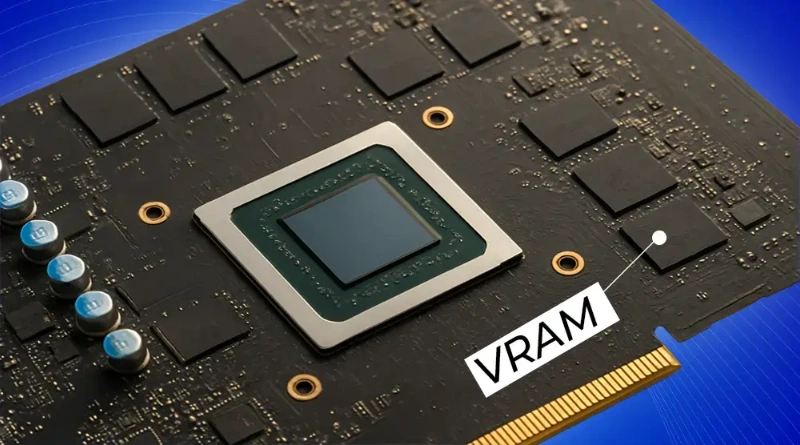
1. VRAM: Beyond the Graphics Buffer
In professional compute environments, VRAM (Video Random Access Memory) is the high-speed “workspace” where neural network weight matrices and KV Caches reside.
For engineering teams, the gap between a successful training epoch and a stalled cluster is defined by the VRAM-to-Compute Ratio. When VRAM saturates, CUDA cores sit idle—a state known as being “Memory Bound.” At WhaleFlux, we solve this by treating VRAM not as a static spec, but as a dynamic resource to be orchestrated.
2. Hierarchy of Compute: Strategic VRAM Tiers
Based on telemetry from WhaleFlux Model Refinery cycles, we categorize hardware requirements into three mission-critical tiers:
Tier 1: High-Density Enterprise (100GB+ VRAM)
- Hardware: NVIDIA H200 (141GB HBM3e).
- Use Case: Large-scale fine-tuning (100B+ parameters) and high-concurrency Autonomous Agents.
- The WhaleFlux Edge: We use Intelligent Scaling to balance these massive HBM3e buffers across clusters, ensuring predictable 99.9% uptime for mission-critical logic.
Tier 2: Mid-Range Performance (40GB – 80GB VRAM)
- Hardware: NVIDIA H100 (80GB), A100 (80GB).
- Use Case: 34B to 70B parameter models (e.g., Llama 3 or Mistral).
- Insight: This is the “sweet spot” for most enterprise RAG (Retrieval-Augmented Generation) implementations.
Tier 3: The Prototyping Edge (24GB VRAM)
- Hardware: RTX 4090.
- Use Case: Small model refinement (7B-14B) and local agent validation.
- Caution: The lack of NVLink and lower memory bandwidth makes this tier inefficient for large batch training compared to H-series nodes.
3. Overcoming the “Memory Wall” with WhaleFlux Intelligence
Sourcing high-VRAM GPUs is only the first step. The WhaleFlux Integrated AI Platform provides the software layer to maximize this hardware:
VRAM Fragmentation Control
WhaleFlux monitors GPU memory at the kernel level via Deep Observability. If a model fragments VRAM during backpropagation, the platform re-allocates buffers in real-time to prevent OOM errors.
Precision-Aware Scaling
We optimize for FP8 and FP4 formats, allowing enterprises to fit larger models into smaller VRAM footprints without sacrificing deterministic accuracy.
Cluster Balance
In multi-GPU deployments, WhaleFlux ensures consistent utilization across the entire node pool, eliminating the “Hot Node” bottlenecks that typically plague parallel training.
Expert FAQ
Q: Why is HBM3e (found in the H200) superior to GDDR6X for AI?
A: Bandwidth. HBM3e delivers up to 4.8 TB/s, which is critical for the “Inference phase.” LLM speed is often limited by how fast the GPU can read model weights from memory—not just raw compute speed.
Q: How does WhaleFlux mitigate VRAM overflow?
A: Through Intelligent Scaling, WhaleFlux detects imminent saturation and redistributes tasks across available nodes or triggers proactive memory clearing before a crash occurs.
Q: Is 16GB VRAM sufficient for business AI in 2026?
A: Only for low-concurrency, small-scale inference (7B models). For any serious Agentic Workflow or model refinement, 24GB-48GB is the minimum required to handle the KV Cache and context window expansion.
GPU Health Check: Key Practices for Safeguarding Computational Performance
What is a GPU?
A GPU (Graphics Processing Unit) is a hardware component in computers specifically designed for graphics processing and parallel computing. Unlike CPUs, GPUs feature a highly parallelized architectural design, enabling them to handle thousands of computational tasks simultaneously. They excel at processing images, videos, animations, and large-scale data computations. Modern GPUs are not only used for graphics rendering but also find widespread application in scientific computing, artificial intelligence, deep learning, and high-performance computing.
GPUs are primarily categorized into two types: integrated GPUs and discrete GPUs. Integrated GPUs are typically built into motherboards or CPUs, offering lower power consumption but limited performance. In contrast, discrete GPUs come with dedicated memory (VRAM) and cooling systems, delivering significantly stronger computing capabilities. With technological advancements, GPUs have become indispensable core components in modern computing systems.
Why is GPU Health Check Necessary?
1. Ensure System Stability
GPUs generate substantial heat under high loads. Excessively high temperatures can lead to hardware damage or system crashes. Regular health checks monitor critical parameters such as GPU temperature and power consumption, ensuring the device operates within safe limits. For data centers and enterprise environments, GPU failures may cause service outages, resulting in significant financial losses.
2. Prevent Performance Degradation
Over prolonged operation, GPUs may experience performance degradation, such as VRAM errors or reduced clock speeds. Health checks enable timely detection of these issues and facilitate corrective actions, preventing computational tasks from failing due to hardware problems. This is particularly critical in AI training and scientific computing scenarios, where the stability of GPU performance directly impacts task efficiency.
3. Extend Device Lifespan
Regular GPU health monitoring helps prolong device lifespan. By detecting early signs of failure (e.g., ECC errors, abnormal temperatures), maintenance can be performed before issues escalate, reducing hardware replacement costs. Cloud service providers typically implement minute-level health monitoring for GPU devices to ensure resource reliability and availability.
4. Optimize Resource Allocation
In multi-GPU environments, health checks help identify underperforming devices, enabling optimized workload distribution. System administrators can use GPU health status to decide whether to include a device in computing partitions or flag it for maintenance.
Key Metrics for Measuring GPU Health
1. Temperature Monitoring
GPU core temperature and VRAM temperature are fundamental health indicators. Generally, the GPU core temperature should remain below 105°C, and VRAM temperature should stay under 85°C. Excessive temperatures trigger thermal throttling, which leads to performance reduction.
2. Utilization Metrics
GPU utilization includes compute unit usage, VRAM usage, and encoder/decoder usage. A healthy GPU should maintain stable utilization under high loads without abnormal fluctuations. Unusual utilization patterns may indicate software configuration issues or hardware failures.
3. Error Detection
ECC (Error Correction Code) error counts are critical for assessing GPU health. Excessive VRAM ECC errors may signal underlying hardware problems requiring further inspection. XID errors and NVLink errors are also key indicators requiring attention.
4. Power Consumption Monitoring
GPU power consumption reflects the device’s energy efficiency and operational status. Abnormal power fluctuations may indicate power supply issues or hardware failures. Most GPUs have predefined power limits; exceeding these limits can compromise device stability.
5. Clock Speeds
The stability of core clock and VRAM clock speeds is a key indicator of GPU health. Abnormal speed reductions may result from overheating or insufficient power supply.
6. Link Status
For multi-GPU systems, NVLink or PCIe link status is crucial. Link disruptions or reduced bandwidth severely impact the efficiency of multi-card collaborative computing.
Best Practices for Implementing GPU Health Checks
Regular Monitoring
Establish a minute-level monitoring mechanism to continuously collect GPU metrics such as temperature, utilization, and error counts. Cloud service providers typically retrieve monitoring data by accessing GPU driver libraries (e.g., libnvidia-ml.so.1 or nvml.dll).
Use Professional Tools
Leverage specialized tools like NVIDIA DCGM, NVML, or vendor-provided monitoring software for comprehensive health checks. These tools offer detailed diagnostic information, including internal GPU status and error logs.
Establish Early Warning Systems
Set reasonable threshold-based alerts to notify administrators promptly when GPU health metrics exceed normal ranges. Common alert triggers include sustained temperatures above 80°C and increasing ECC error counts.
Logging and Analysis
Record historical health data for analysis to identify long-term trends and potential issues. Comparing data across different time periods helps detect early signs of performance degradation.
Conclusion
GPU health checks are a critical step in ensuring the stable operation of computing systems. By establishing a robust monitoring framework and regularly inspecting key health metrics, potential issues can be detected and resolved promptly, safeguarding GPU performance and reliability. As GPUs become increasingly integral across industries, the importance of health checks will continue to grow. Whether for individual users or enterprise environments, prioritizing GPU health checks is essential to keeping computing resources in optimal condition.
GPU Stress Tests for AI Teams: What You Need to Know
1. Introduction
Imagine this: Your AI team has spent three days training a critical large language model (LLM) on a cluster of NVIDIA H100s—only for one GPU to crash unexpectedly. The crash wipes out 12 hours of progress, and you later realize the issue could have been caught with a simple stress test. But here’s the catch: Running manual GPU stress tests (like FurMark) on 50+ GPUs takes 20+ hours of engineering time—time you can’t afford to waste on repetitive tasks.
For AI teams relying on high-performance GPUs (NVIDIA H100, H200, A100, RTX 4090) for 24/7 LLM training, GPU stress tests are non-negotiable. They validate hardware stability, prevent costly downtime, and ensure your GPUs can handle the relentless load of AI workloads. But consumer-grade stress test tools weren’t built for enterprise clusters—they lack scalability, don’t integrate with cluster management, and leave you guessing how to turn test results into action.
That’s where WhaleFlux comes in. As an intelligent GPU resource management tool designed for AI enterprises, WhaleFlux bridges the gap between individual GPU stress tests and cluster-wide stability. It turns scattered test data into optimized workloads, ensuring your H100s, H200s, A100s, and RTX 4090s run reliably—whether you buy or rent them via WhaleFlux’s no-hourly-lease plans. In this guide, we’ll break down everything AI teams need to know about GPU stress tests, and how WhaleFlux makes cluster stability simple.
2. What Is a GPU Stress Test? Why AI Teams Can’t Ignore It
Let’s start with the basics: A GPU stress test is a tool that simulates extreme workloads—maxing out a GPU’s cores, memory, and thermal capacity—to uncover hidden issues like instability, overheating, or hardware flaws. For AI teams, this isn’t just a “nice-to-have”—it’s a critical step to protect your LLM projects.
Why AI teams can’t skip stress tests
- Avoid costly downtime: A failed GPU mid-LLM training can erase days of work. For WhaleFlux-supported GPUs like the H100 or A100—built to handle heavy AI tasks—stress tests ensure they won’t crash when you need them most.
- Validate hardware quality: Whether you’re buying new GPUs or renting WhaleFlux’s RTX 4090s, stress tests confirm devices meet AI demands. For example, a good test will verify a GPU can sustain 8+ hours of LLM training without thermal throttling.
- Prevent “silent” inefficiencies: Even if a GPU doesn’t crash, stress tests might reveal it’s underperforming (e.g., slowing down under load)—a problem that would quietly extend your training timeline.
Key difference: AI vs. consumer use cases
Gamers use GPU stress tests to check if their overclocked GPUs can handle 2-hour gaming sessions. AI teams use them for something far more demanding: ensuring GPUs run reliably for weeks of nonstop LLM training. This means the tools and approach need to be enterprise-grade—not just repurposed consumer software.
3. Common GPU Stress Test Tools: Pros, Cons, and Which Fit AI Workloads
Not all GPU stress test tools are created equal. For AI teams, the best tools mimic real LLM workloads and integrate (or can integrate) with cluster management. Here’s a breakdown of the most popular options:
3.1 Popular Tools for AI Teams
- FurMark GPU Stress Test: The industry standard for pushing GPUs to their thermal limits. It’s great for testing WhaleFlux’s high-end GPUs like the H100—you can see if the GPU stays under 85°C during intense load. But it has a big flaw: It only tests one GPU at a time, making it useless for clusters of 10+ devices.
- GPU Stress Test Software (3DMark, CUDA-Z): Tools like 3DMark simulate graphics-heavy loads, while CUDA-Z is optimized for NVIDIA GPUs (perfect for A100s or RTX 4090s). These are better than FurMark for AI use cases because they mimic the compute-heavy tasks of LLM training. CUDA-Z, for example, tests how well a GPU handles CUDA cores—critical for AI workloads.
- Online GPU Stress Tests (e.g., GPUCheck): Quick and easy for small clusters (5 GPUs or fewer). You can run a test in 10 minutes without installing software. But they lack depth—they won’t tell you if a GPU can sustain 8 hours of training, only if it works for basic tasks.
- CPU and GPU Stress Tests (Prime95 + FurMark): AI training relies on smooth CPU-GPU sync. If your CPU can’t feed data to the GPU fast enough, even a stable GPU will slow down. Tools like Prime95 (for CPUs) paired with FurMark (for GPUs) test this sync—essential for setups with RTX 4090s and high-core CPUs.
3.2 Limitations for Enterprise Clusters
The biggest problem with these tools? They’re built for individual GPUs, not clusters. Most require manual setup for each device, don’t share data across tests, and can’t talk to your cluster management software. If you have 50 A100s, you’ll spend hours copying results into spreadsheets—only to still not know how to adjust workloads. This is where WhaleFlux steps in.
4. Is It Bad to Stress Test Your GPU? Myths vs. Facts for AI-Grade Hardware
There’s a lot of confusion around whether stress testing damages GPUs. For AI teams using WhaleFlux’s high-end hardware (H100, H200, A100, RTX 4090), let’s separate myth from fact:
Myth 1: “Stress testing damages GPUs”
Fact: Proper stress testing is safe—if you do it right. WhaleFlux’s supported GPUs are built for extreme loads (they’re designed to run 24/7 for AI tasks). A 30-60 minute test with FurMark (keeping temps under 85°C) won’t harm them. Think of it like a car’s test drive: It checks if the engine works, not breaks it.
Myth 2: “More stress = better results”
Fact: Overtesting is risky. Running a GPU at max temp for 4+ hours can shorten its lifespan—especially if it’s already part of a 24/7 AI cluster. For WhaleFlux’s GPUs, aim for “targeted stress”: Test the scenarios you’ll actually use (e.g., 2 hours of CUDA-heavy load for LLM training), not just maxing it out for no reason.
AI-specific best practice
Skip FurMark’s “extreme mode” (which focuses on graphics) and use CUDA-optimized tools instead. These mimic the compute loads of LLM training, giving you results that actually translate to real-world stability. For example, testing an A100 with CUDA-Z will tell you if it can handle tensor core workloads—something FurMark can’t do.
5. The Hidden Challenge: GPU Stress Tests for Enterprise-Grade Clusters
For small teams with 5 GPUs, manual stress tests might work. But for AI enterprises with 10+ GPUs, three big challenges emerge:
Scalability: Manual testing wastes time
Testing 50 A100s with FurMark takes 20+ hours if you do it one by one. That’s an entire workweek of engineering time spent on a task that could be automated. Worse, if you add 10 more RTX 4090s (rented via WhaleFlux), you have to start over.
Workload alignment: Tests don’t match real tasks
A GPU might pass FurMark with flying colors but crash during LLM training. Why? FurMark tests graphics, not the CUDA-core workloads of AI. This means your stress test results don’t guarantee stability for your actual projects—you’re flying blind.
Post-test optimization: No clear next steps
Even if you test all your GPUs, what do you do with the results? If one H200 is less stable than others, how do you adjust workloads to avoid crashes? Manual balancing is error-prone—you might end up overloading a stable GPU or underusing an unstable one.
6. WhaleFlux: Turning GPU Stress Test Results Into Cluster-Wide Stability
WhaleFlux doesn’t replace GPU stress test tools—it makes them useful for enterprise clusters. It takes scattered test data and turns it into optimized, stable workloads for your H100s, H200s, A100s, and RTX 4090s.
6.1 Integrate Stress Test Data for Targeted Management
WhaleFlux pulls results from tools like FurMark, CUDA-Z, or 3DMark into a single dashboard. For example:
- If an RTX 4090 failed a high-load CUDA test, WhaleFlux flags it and limits its tasks to lighter inference jobs (not heavy training).
- It tailors thresholds to each GPU model: H200s have different stress limits than A100s, and WhaleFlux knows this. You don’t have to manually adjust settings for each device.
This means you can see the stability of every GPU in your cluster at a glance—no more spreadsheets or manual checks.
6.2 Automate Post-Test Workload Adjustment
Stress tests are only useful if you act on the results. WhaleFlux does this automatically:
- If a stress test shows an H100 struggles with max load, WhaleFlux redistributes non-critical LLM tasks to more stable GPUs. This prevents crashes without halting your project.
- It sets safe load limits: For an A100 that failed tests above 75% load, WhaleFlux caps its workload at 70%—ensuring stability without wasting capacity.
You don’t have to guess how to balance tasks—WhaleFlux uses data to make smart decisions.
6.3 Long-Term Stability Beyond One-Time Tests
Stress tests are a starting point, not a finish line. WhaleFlux combines test insights with real-time monitoring:
- If a GPU that passed FurMark starts showing instability (e.g., slowing down during LLM inference), WhaleFlux sends an alert and adjusts its workloads.
- Pre-tested hardware: When you rent or buy WhaleFlux’s GPUs (H100, H200, A100, RTX 4090), they’ve already undergone rigorous stress tests. You can start training your LLM immediately—no setup time wasted.
And since WhaleFlux doesn’t offer hourly leases (minimum 1 month), you can run long-term tests without worrying about unexpected costs.
7. Real-World Example: WhaleFlux + GPU Stress Tests for an AI Startup
Let’s look at how one mid-sized AI startup solved their stress test struggles with WhaleFlux. The team was fine-tuning an LLM on 10 NVIDIA A100s and faced two big problems:
- They spent 15 hours manually running FurMark on each A100 every month.
- Despite testing, they still had 2 crashes per week—caused by untested CPU-GPU sync issues.
Before WhaleFlux
- Stress test results were stored in spreadsheets, so the team couldn’t link them to workloads.
- Overloaded A100s crashed even though they passed FurMark—because the test didn’t mimic LLM training.
- Engineers spent 8 hours per week fixing crashes and re-running tests.
After WhaleFlux
- Automated stress tests (FurMark + CUDA-Z) ran overnight on all 10 A100s. Results were fed directly into WhaleFlux’s dashboard.
- WhaleFlux identified 2 A100s that struggled with CPU-GPU sync and reduced their workload by 20%.
- Crashes dropped to 0 per week, and engineering time spent on testing fell by 80% (from 15 hours to 3 hours monthly).
The startup now uses that extra time to improve their LLM—instead of fighting hardware issues.
Conclusion
GPU stress tests are non-negotiable for AI teams using high-performance GPUs like NVIDIA H100, H200, A100, and RTX 4090. They protect your LLM projects from costly downtime and ensure your hardware meets the demands of 24/7 training. But consumer-grade tools fail at cluster scale—they’re slow, manual, and don’t translate to real-world AI workloads.
WhaleFlux changes that. It turns one-time stress test results into ongoing cluster stability: It automates testing, integrates data into a single dashboard, and adjusts workloads to keep your GPUs running reliably. Whether you buy or rent WhaleFlux’s pre-tested GPUs, it takes the guesswork out of cluster management—so you can focus on building better LLMs, not fixing hardware.
FAQs
1. What is a GPU stress test, and why is it a non-negotiable step for AI teams before deploying a new model or cluster?
A GPU stress test is a diagnostic procedure that pushes your graphics processing unit to 100% sustained utilization for an extended period, typically 30 minutes to several hours. Its purpose is not benchmark scores, but to validate stability, uncover hardware faults, and establish thermal baselines under worst-case conditions. For AI teams, this is critical because a multi-day training job that crashes halfway due to an undetected GPU memory error or thermal throttling represents a massive waste of time, resources, and budget. Stress testing new hardware (like an NVIDIA H100or A100 cluster) or after any major driver/system update is essential operational due diligence to ensure production reliability.
2. What are the best tools and methodologies for stress testing NVIDIA GPUs with AI-specific workloads?
While generic tools like FurMark or OCCT are useful for testing raw thermal load, AI teams should prioritize workload-specific stress testing. The most effective method is to run a representative, compute-intensive segment of your own AI pipeline at maximum batch size for an extended period. Alternatively, use industry-standard benchmarks that mimic AI workloads:
- NVIDIA’s Deep Learning Examples (e.g., training a BERT model).
- MLPerf Inference or Training Benchmarks.
- Stable Diffusion or LLM inference at high concurrency.
This approach tests not just the GPU core, but also the tensor cores, memory subsystem, and PCIe/data transfer pathways under realistic conditions, which generic synthetic tests may miss.
3. What key metrics should we monitor during a stress test, and what are the warning signs of a failing or unstable GPU?
Monitoring must go beyond just “no crash.” Key metrics and their warning signs include:
- GPU Core & Memory Junction Temperature: Consistently hitting >90°C (for data center GPUs like A100/H100) or >95°C (for consumer RTX 4090) and/or significant thermal throttling (clock speed drop).
- Performance Consistency: A steady decline in iterations/second or tokens/second indicates thermal or power throttling.
- Memory Errors: Any ECC (Error-Correcting Code) errors reported for NVIDIA A100/H100/H200via
nvidia-smiare a critical red flag. For non-ECC cards (like RTX 4090), watch for application crashes or visual artifacts. - Power Draw & Stability: Fluctuations or inability to sustain expected power levels.
- System Logs (
dmesg, Windows Event Viewer): Look for driver timeout errors or PCIe bus errors.
4. How should our stress testing strategy differ for a single workstation with an RTX 4090 versus a multi-node cluster of A100/H100 GPUs?
The strategy shifts from component-level validation to system-level and orchestration validation.
Single Workstation (e.g., RTX 4090):
Focus is on the individual card’s thermal performance, power delivery from the PSU, and driver stability. A single, prolonged test is often sufficient.
Multi-Node Cluster (e.g., A100/H100):
You must test at multiple levels:
- Node-Level: Stress test each server individually.
- Interconnect-Level: Test high-speed links (NVLink within a node, InfiniBand between nodes) with tools like NCCL Tests to ensure stable, high-bandwidth communication—a common failure point for distributed training.
- Orchestration-Level: Test the cluster scheduler’s ability to handle a full-load, multi-job scenario without node failures or resource conflicts.
Managing this multi-layered testing for a self-maintained cluster is a major operational overhead.
5. Can a platform like WhaleFlux help streamline the stress testing and long-term health monitoring process for our GPU infrastructure?
Absolutely. WhaleFlux transforms stress testing from a manual, reactive chore into a managed, integrated part of infrastructure provisioning. Here’s how:
- Pre-Deployment Validation: When you provision NVIDIA GPUs through WhaleFlux (whether H100 clusters or RTX 4090s), the underlying hardware has already undergone rigorous stability and burn-in testing, providing a trusted baseline.
- Integrated Health Dashboard: WhaleFlux’s monitoring provides continuous, centralized visibility into the key stress metrics—temperature, power, ECC errors, and utilization—across your entire rented or purchased fleet, acting as a permanent, lightweight stress monitor.
- Operational Efficiency: By guaranteeing the health and stability of the hardware layer, WhaleFlux allows your AI team to focus their testing efforts exclusively on the stability of your ownapplication code and models, rather than the underlying NVIDIA GPU infrastructure. This significantly reduces the scope and complexity of your pre-production validation cycles.