You’ve deployed your AI model. It’s accurate, it’s live, but it’s… slow. User complaints trickle in about latency. Your cloud bill is creeping up because your instances are struggling to keep up with demand. You’re caught in the classic trap: the model that was a champion in training is a laggard in production.
The good news? You likely don’t need a bigger GPU or a complete rewrite. Significant performance gains—often 2x or more—are hiding in plain sight, achievable through software optimizations and smarter configurations. These are the “low-hanging fruit” of inference optimization. Let’s dive into five practical, cost-effective hacks to dramatically speed up your model.
Why Speed Matters (Beyond Impatience)
Before we start optimizing, let’s frame the why. Inference speed directly impacts:
- User Experience: A 100ms delay can feel instant; a 2-second delay feels broken.
- Cost: Faster inference = more requests processed per server = fewer servers needed.
- Scalability: Your system can handle traffic spikes without collapsing.
- Feasibility: Real-time applications (voice assistants, live video analysis) are impossible without low-latency inference.
Optimization is the art of removing computational waste. Here’s where to find it.
Hack #1: Model Quantization (The Biggest Bang for Your Buck)
The Concept: Do you need 32 decimal points of precision for every single calculation? Probably not. Quantization reduces the numerical precision of your model’s weights and activations. The most common jump is from 32-bit floating point (FP32) to 16-bit (FP16) or even 8-bit integers (INT8).
The Speed-Up: This is a triple win:
- Smaller Model Size: An INT8 model is ~75% smaller than its FP32 version. This speeds up model loading and reduces memory bandwidth pressure.
- Faster Computation: Modern CPUs and GPUs have specialized instructions (like NVIDIA Tensor Cores for INT8/FP16) that can perform many more low-precision operations per second.
- Reduced Memory Footprint: You can fit larger batch sizes or run on cheaper, memory-constrained hardware (like edge devices).
How to Implement:
- FP16: Often a safe, first-step “free lunch.” In PyTorch, it’s as simple as
model.half(). TensorFlow has similar automatic mixed-precision tools. Expect a 1.5x to 3x speedup on compatible GPUs with negligible accuracy loss. - INT8: Requires “calibration”—running a small representative dataset through the model to determine the optimal scaling factors for conversion. Use frameworks like TensorRT (NVIDIA) or ONNX Runtime which handle this process. This can yield a 2x to 4x speedup but requires careful validation to ensure accuracy stays within acceptable bounds.
Pitfall: Don’t quantize blindly. Always validate accuracy on your test set after quantization.
Hack #2: Graph Optimization & Kernel Fusion
The Concept: High-level frameworks like PyTorch and TensorFlow are great for flexibility, but they execute operations (“kernels”) one by one. Each kernel call has overhead. Graph optimizersanalyze the entire model’s computational graph and perform surgery: they fuse small, sequential operations into single, larger kernels, and eliminate redundant calculations.
The Speed-Up: By minimizing kernel launch overhead and maximizing hardware utilization, these optimizations can yield a 20-50% improvement with zero change to your model’s accuracy or architecture.
How to Implement:
Use an Optimized Runtime:
Don’t serve with pure PyTorch or TensorFlow. Convert your model and run it through:
- ONNX Runtime: Pass your model through its graph optimizations (
GraphOptimizationLevel.ORT_ENABLE_ALL). - TensorRT: NVIDIA’s powerhouse. It fuses layers, selects optimal kernels for your specific GPU, and is a key part of the quantization pipeline.
- OpenVINO: Excellent for Intel CPUs and integrated graphics.
The Process:
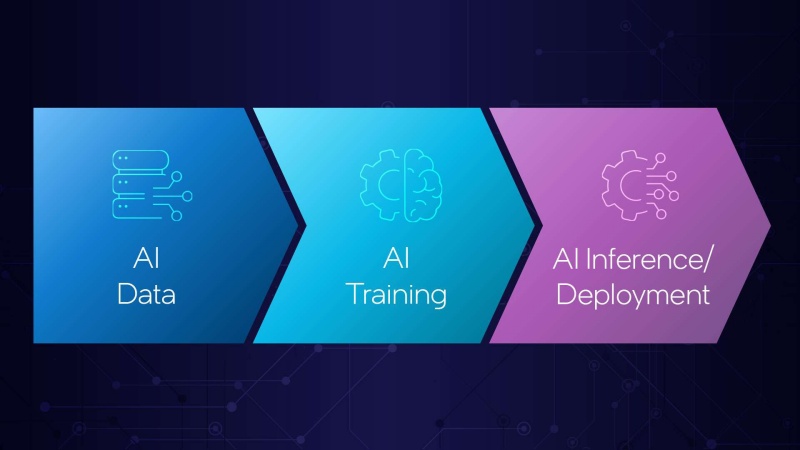
Train Model (PyTorch/TF) -> Export to Intermediate Format (e.g., ONNX) -> Optimize with Runtime -> Deploy Optimized Engine. This extra step in your pipeline is non-negotiable for performance.
Hack #3: Dynamic Batching (The Secret Weapon of Servers)
The Problem:
Processing requests one-by-one (online inference) is terribly inefficient for parallel hardware like GPUs. The GPU sits mostly idle, waiting for data transfers.
The Solution: Batching.
Group multiple incoming requests together and process them in a single forward pass. This amortizes the fixed overhead across many inputs, dramatically improving GPU utilization and throughput.
The Hack: Dynamic Batching.
Instead of waiting for a fixed batch size (which harms latency), a smart inference server implements dynamic batching. It collects incoming requests in a queue for a predefined, very short time window (e.g., 10ms). When the window ends or the queue hits a limit, it sends the entire batch to the model.
The Speed-Up:
For a moderately sized model, going from batch size 1 to 8 or 16 can improve throughput by 5-10x with only a minor latency penalty for the first request in the batch.
How to Implement:
Use a serving solution with built-in dynamic batching:
- NVIDIA Triton Inference Server: A industry-standard with excellent dynamic batching, auto-scaling, and multi-framework support.
- TensorFlow Serving / TorchServe: Have basic batching capabilities.
- Managed Platforms: Many cloud AI platforms implement this automatically under the hood.
Hack #4: Choose the Right Hardware (It’s Not Always a GPU)
The Misconception:
“GPUs are always faster for AI.” Not necessarily for inference.
The Hack:
Profile and match your workload.
- High-Throughput, Batched, Large Models (NLP/Vision): A GPU (especially with Tensor Cores) is king. Look for inference-optimized cards like the NVIDIA T4 or A10G.
- Low/Medium Throughput, Latency-Sensitive, Small Models: A modern CPU (with AVX-512 instructions) can be surprisingly competitive and much cheaper per instance. Often good for classic ML models (scikit-learn, XGBoost).
- Predictable, High-Volume, Fixed Models: Consider specialized AI accelerators like AWS Inferentia or Google TPU. They can offer the best price/performance for their specific use case.
- The Edge (Phones, Cameras): Use dedicated edge NPUs or frameworks like TensorFlow Lite that perform model quantization and optimization for mobile CPUs.
Action Step:
Run a benchmark! Deploy your optimized (quantized) model on 2-3 different instance types (CPU, mid-tier GPU, inferentia) and compare cost per 1000 inferences. The winner might surprise you.
Hack #5: Implement Prediction Caching
The Concept: Are you making the same prediction over and over? Many applications have repetitive requests. A user might reload a page, or a sensor might send near-identical data frequently.
The Hack: Cache the result. Implement a fast, in-memory cache (like Redis or Memcached) in front of your inference service. Before calling the model, compute a hash of the input features. If the hash exists in the cache, return the cached prediction instantly.
The Speed-Up: This can reduce latency to sub-millisecond levels for repeated requests and slash your model’s computational load, directly reducing cost.
When to Use: Ideal for:
- Recommendation systems with stable user profiles.
- APIs where input parameters change slowly.
- Any application with significant request redundancy.
Managing these optimizations—quantization scripts, Triton configurations, caching layers, and performance benchmarks—can quickly become a complex choreography of tools. This operational overhead is where an integrated platform shines. A platform like Whaleflux can automate much of this optimization pipeline. It can manage the conversion and quantization of models, deploy them with automatically configured dynamic batching on the right hardware, and provide built-in monitoring and caching patterns. This allows engineering teams to focus on applying these hacks rather than building and maintaining the plumbing that connects them.
Putting It All Together: Your Optimization Checklist
- Profile First: Use tools like PyTorch Profiler or NVIDIA Nsight Systems to find your bottleneck (is it data loading, CPU pre-processing, or the GPU model execution?).
- Quantize: Start with FP16, experiment with INT8 after validation.
- Optimize the Graph: Run your model through ONNX Runtime or TensorRT.
- Batch Dynamically: Deploy with a server that supports it (e.g., Triton).
- Right-Size Hardware: Benchmark on CPU vs. GPU vs. accelerator based on your cost-per-inference target.
- Cache When Possible: Add a Redis layer for repetitive queries.
Start with one hack, measure the improvement, then move to the next. A 1.5x gain from quantization, plus a 2x gain from batching, and a 1.3x gain from graph optimizations can easily combine to a 4x total speedup—doubling your speed twice over. No new algorithms, no loss in accuracy, just smarter engineering. Go make your model fly.
FAQs
1. Won’t quantization (especially INT8) ruin my model’s accuracy?
It can, which is why validation is critical. The accuracy drop is often minimal (<1%) for many vision and NLP models, as neural networks are inherently robust to noise. The key is “calibration” using a representative dataset. Always measure accuracy on your test set post-quantization. FP16 quantization rarely hurts accuracy.
2. Is dynamic batching suitable for real-time, interactive applications?
Yes, if configured correctly. The trick is in the dynamic timeout. Set a very short maximum wait time (e.g., 2-10ms). This means the first request in a batch might wait a few milliseconds for companions, but the dramatic increase in throughput keeps the overall system responsive even under load, preventing queue backlogs that cause much worse latency spikes.
3. How do I know if my model is “CPU-friendly” or needs a GPU?
As a rule of thumb: small models (under ~50MB parameter size, simple architectures), models with low operational intensity (like many classic ML models), and workloads with low batch size requirements are often CPU-competitive. Large transformers (BERT, GPT), big CNNs (ResNet50+), and high-throughput batch processing almost always require a GPU or accelerator. The definitive answer comes from benchmarking.
4. What’s the first optimization I should try?
Model Quantization to FP16 is almost always the safest and easiest first step. It’s often a single line of code change, requires no new infrastructure, and provides an immediate, significant speedup on modern GPUs with virtually no downside.
5. Do these optimizations work for any model framework?
The principles are universal, but the tools vary. Quantization and graph optimization are supported for all major frameworks (PyTorch, TensorFlow, JAX) via intermediary formats like ONNX or framework-specific runtimes (TensorRT, OpenVINO). Dynamic batching is a feature of the serving system (like Triton), not the model itself, so it works regardless of how the model was trained.