I. Introduction: Beyond the Glass Panel
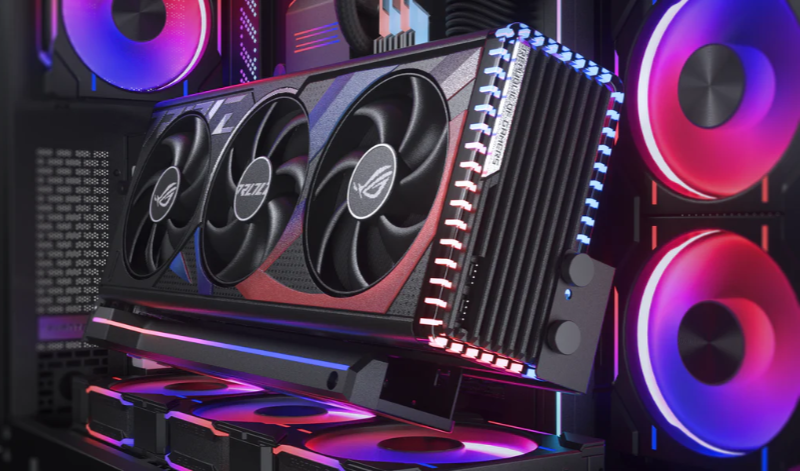
Scroll through any tech forum or PC building community, and you’ll see them: stunning computer builds where the graphics card stands upright, proudly displayed behind a tempered glass panel like a piece of digital art. This trend of vertical GPU mounting has been fueled by the growing market for custom loops, RGB lighting, and mounting kits from reputable brands like Cooler Master. Their Vertical GPU Mounting Bracket is a popular choice for enthusiasts looking to transform their rig’s aesthetics.
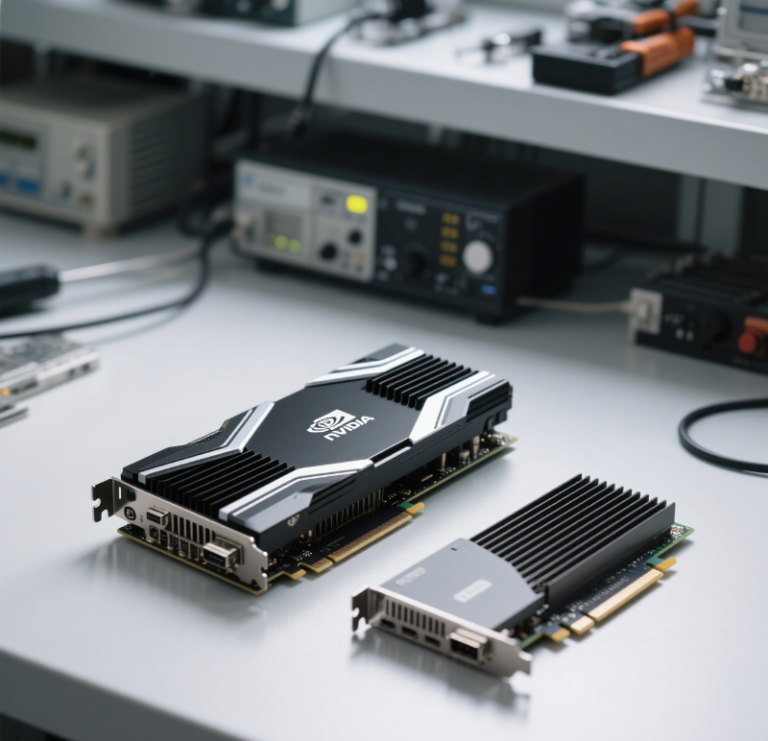
For an AI developer or data scientist who has just invested in a powerful NVIDIA RTX 4090 for their workstation, the appeal is understandable. After spending significant capital on a high-performance GPU, it’s tempting to show it off. This leads to a critical question for professionals: Is vertical mounting a GPU merely a cosmetic enhancement, or does it offer tangible, functional benefits for the demanding, continuous workloads of AI training and development?
While this question is valid, it hints at a much deeper and more strategic need within the AI industry. The true upgrade for a professional isn’t about how to physically orient a single GPU within a case; it’s about how to optimally leverage GPU power at a scale that truly matters. Chasing micro-optimizations for a single workstation is like rearranging the deck chairs on the Titanic when the real challenge is navigating the iceberg. The fundamental need is for scalable, manageable, and cost-effective computational resources that can handle billion-parameter models. This is precisely where WhaleFlux enters the picture, offering a solution that transcends physical hardware limitations by providing intelligent, scalable access to powerful NVIDIA GPU clusters.
II. The Pros and Cons of Vertical GPU Mounting for AI Developers
A. The Potential Benefits:
Let’s address the potential upsides, as they are the primary drivers behind this trend.
Improved Aesthetics:
There’s no denying the visual impact. A vertically mounted GPU, especially a massive, high-end model like the NVIDIA RTX 4090, becomes the centerpiece of a build. For creators and professionals who take pride in their workspace, this can be a significant subjective benefit.
Potential for Better Airflow and Structure:
In theory, and in specific case designs, mounting a heavy GPU vertically can eliminate “GPU sag,” the gradual bending of the card and its PCIe slot over time due to its own weight. In a chassis with ample clearance between the GPU fans and the side panel, this orientation might also contribute to a smoother airflow path.
B. The Significant Drawbacks:
However, for an AI professional, the drawbacks often outweigh these benefits, sometimes severely.
Thermal Trade-offs: The Performance Killer:
This is the most critical flaw. Most computer cases do not provide enough space between a vertically mounted GPU and the side panel. The GPU’s cooling fans, which are designed to pull in cool air from the environment, instead end up recycling their own hot air in a tiny, suffocating space between the backplate and the glass. The result is thermal throttling—a protective mechanism where the GPU drastically reduces its clock speeds to prevent overheating. For an AI workload that might run for days, this doesn’t just mean slightly lower benchmark scores; it can increase a 24-hour training job to 30 hours or more, crippling productivity and wasting valuable time.
Hardware Limitations and Cost:
Achieving a successful vertical mount often requires additional investment. You may need to buy a new computer case specifically designed for this purpose or purchase a vertical GPU mounting kit, like the one from Cooler Master. These kits add cost and introduce another point of potential failure or compatibility issue, such as blocking other PCIe slots you might need for additional networking or storage cards.
C. The Verdict for AI:
For the AI developer, the conclusion is clear. While visually appealing, vertical GPU mounting is, at best, a micro-optimization that carries a real risk of negatively impacting performance. The time, money, and mental energy spent on achieving a perfect physical mount for a single GPU yield a negligible return on investment for your core business of AI development. This effort pales in comparison to the macro challenge that truly dictates project success: securing and managing vast computational power across multiple GPUs.
III. The Real Upgrade: From Single GPU Aesthetics to Multi-GPU Performance
A. The True Bottleneck for AI
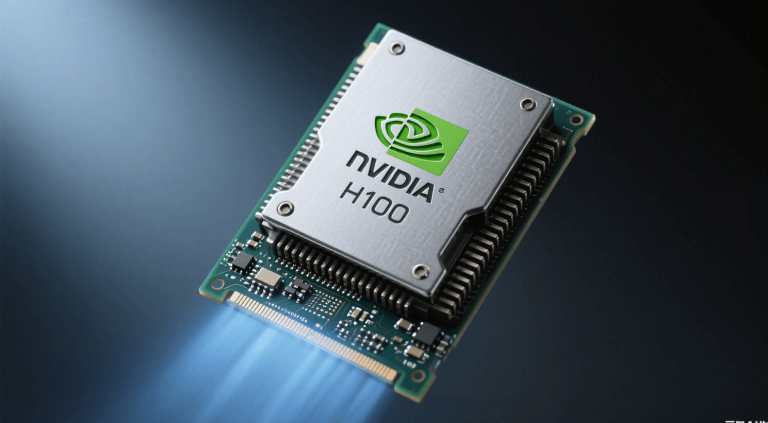
The real bottleneck in modern AI is not the cooling performance of a single RTX 4090. The true constraint is computational scale. Training a state-of-the-art large language model (LLM) or a complex diffusion model isn’t done on a single GPU, no matter how it’s mounted. These tasks require the parallel processing power of multiple high-end NVIDIA GPUs—like the data-center-grade H100, H200, and A100—working in unison as a cohesive cluster.
B. The Scalability Wall
Imagine you’ve perfected your workstation: your RTX 4090 is vertically mounted with optimal thermals, and your system is running flawlessly. Now, you begin training your new LLM. You quickly hit a wall. The model is too large for the GPU’s 24GB of VRAM, or the training time is projected to take six months. This is the scalability wall. A single GPU, even the most powerful consumer model, is fundamentally incapable of meeting the demands of production-scale AI. Real progress, the kind that delivers a competitive advantage, requires clusters.
C. Introducing the Strategic Pivot
Therefore, the most important question for an AI team is not “How should I mount my GPU?” but “How can I seamlessly ‘mount’ or integrate immense GPU power into my development workflow?” This shifts the focus from a physical hardware problem to a strategic infrastructure one. It’s about accessing scalable resources on demand, managed efficiently to eliminate waste and maximize productivity.
IV. WhaleFlux: Mounting Your AI Workloads on a Scalable GPU Cluster
A. Access, Don’t Just Mount
This is the core of the WhaleFlux value proposition. Instead of worrying about vertical GPU mounting kits and case airflow, WhaleFlux allows you to instantly access a fully configured, high-performance cluster of NVIDIA GPUs. We eliminate the entire layer of physical hardware management. There are no brackets to buy, no thermal paste to apply, and no power supplies to upgrade. With WhaleFlux, you “mount” your AI workloads directly onto a scalable, cloud-based cluster with a few clicks, bypassing the limitations and hassles of physical workstations entirely.
B. The Ultimate in Cooling and Stability
The thermal throttling concerns associated with vertical GPU mounting are rendered obsolete. WhaleFlux infrastructure is built at a data-center level, featuring professional-grade cooling systems, redundant power delivery, and optimized airflow that no consumer case can match. Our NVIDIA H100, H200, and A100 GPUs operate in their ideal thermal and electrical environment, ensuring they consistently deliver peak performance without any risk of throttling. This guarantees not only maximum speed but also unwavering stability for training jobs that run for weeks on end.
C. A Flexible Hardware Model
WhaleFlux provides a far more strategic and flexible upgrade path than any physical hardware modification. We understand that AI projects are dynamic. That’s why we offer both rental and purchase options for our NVIDIA GPU clusters. Our rental model, with a minimum commitment of one month, is perfect for project-based work, allowing you to scale up to multiple H100s for a critical training sprint or scale down during a research phase. This flexibility allows you to align your computational costs directly with your project goals, making it a smarter financial decision than sinking capital into a single, soon-to-be-obsolete workstation GPU and its accessories.
V. Conclusion: Optimize Your Workflow, Not Just Your Workstation
A. Recap
Vertical GPU mounting has a legitimate place in the world of PC enthusiast culture, where aesthetics are a primary goal. However, for the serious AI professional, it is at best a distraction and at worst a detriment to performance. The focus on perfecting a single workstation overlooks the monumental challenge of computational scale that defines modern AI development.
B. The WhaleFlux Advantage
The WhaleFlux advantage is clear: we solve the problems that actually matter. We provide AI enterprises with optimized, cost-effective, and seamless access to scalable NVIDIA GPU clusters. Our intelligent management platform ensures these clusters run at maximum utilization, directly reducing cloud costs and accelerating the deployment speed and stability of your large language models. We remove the entire burden of hardware procurement, maintenance, and optimization, allowing your team to focus 100% on algorithm development and model innovation.
C. Call to Action
Stop worrying about mounting brackets, thermal thresholds, and PCIe slots. It’s time to start thinking about how to scale your compute power to match your ambition. Make the strategic upgrade that truly accelerates AI development. Explore how WhaleFlux’s managed GPU solutions can power your next breakthrough. Visit our website today to learn more and embark on a more efficient path to AI innovation.
FAQs
1. Is vertical GPU mounting in a consumer PC case the same as in an enterprise AI workstation?
No, they are fundamentally different in scale, purpose, and technology. In a consumer PC, vertical mounting is primarily for aesthetics and often involves a simple riser cable, which can sometimes hinder airflow or even downgrade the PCIe connection. In contrast, the “vertical mounting” concept for enterprise AI refers to a strategic, high-density rack design. For example, NVIDIA’s upcoming Kyber platform uses a “vertical blade” design where computing trays are stacked like books, dramatically increasing the number of GPUs (like the future Rubin Ultra) per rack and optimizing internal connection paths for massive AI workloads. The enterprise approach is a calculated engineering decision for performance and density, not visual appeal.
2. What are the primary strategic advantages of a vertical, high-density GPU rack design for AI teams?
The key advantages are increased compute density and optimized communication efficiency. By stacking computing resources vertically, companies can fit significantly more GPUs (such as the NVIDIA H100 or A100) into a single rack, saving valuable data center floor space. More importantly, this architecture, often paired with technologies like NVIDIA NVLink, creates shorter, more efficient pathways for data to travel between GPUs. This is crucial for AI training, where low-latency, high-bandwidth communication across hundreds of GPUs can turn a cluster into a single, cohesive “giant GPU,” drastically speeding up model training times.
3. Does vertical mounting create greater thermal challenges, and how are they solved?
Yes, concentrating immense computational power in a dense vertical stack generates extreme heat, which traditional air cooling cannot manage. This is a central challenge addressed by strategic vertical designs. Solutions are engineered at the rack level, employing advanced liquid cooling systems. NVIDIA’s MGX modular architecture, for instance, integrates specialized cold plates and manifolds to directly and efficiently remove heat from high-wattage components like Blackwell GPUs. These systems are designed from the ground up to handle the thermal demands of dense configurations, ensuring stable operation under full load, which is a non-negotiable requirement for strategic AI infrastructure.
4. How does this design philosophy scale from a single workstation to a full data center?
The philosophy of optimized, dense integration scales through a modular approach. It begins with compact, powerful workstations like the NVIDIA DGX Station, which packs data-center-level GB300 Grace Blackwell chips into a desktop form for local development. This same design logic scales up to rack-scale systems like the GB200 NVL72, which houses 72 GPUs in a single, liquid-cooled rack acting as a unified compute domain. Using reference architectures like NVIDIA MGX, data center operators can seamlessly scale from an 8-GPU server to a 144-GPU rack with consistent power, cooling, and management interfaces. This provides a clear, strategic growth path for AI companies.
5. For a company focused on AI development, when does managing such specialized hardware become a strategic distraction?
Managing high-density, vertically scaled GPU clusters becomes a distraction when the core engineering focus shifts from developing AI models to maintaining AI infrastructure. The complexity involves not just the hardware but also the intricate software stack for workload scheduling and cluster optimization. This is where leveraging a managed service becomes a strategic advantage. A tool like WhaleFlux is designed to handle this exact complexity. By intelligently managing multi-GPU clusters (powered by NVIDIA H100, A100, or other GPUs), it allows AI teams to focus on their algorithms and models. WhaleFlux optimizes resource utilization to lower cloud costs and ensures fast, stable deployment of large language models, turning specialized infrastructure from an operational burden into a streamlined, strategic asset.