The Ultimate Guide to GPU Cloud Computing: Balancing Performance, Cost, and Scalability
1. Introduction: The Silicon Backbone of the AI Era
In the fast-evolving landscape of 2026, the phrase “knowledge is power” has been updated to “compute is power.” For developers, researchers, and enterprise architects, the ability to access high-performance hardware via the internet has transformed from a niche luxury into a fundamental utility.
This transition is driven by gpu cloud computing. Whether you are rendering cinematic 3D environments, simulating molecular structures, or fine-tuning the latest large language model, the traditional local workstation is no longer enough. We have entered the era where the cloud computer with gpu is the primary engine of innovation. In this guide, we will navigate the complexities of the GPU market, from elite nvidia gpu cloud computing setups to the hunt for free gpu cloud computing resources, and show you how to turn raw silicon into business value.
2. What is GPU Cloud Computing?
Standard cloud computing relies on the Central Processing Unit (CPU), the “brain” of the computer designed for versatile, sequential tasks. However, AI and graphics workloads require a different kind of strength: massive parallelism.
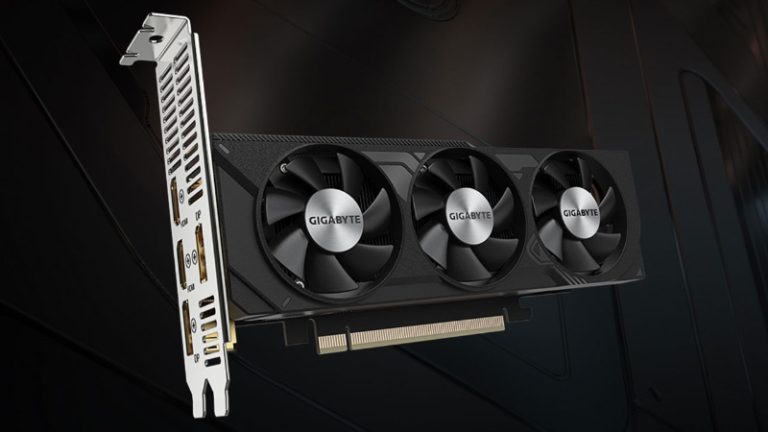
GPU cloud computing provides remote access to Graphics Processing Units (GPUs) that can handle thousands of operations simultaneously. When you rent a cloud computer with gpu, you aren’t just getting a server; you’re getting a dedicated accelerator for mathematics and data.
The Role of the Cloud Computer with GPU
The primary advantage of a cloud computer with gpu is elasticity. Instead of spending $40,000 on a physical server that depreciates every year, you can “spin up” an H100 or A100 instance for the duration of your project and shut it down the moment you are finished. This agility is what allows small startups to compete with tech giants.
3. NVIDIA GPU Cloud Computing: The Industry Gold Standard
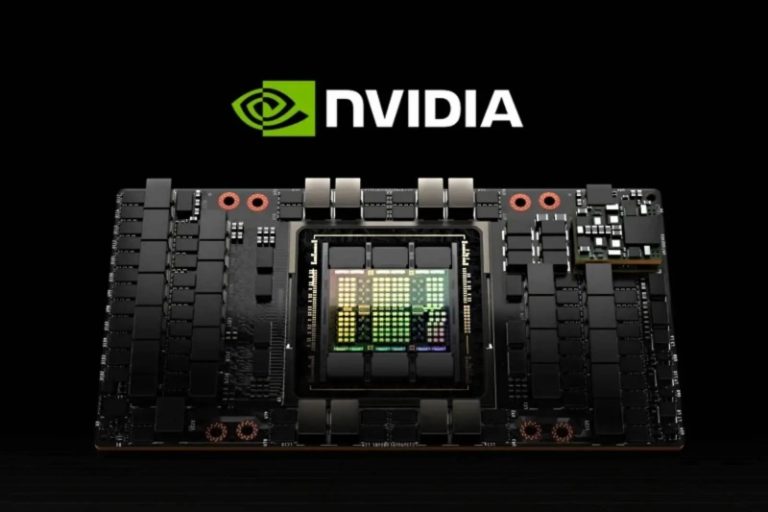
When we discuss the “how” of AI, we are inevitably discussing nvidia gpu cloud computing. NVIDIA has built more than just hardware; they have built an entire ecosystem known as CUDA (Compute Unified Device Architecture).
Why NVIDIA Dominates the Cloud
- Software Ecosystem: Through the NVIDIA GPU Cloud (NGC), users get access to pre-integrated, optimized containers for PyTorch, TensorFlow, and more.
- Precision Hardware: From the energy-efficient L4 to the powerhouse H200, nvidia gpu cloud computing offers a specific tool for every job.
WhaleFlux Integration: Beyond the Silicon
While nvidia gpu cloud computing provides the raw power, WhaleFlux acts as the essential orchestration layer. Simply having an NVIDIA GPU is like having a jet engine; WhaleFlux is the cockpit that allows you to steer that power. We integrate directly with NVIDIA environments to provide thread-level observability and automated scaling, ensuring your expensive GPU cycles are never wasted on idle processes.
4. The Search for Free GPU Cloud Computing
For students, hobbyists, and those in the early R&D phase, the price tag of elite GPUs can be a barrier. This leads to the frequent search for free gpu cloud computing.
Is “GPU Cloud Computing Free” a Reality?
Yes, but with limitations. You can typically find gpu cloud computing free tiers in the following places:
- Collaborative Notebooks: Platforms like Google Colab provide limited access to GPUs like the T4.
- Cloud Credits: Most major providers offer “start-up credits” that effectively grant you several hundred hours of cloud computing gpu time.
- Academic Grants: Researchers often have access to state-sponsored free gpu cloud computing clusters.
While these are excellent for small-scale testing or learning the basics of Python, they are rarely sufficient for production. When you move from “testing” to “deploying,” the limitations of free gpu cloud computing—such as session timeouts and low memory—make a managed solution like WhaleFlux a necessity to maintain continuity.
5. Optimizing Cloud Computing GPU Resources
Infrastructure is only cost-effective if it is managed correctly. Many companies overspend on cloud computing gpubecause they rent more power than they actually use.
The Three Pillars of GPU Management
- Orchestration: Moving workloads between GPUs to maximize utilization.
- Quantization: Reducing the model size so it fits on cheaper cloud computing gpu instances without losing accuracy.
- Observability: Knowing exactly where your bottlenecks are in real-time.
How WhaleFlux Maximizes Your Investment
This is where WhaleFlux shines. By providing a unified platform that bridges the gap between gpu cloud computing and the application layer, we help our users reduce hardware costs by up to 70%. We don’t just give you a cloud computer with gpu; we give you the tools to monitor every token and every watt, ensuring your AI journey is as lean as it is powerful.
6. Use Cases: From Rendering to AI Agents
The versatility of gpu cloud computing spans across industries:
- Generative AI: Fine-tuning specialized models for legal, medical, or financial sectors.
- Scientific Research: Simulating climate patterns or drug discovery.
- Autonomous Agents: The new frontier. In 2026, the focus has shifted from “chatbots” to “agents” that can take actions. These agents require the low-latency response times that only high-performance cloud computing gpu can provide.
7. Choosing the Right Cloud Provider
When selecting a provider for your cloud computer with gpu, don’t just look at the hourly rate. Look at:
- Network Latency: How fast does data move from your storage to the GPU?
- Security: Does the provider offer hardware-level isolation for your proprietary data?
- Ecosystem: Does it support the specific nvidia gpu cloud computing drivers your team uses?
Conclusion: Navigating the Future with WhaleFlux
As we look toward the remainder of 2026, the reliance on gpu cloud computing will only grow. Whether you are taking your first steps with gpu cloud computing free resources or managing a global fleet of nvidia gpu cloud computingclusters, the goal remains the same: efficiency, security, and results.
At WhaleFlux, we believe that compute should be a catalyst, not a headache. By integrating the world’s most powerful cloud computing gpu hardware with our sophisticated management platform, we empower you to stop worrying about the silicon and start focusing on the intelligence you’re building.
5 Frequently Asked Questions (FAQ)
1. What is the main benefit of using a cloud computer with GPU over a local one?
The main benefit is scalability and cost. A local cloud computer with gpu requires a massive upfront investment and maintenance. In the cloud, you can access the latest NVIDIA chips (like the H200) instantly and only pay for the minutes you use.
2. Can I run NVIDIA GPU cloud computing on any cloud provider?
Most major cloud providers offer nvidia gpu cloud computing instances. However, the level of software support and the availability of specialized chips like the H100 vary. It is important to check if your provider supports the CUDA versions your models require.
3. Is “free gpu cloud computing” safe for proprietary data?
Generally, free gpu cloud computing platforms are shared environments. While they are safe for learning and open-source projects, they often lack the strict “Zero-Trust” security and private enclaves found in enterprise-grade paid services. For sensitive data, a managed platform like WhaleFlux is recommended.
4. How does WhaleFlux improve the performance of my cloud computing gpu?
WhaleFlux provides an “Observability and Auto-Scaling” copilot. It monitors your gpu cloud computing workloads in real-time, automatically adjusting resources and managing model weights to ensure you get the highest possible throughput for the lowest possible cost.
5. What is the difference between “GPU cloud computing” and “GPU virtualization”?
GPU cloud computing is the broad service of providing GPUs over the internet. GPU virtualization is a specific technology used within that service to split one physical GPU into multiple “virtual” GPUs, allowing several users to share the same hardware efficiently.