Introduction
In 2026, the primary adversary of AI engineering teams is not just model convergence—it is the “Thermal Wall.” When high-performance clusters featuring NVIDIA H100, H200, or RTX 4090 GPUs operate at 24/7 full load, the resulting heat triggers hardware-level thermal throttling. This leads to a non-linear degradation of compute efficiency, often slowing down training cycles by 15-20%. For enterprise-scale AI, undervolting is no longer a hobbyist’s tactic; it is a strategic necessity for reducing Total Cost of Ownership (TCO) and ensuring architectural stability.
This guide moves beyond basic analogies to explore how to optimize large-scale NVIDIA GPU fleets using AI Platform Intelligence to achieve peak performance-per-watt.
1. Why Undervolting is Mission-Critical for AI Infrastructure
For enterprises running billion-parameter models (such as Llama 3.1 405B), undervolting addresses three critical operational bottlenecks:
Eliminating Throttling Cycles
Constant heavy workloads cause localized hotspots even in liquid-cooled environments. Undervolting reduces the thermal delta, allowing GPUs to maintain their peak Boost frequencies without fluctuation.
Cluster-Scale Energy ROI
In a cluster of 64+ nodes, a 15% reduction in per-card power consumption translates into thousands of dollars in monthly OpEx savings and a significantly improved PUE (Power Usage Effectiveness) rating.
Hardware Longevity
Sustained high temperatures accelerate electromigration in HBM3e memory and core logic. Undervolting is the most cost-effective “insurance” for protecting multi-million dollar hardware assets.
2. The Engineering Reality: Why Manual Tools Fail at Scale
Most online guides recommend MSI Afterburner for V-F (Voltage-Frequency) curve adjustment. However, for industrial AI platforms, manual undervolting is fundamentally flawed:
The “Silicon Lottery” Bottleneck
Every GPU in a cluster has slight variations in manufacturing. In a fleet of 50 A100s, a voltage offset that works perfectly for “Node A” might cause “Node B” to crash during a heavy Gradient Synchronization task.
Headless Linux Environments
Data-center grade GPUs (H100/A100) typically run in headless Linux environments where GUI-based tools are non-existent. Scaling requires low-level interaction with NVIDIA-SMI or the NVML (NVIDIA Management Library) API.
Workload Volatility
AI workloads are non-linear. The power profile of the “Warm-up” phase differs vastly from “Computation-Heavy” backpropagation. A static undervolt cannot adapt to these shifting thermal demands.
3. Implementation: Empowering Efficiency via AI Platform Intelligence
WhaleFlux goes beyond simple automation; it provides AI Platform Intelligence to create a self-optimizing environment for your hardware.
Full-Stack Telemetry
WhaleFlux’s observation engine captures the V-F mapping of every card in real-time, identifying “weak” silicon nodes within the cluster before they cause a job failure.
Workload-Aware Power Envelopes
Unlike manual settings, WhaleFlux dynamically adjusts power limits based on the specific task—whether it is Llama fine-tuning or high-concurrency inference.
Autonomous Resilience
If a node becomes unstable under a specific undervolt profile during a distributed training run, the WhaleFlux orchestration layer automatically rolls back the voltage and migrates the task to ensure 24/7 uptime.
4. The Hidden Risk: Silent Data Corruption (SDC)
A high-gain insight for AI architects: Aggressive undervolting can lead to Silent Data Corruption. At extreme low voltages, a GPU might not crash immediately, but it can experience “Bit-flips.” For training runs that last weeks, this is catastrophic, as it silently corrupts model weights, leading to divergence that is difficult to diagnose.
The WhaleFlux Solution: Our platform monitors the ECC (Error Correction Code) metrics and residual anomalies in real-time. By utilizing our AI Observability tools, WhaleFlux maintains the perfect balance between efficiency and Data Sovereignty, intervening the moment the silicon’s integrity is threatened.
Conclusion: Optimize the Intelligence, Not Just the Compute
In 2026, compute is more than a commodity; it is a refined asset. Simply renting H100s is the baseline; optimizing them is the competitive advantage.
By leveraging WhaleFlux AI Platform Intelligence, we transform manual, fragmented hardware tweaks into an automated, workload-aware cluster strategy. This not only cuts power costs by over 20% but ensures your Autonomous Agent Workforce operates in the coolest, fastest, and most stable environment possible.
FAQs
1. What exactly is GPU undervolting, and why is it beneficial?
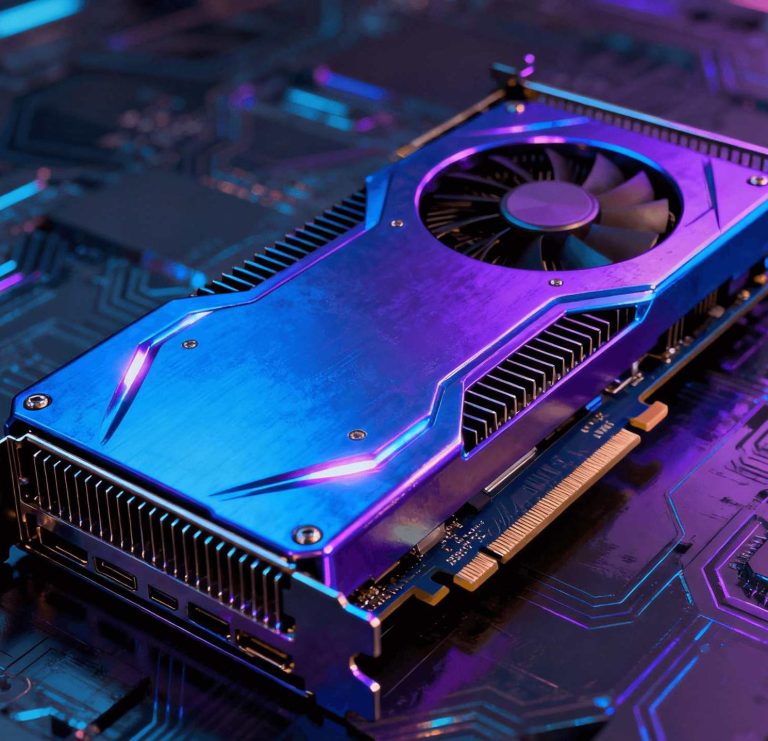
GPU undervolting is the process of reducing the operating voltage supplied to your graphics card’s processor (GPU chip) while maintaining its target clock speed. The primary benefit is increased power efficiency. By achieving the same performance with less voltage, the GPU generates less heat and consumes less power. This can lead to lower operating temperatures (potentially reducing thermal throttling), quieter fan operation, and, for laptops or small-form-factor PCs, extended battery life. It’s a way to fine-tune your NVIDIA GPU for a cooler, quieter, and more efficient operation without sacrificing performance.
2. How do I safely undervolt my NVIDIA GeForce RTX 40 Series or other modern GPU?
Safely undervolting requires patience and methodical testing. Here is a general workflow using a tool like MSI Afterburner (which works with all modern NVIDIA GPUs):
- Benchmark & Monitor: Run a stable stress test (like FurMark) or a demanding game to establish a baseline for temperature, clock speed, and stability.
- Access the Curve: In Afterburner, press
Ctrl+Fto open the Voltage-Frequency (V/F) curve editor. - Find Your Point: Locate the point on the curve that represents your card’s typical stable voltage under load (e.g., ~1000mV). Select a point at a lower voltage (e.g., 900mV).
- Set the Clock: At this lower voltage point, set the clock speed to match or slightly exceed the frequency your GPU achieved at the higher voltage in step 1. Then, flatten the curve at this point for all higher voltages.
- Test Extensively: Apply the changes and run long, demanding stress tests and your actual workloads to ensure complete stability. If the system crashes, the undervolt is too aggressive.
3. What are the main risks of undervolting, and can it damage my GPU?
The primary risk is system instability, leading to application crashes, driver failures, or system freezes during demanding tasks. When done correctly by adjusting software parameters (voltage/frequency curve), undervolting itself is highly unlikely to cause physical damage to your NVIDIA GPU. Modern cards have numerous hardware protections. The real danger lies in user error, such as confusing undervolting with overvolting (which increases heat and risk), or applying excessive frequency offsets that cause instability. Always proceed cautiously and test thoroughly.
4. Does undervolting always lead to a performance loss, or can it sometimes improve performance?
The goal of a proper undervolt is performance-neutral or performance-positive. You should aim to maintain the exact same clock speeds as before, but at a lower voltage. Therefore, raw computational performance in benchmarks should remain identical. In some cases, it can indirectly improve sustained performance. High-stock voltages generate excess heat, which may cause the GPU to “thermal throttle” (reduce clock speeds) to cool down. By running cooler through undervolting, the GPU can maintain its boost clocks for longer periods, potentially yielding higher average fps in long gaming or rendering sessions.
5. For AI teams, does manual undervolting of individual GPUs scale as a solution for efficiency?
For an individual researcher with a single NVIDIA RTX 4090, undervolting is a viable tactic for personal efficiency. However, for an enterprise AI team running clusters of NVIDIA H100, A100, or other data center GPUs, manual per-card tuning does not scale and is operationally impractical. This is where a platform like WhaleFlux delivers value at an infrastructure level. Instead of manually tweaking voltages, WhaleFlux optimizes efficiency at the cluster scale by intelligently scheduling workloads, maximizing aggregate GPU utilization, and managing power profiles holistically. This ensures your entire NVIDIA GPU fleet operates at peak performance-per-watt with guaranteed stability, turning individual hardware optimization into a managed, enterprise-wide outcome that directly lowers computational costs and improves deployment reliability.