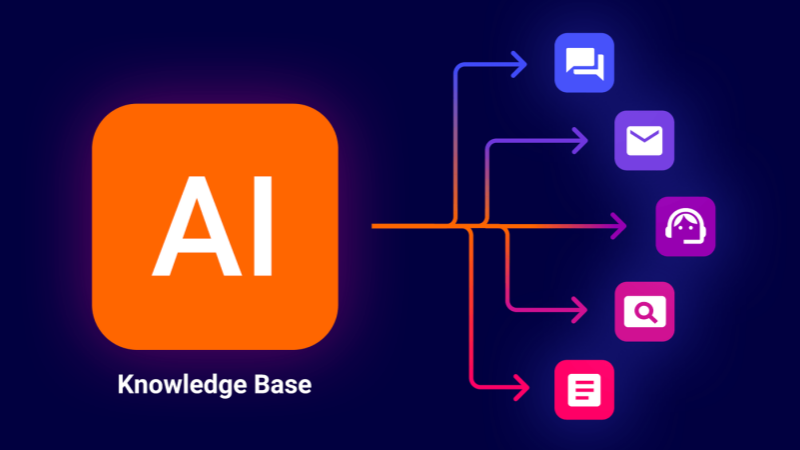
Imagine an AI assistant that can instantly answer a new engineer’s complex question about a legacy codebase, a sales rep’s query about a specific customer contract clause, or a support agent’s need for the resolution steps to a rare technical fault. This isn’t about a smarter chatbot; it’s about equipping your AI with a functional, purpose-built knowledge base.
Most company “knowledge bases” are built for humans—wikis, document folders, and intranets filled with PDFs and slides. For an AI, these are dark forests of unstructured data. To make your AI truly powerful, you must build a knowledge base it can search, understand, and reason with. This guide walks you through the actionable steps to create one.
The Core Principle: From Human-Readable to Machine-Understandable
The fundamental shift lies in moving from documents stored for retrieval by humans to data structured for retrieval by machines. A human can skim a 50-page manual to find a detail; an AI cannot. Your goal is to pre-process knowledge into bite-sized, semantically rich pieces and store them in a way that enables millisecond-scale, context-aware search.
This process is best enabled by a Retrieval-Augmented Generation (RAG) architecture. In a RAG system, a user’s query triggers an intelligent search through your processed knowledge base to find the most relevant information. This “grounding” context is then fed to a Large Language Model (LLM), which generates an accurate, sourced answer. Your knowledge base is the fuel for this engine.
Phase 1: Planning & Knowledge Acquisition
1. Define the Scope and “Job-to-be-Done”:
Start narrow. Ask: What specific problem should this AI solve? Is it for technical support, accelerating new hire onboarding, or providing R&D with past research insights? A clearly defined scope, like “answer questions from our product API documentation and past support tickets,” determines what knowledge you need to gather.
2. Identify and Gather Knowledge Sources:
With your scope defined, audit and consolidate knowledge from:
- Structured Sources: Database schemas, organized API documentation, product catalogs.
- Semi-Structured Sources: Emails, presentation slides, CSV reports, marked-up documents.
- Unstructured Sources (the largest category): Word documents, PDF manuals, meeting transcripts, wiki pages, and chat logs.
3. Establish a Governance and Update Cadence:
A knowledge base rots. Decide at the outset: who owns the content? How are updates (new product specs, updated policies) ingested? An automated weekly sync from a designated source-of-truth repository is far more sustainable than manual uploads.
Phase 2: Processing & Structuring for AI (The Technical Core)
This is where raw data becomes AI-ready fuel. Think of it as preparing a library: you don’t just throw in books; you catalog, index, and shelve them.
Step 1: Chunking
You cannot feed a 100-page PDF to an AI. Chunking breaks text into logically segmented pieces. The art is balancing context with size.
- Method: Use semantic chunking (splitting at natural topic boundaries) or recursive chunking (splitting by characters/words, then overlapping chunks to preserve context).
- Tool: Libraries like LangChain’s text splitters or LlamaIndex’s node parsers automate this.
Step 2: Embedding and Vectorization
This is the magic that makes search intelligent. An embedding model converts each text chunk into a vector—a long list of numbers that captures its semantic meaning. Sentences about “server latency troubleshooting” will have mathematically similar vectors, distinct from those about “annual leave policy.”
- Tool: Use open-source models (e.g.,
all-MiniLM-L6-v2) or cloud APIs (OpenAI, Cohere). The choice balances cost, speed, and accuracy.
Step 3: Storing in a Vector Database
These vectors, paired with their original text (metadata), are stored in a specialized vector database. This database performs similarity search: when a query comes in, it’s vectorized, and the database finds the stored vectors closest to it in meaning—not just matching keywords.
- Popular Options: Pinecone (managed), Weaviate (open-source), or pgvector (PostgreSQL extension).
Phase 3: Integration, Deployment & Iteration
1. Building the Retrieval and Query Pipeline:
This is your application logic. It must:
- Take a user query.
- Process and vectorize it.
- Query the vector database for the top-k relevant chunks.
- Format these chunks and the original query into a coherent prompt for the LLM.
- Send the prompt to the LLM and return the answer, ideally with citations.
2. Choosing and Running the LLM:
The LLM is the reasoning engine. You have two main paths:
API Route (Simplicity):
Use GPT-4, Claude, or another API. It’s easy to start but raises concerns about data privacy, cost at scale, and lack of customization.
Self-Hosted Route (Control & Customization):
Run an open-source model like Llama 2, Mistral, or a fine-tuned variant on your infrastructure. This offers data sovereignty and long-term cost control but introduces significant infrastructure complexity.
Here is where a specialized AI infrastructure platform becomes critical.
Managing a performant, self-hosted LLM for a production knowledge base requires robust GPU resources. WhaleFluxdirectly addresses this challenge. It is an integrated AI services platform designed to streamline the deployment and management of private LLMs. Beyond providing optimized access to the full spectrum of NVIDIA GPUs—from H100 and H200 for high-throughput training and inference to A100 and RTX 4090 for cost-effective development—WhaleFlux intelligently manages multi-GPU clusters. Its core value lies in maximizing GPU utilization, which dramatically lowers cloud compute costs while ensuring the high speed and stability necessary for a responsive, enterprise-grade AI knowledge system. By handling the operational burden of GPU orchestration, model serving, and AI observability, WhaleFlux allows your team to focus on refining the knowledge retrieval logic and user experience, not on infrastructure headaches.
3. Iteration and Optimization:
Launch is just the beginning. You must:
Monitor:
Track query logs. Are answers accurate? Which queries return poor results?
Evaluate:
Use metrics like retrieval precision (did it fetch the right chunks?) and answer faithfulness (is the answer grounded in the chunks?).
Refine:
Adjust chunk sizes, tweak embedding models, add metadata filters (e.g., “search only in v2.1 documentation”), or fine-tune the LLM’s instructions for better answers.
Conclusion: The Strategic Asset
Building an AI-usable knowledge base is a technical implementation and a strategic initiative to institutionalize your company’s knowledge. It transforms static information into an active, conversational asset that scales expertise, ensures consistency, and accelerates decision-making.
By following this blueprint—from focused planning and meticulous data processing to robust deployment with the right infrastructure—you move beyond experimenting with AI to operationalizing it. You stop asking your AI what it knows and start telling it what your companyknows. That is the foundation of true competitive advantage.
FAQ: Building an AI-Powered Knowledge Base
Q1: What are the first three steps to start building a knowledge base for my AI?
A: Start with a tight, well-defined use case (e.g., “answer internal HR policy questions”). Then, identify and gather all relevant source documents for that use case. Finally, design a simple, automated pipeline to keep this source data updated. Starting small ensures manageable complexity and clearer success metrics.
Q2: What’s the key difference between a traditional search-based knowledge base (like a wiki) and an AI-ready one?
A: A traditional wiki relies on keyword matching and depends on the user to formulate the right query and sift through results. An AI-ready knowledge base uses semantic search via vector embeddings, allowing the AI to understand the meaning behind a query. It actively retrieves relevant information to construct a direct, conversational answer, not just a list of links.
Q3: What is the biggest technical challenge in building this system?
A: One of the most significant challenges is the end-to-end integration and performance optimization of the pipeline. Ensuring low-latency retrieval from the vector database combined with fast, stable inference from a large language model requires careful engineering and powerful, well-managed infrastructure, particularly for self-hosted models. Bottlenecks in any component can ruin the user experience.
Q4: We want data privacy and plan to self-host our LLM. What infrastructure should we consider?
A: Self-hosting demands a focus on GPU performance and management. You’ll need to select the right NVIDIA GPU for your model size and user load (e.g., A100 or H100 for large-scale production). The greater challenge is efficiently orchestrating these expensive resources to avoid waste and ensure stability. An integrated AI platform like WhaleFlux is purpose-built for this, providing optimized GPU management, model serving tools, and observability to turn complex infrastructure into a reliable utility.
Q5: Is it very expensive to build and run such a system?
A: Costs vary widely. Using cloud-based LLM APIs has a low upfront cost but can become expensive with high volume. Self-hosting has higher initial infrastructure costs but can be more predictable and cheaper long-term. The key to cost control, especially for self-hosting, is maximizing GPU utilization. Idle or poorly managed compute is the primary source of waste. Platforms that optimize cluster efficiency, like WhaleFlux, are essential for transforming capital expenditure into predictable, value-driven operating costs.