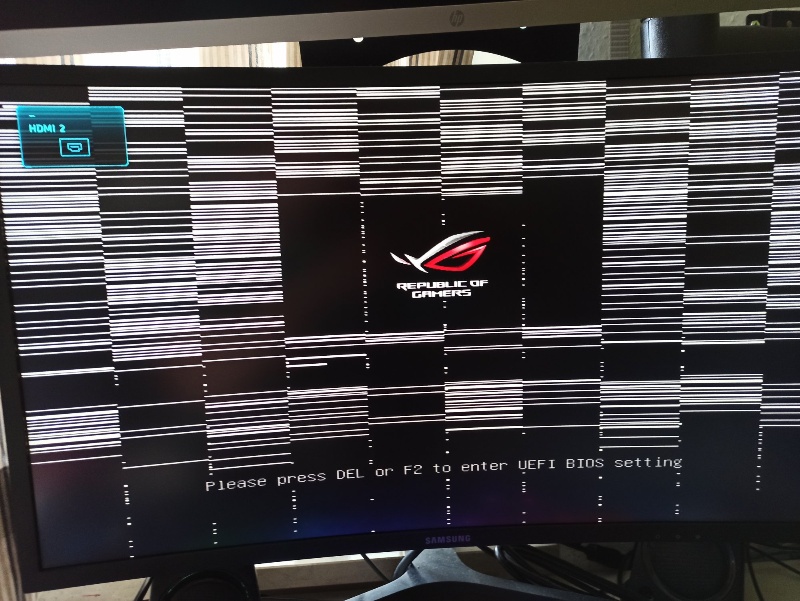
TL;DR: GPU Artifacting & Computational Sanity (2026)
- The Reality: In AI infrastructure, “artifacting” isn’t just a flicker; it represents Silent Data Corruption (SDC). Unstable hardware can inject noise into weight matrices, leading to non-deterministic gradients and wasted training ROI.
- Root Causes: Beyond thermal throttling, enterprise-level artifacting is often caused by VRAM degradation and transient voltage spikes under heavy FP8/BF16 tensor loads.
- Diagnostic Standard: Move beyond visual inspection. Use NVIDIA DCGM for stress-testing and monitor ECC (Error Correction Code) counters to identify pre-failure hardware before it crashes a training job.
- WhaleFlux Solution: Our platform ensures Compute Sanity via Full-stack AI Observability. We proactively isolate nodes showing memory instability, ensuring 99.9% uptime for high-stakes LLM refinement.
1. From Visual Glitches to Silent Data Corruption (SDC)
For a gamer, GPU artifacting is an annoyance; for an AI enterprise, it is a catastrophic risk to determinism.
When a GPU fails to process data correctly—manifesting as “artifacts” in graphics—it means the VRAM or Tensor Cores are failing to maintain data integrity. In a “headless” data center environment, these errors may not be visible but will manifest as NaN (Not a Number) losses or unexplainable model performance degradation. At WhaleFlux, we define this as a breach of Compute Sanity.
2. Enterprise-Level Causes: The Stress of 24/7 Compute
While overheating is a factor, professional AI clusters face more nuanced stability threats:
- VRAM Bit-Flipping: High-intensity training pushes GDDR6X/HBM3e to their electrical limits. Without WhaleFlux-grade thermal management, microscopic bit-flips can occur even before a full crash.
- Transient Load Spikes: Switching between zero-load and peak-tensor utilization can cause voltage fluctuations that destabilize the memory controller, leading to “artifacts” in the computational graph.
- Solder Fatigue: Persistent thermal cycling (heating/cooling) in high-density racks can degrade the physical interconnects between the GPU die and the board.
3. Diagnostic Protocol: Moving Beyond “Visuals”
To ensure hardware stability, WhaleFlux utilizes a professional-grade testing stack:
ECC Error Monitoring
We track both Correctable and Uncorrectable ECC errors in real-time. A spike in correctable errors is a leading indicator of an impending GPU failure.
DCGM Diagnostics
Instead of consumer stress tests, we use the Data Center GPU Manager (DCGM) to perform level-3 diagnostic loops, ensuring Tensor Cores are operating within strict tolerance levels.
WhaleFlux Deep Observability
Our platform provides a “Single Pane of Glass” view, correlating memory junction temperatures with workload-specific failure patterns.
4. The WhaleFlux Standard: Engineering for Stability
WhaleFlux transforms hardware maintenance from a manual burden into Platform Intelligence:
Pre-Certified Fleet
Every H100, H200, and RTX 4090 in the WhaleFlux fleet undergoes a 72-hour burn-in period with AI-specific stress tests before deployment.
Proactive Node Isolation
If our Intelligent Scaling engine detects a node exhibiting memory instability or artifacting signatures, it proactively migrates your Agentic Workflows to a healthy node without downtime.
TCO Protection
We eliminate the “hidden cost” of unstable hardware—the engineer-hours spent debugging “random” training crashes.
Expert FAQ
Q: Can GPU artifacting happen without a monitor attached?
A: Yes. In AI compute, “artifacting” is a symptom of data corruption. It manifests as inconsistent model outputs or kernel panics. Monitoring NVIDIA DCGM logs is the enterprise equivalent of checking for visual glitches.
Q: Is underclocking a viable fix for artifacting in a production cluster?
A: It is a temporary mitigation. While underclocking reduces thermal and electrical stress, it is a sign of hardware degradation. On the WhaleFlux platform, we recommend replacing such units to maintain deterministic performance.
Q: How does WhaleFlux prevent “Silent Data Corruption”?
A: By combining ECC monitoring with Deep Observability. We detect hardware-level inconsistencies before they can corrupt your weight matrices, preserving the ROI of your training runs.