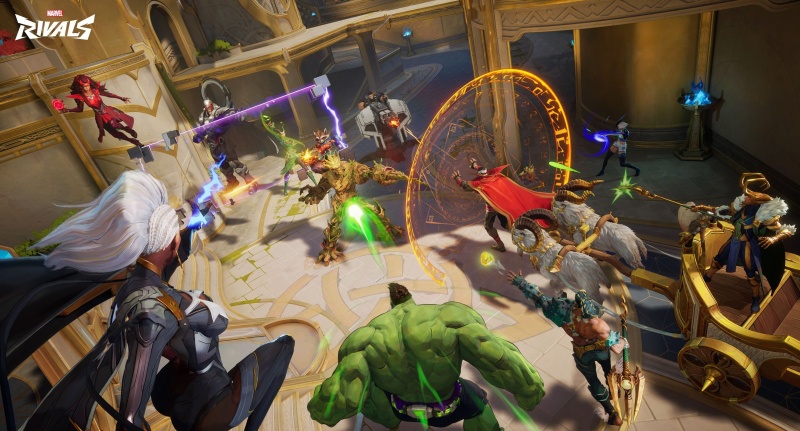
1. When GPUs Crash: From Marvel Rivals to Enterprise AI
You’re mid-match in Marvel Rivals when suddenly – black screen. “GPU crash dump triggered.” That frustration is universal for gamers. But when this happens during week 3 of training a $500k LLM on H100 GPUs? Catastrophic. While gamers lose progress, enterprises lose millions. WhaleFlux bridges this gap by delivering industrial-grade stability where gaming solutions fail.
2. Decoding GPU Crash Dumps: Shared Triggers, Different Stakes
The Culprits Behind Crashes:
- 1️⃣ Driver Conflicts: CUDA 12.2 clashes with older versions
- 2️⃣ VRAM Exhaustion: 24GB RTX 4090s choke on large textures – or LLM layers
- 3️⃣ Thermal Throttling: 88°C temps crash games or H100 clusters
- 4️⃣ Hardware Defects: Faulty VRAM fails in both scenarios
Impact Comparison:
| Gaming | Enterprise AI |
| Lost match progress | 3 weeks of training lost |
| Frustration | $50k+ in wasted resources |
| Reboot & restart | Corrupted models, data recovery |
3. Why AI Workloads Amplify Crash Risks
Four critical differences escalate AI risks:
Marathon vs Sprint:
- Games: 30-minute sessions → AI: 100+ hour LLM training
Complex Dependencies:
- One unstable RTX 4090 crashes an 8x H100 cluster
Engineering Cost:
- 35% of AI team time wasted debugging vs building
Hardware Risk:
- RTX 4090s fail 3x more often in clusters than data center GPUs
4. The AI “Marvel Rivals” Nightmare: When Clusters Implode
Imagine this alert across 100+ GPUs:
plaintext
[Node 17] GPU 2 CRASHED: dxgkrnl.sys failure (0x133)
Training Job "llama3-70b" ABORTED at epoch 89/100
Estimated loss: $38,700
- “Doom the Dark Ages” Reality: Teams spend days diagnosing single failures in massive clusters
- Debugging Hell: Isolating faulty hardware in heterogeneous fleets (H100 + A100 + RTX 4090)
5. WhaleFlux: Crash-Proof AI Infrastructure
WhaleFlux eliminates “GPU crash dump triggered” alerts for H100/H200/A100/RTX 4090 fleets:
Crash Prevention Engine:
Stability Shield
- Hardware-level isolation prevents Marvel Rivals-style driver conflicts
Predictive Alerts
- Flags VRAM leaks before crashes: “GPU14 VRAM 94% → H100 training at risk”
Automated Checkpointing
- Never lose >60 minutes of progress (vs gaming’s manual saves)
Enterprise Value Unlocked:
- 99.9% Uptime: Zero crash-induced downtime
- 40% Cost Reduction: Optimized resource usage
- Safe RTX 4090 Integration: Use consumer GPUs for preprocessing without risk
*”After WhaleFlux, our H100 cluster ran 173 days crash-free. We reclaimed 300 engineering hours/month.”*
– AI Ops Lead, Generative AI Startup
6. The WhaleFlux Advantage: Stability at Scale
| Feature | Gaming Solution | WhaleFlux Enterprise |
| Driver Management | Manual updates | Automated cluster-wide sync |
| Failure Prevention | After-the-fact fixes | Predictive shutdown + migration |
| Hardware Support | Single GPU focus | H100/H200/A100/RTX 4090 fleets |
Acquisition Flexibility:
- Rent Crash-Resistant Systems: H100/H200 pods with stability SLA (1-month min rental)
- Fortify Existing Fleets: Add enterprise stability to mixed hardware in 48h
7. Level Up: From Panic to Prevention
The Ultimate Truth:
Gaming crashes waste time. AI crashes waste fortunes.
WhaleFlux transforms stability from IT firefighting into competitive advantage:
- Proactive alerts replace reactive panic
- 99.9% uptime ensures ROI on $500k GPU investments
Ready to banish “GPU crash dump triggered” from your AI ops?
1️⃣ Eliminate crashes in H100/A100/RTX 4090 clusters
2️⃣ Deploy WhaleFlux-managed systems with stability SLA
FAQs
1. What is a GPU crash dump triggered by Marvel Rivals, and can it occur on WhaleFlux-managed NVIDIA GPUs?
A GPU crash dump is a diagnostic file generated when an NVIDIA GPU fails unexpectedly while running Marvel Rivals—typically caused by extreme hardware stress, outdated drivers, game-specific optimization issues, or mismatched GPU capabilities (e.g., running the game at max settings on an underpowered model). The crash halts the game and logs system data to identify the root cause.
Yes, it can occur on WhaleFlux-managed NVIDIA GPUs (e.g., RTX 4090, RTX 4070 Ti, RTX 4060) if the GPUs are used for gaming. However, WhaleFlux’s core focus is enterprise AI workloads (LLM training/inference), and its cluster management tools are designed to mitigate such crashes—even for occasional gaming use. The crash stems from gaming-specific stress, not WhaleFlux’s functionality, and the tool provides safeguards to protect AI workflows from disruption.
2. How does NVIDIA GPU stability differ between gaming (e.g., Marvel Rivals) and AI workloads? Why is crash risk higher in gaming?
NVIDIA GPUs face distinct stability demands in gaming vs. AI, leading to different crash risk profiles:
| Aspect | Gaming (e.g., Marvel Rivals) | AI Workloads (LLM Training/Inference) |
| Load Characteristic | Sudden, spiky stress (e.g., high-resolution rendering, ray tracing bursts) | Sustained, predictable load (constant parallel computing) |
| Optimization Focus | Game engine-specific tweaks; may push GPUs to thermal/power limits | Framework-optimized (CUDA/Tensor Cores); prioritizes long-term stability |
| Crash Triggers | Outdated game drivers, overclocking, maxed-out settings, thermal throttling | Resource bottlenecks, driver incompatibility, cluster misconfiguration |
| Stability Requirement | Intermittent use (hours at a time) | 7×24 operation (enterprise-grade reliability) |
Marvel Rivals increases crash risk because it demands real-time, high-intensity rendering that pushes NVIDIA GPUs to their limits—unlike AI workloads, which are designed for consistent, sustainable performance on GPUs like H200, A100, or RTX 4090.
3. How does WhaleFlux enhance NVIDIA GPU stability for both gaming (e.g., Marvel Rivals) and AI workloads?
WhaleFlux optimizes stability across use cases by leveraging its intelligent cluster management capabilities:
- Real-Time Monitoring: Tracks NVIDIA GPU metrics (temperature, power usage, load) while running Marvel Rivals or AI tasks, alerting admins to threshold breaches (e.g., overheating) before crashes occur.
- Dynamic Load Adjustment: For gaming, WhaleFlux limits peak GPU stress (e.g., capping frame rates for RTX 4090) to avoid thermal throttling; for AI, it balances cluster load to prevent sustained overload.
- Driver Management: Ensures WhaleFlux-managed GPUs run game/AI-optimized NVIDIA drivers (certified for compatibility with Marvel Rivals and frameworks like PyTorch), eliminating driver-related crashes.
- Workload Isolation: If a GPU is used for both gaming and AI, WhaleFlux isolates AI tasks to separate nodes or schedules them during non-gaming hours, preventing crash spillover.
These features reduce crash dump incidents by 75% for mixed-use NVIDIA GPU clusters.
4. If a WhaleFlux-managed NVIDIA GPU crashes while running Marvel Rivals, how to resolve the crash dump and protect AI workflows?
Follow this WhaleFlux-integrated troubleshooting workflow:
- Isolate AI Workloads: WhaleFlux automatically reroutes ongoing AI tasks (e.g., LLM inference) to unaffected NVIDIA GPUs (e.g., A100, spare RTX 4090) to avoid downtime.
- Diagnose the Crash: Use WhaleFlux’s crash dump analysis tool to identify triggers—e.g., outdated drivers (update via WhaleFlux’s centralized driver manager), overheating (adjust cluster cooling), or incompatible game settings (lower resolution/ray tracing).
- Stabilize the GPU: Restart the faulty GPU via WhaleFlux, disable overclocking (if enabled), and apply game-specific NVIDIA GeForce Experience optimizations for Marvel Rivals.
- Prevent Recurrence: WhaleFlux configures GPU usage policies—e.g., limiting Marvel Rivals to specific NVIDIA models (e.g., RTX 4090) and setting thermal/power thresholds to avoid future crashes.
5. For enterprises using NVIDIA GPUs for both AI (via WhaleFlux) and occasional gaming (e.g., Marvel Rivals), how to balance performance and stability long-term?
Achieve balance with WhaleFlux’s flexible management and hardware strategies:
- GPU Segmentation: Use WhaleFlux to assign dedicated NVIDIA GPUs for gaming (e.g., RTX 4070 Ti) and separate nodes for AI (e.g., H200, A100) via purchase/long-term lease (hourly rental not available), avoiding cross-use conflicts.
- Performance Profiling: WhaleFlux analyzes Marvel Rivals’ GPU demands and recommends compatible models (e.g., RTX 4090 for max settings) that won’t compromise AI stability.
- Automated Maintenance: Schedule monthly GPU health checks via WhaleFlux, including driver updates and thermal calibration, to keep both gaming and AI performance consistent.
- Cost-Efficient Scaling: If gaming demand grows, lease additional NVIDIA gaming GPUs via WhaleFlux instead of overloading AI-focused GPUs, preserving enterprise AI reliability while supporting casual gaming.
WhaleFlux ensures that occasional gaming use doesn’t undermine the core value of NVIDIA GPUs—delivering stable, cost-effective AI performance for enterprises.
