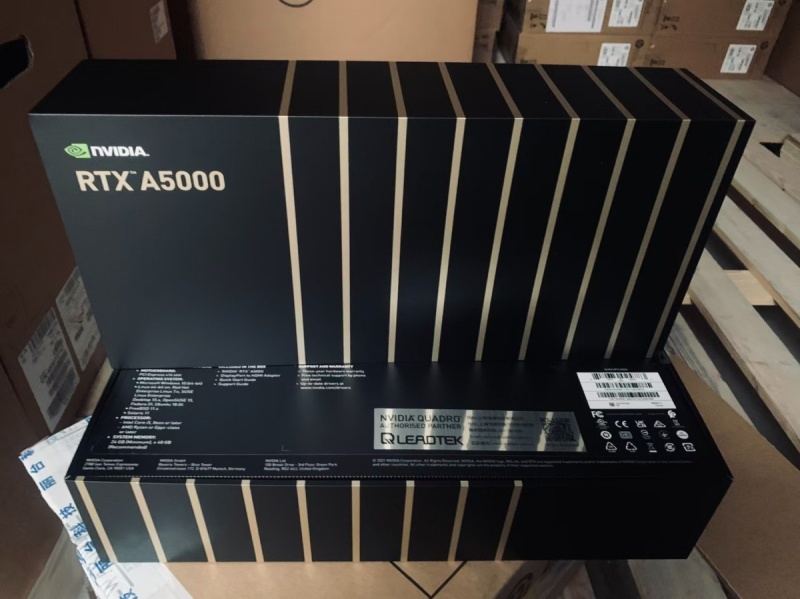
In the high-stakes race of artificial intelligence, raw computational power is the new currency. From training massive large language models (LLMs) to running complex inference workloads, AI enterprises are constantly pushing the boundaries of what’s possible. But behind every groundbreaking AI innovation lies a critical, and often costly, foundation: GPU resources. As models grow larger and more complex, simply having powerful hardware like the NVIDIA A5000 is no longer enough. The real competitive edge lies in how efficiently you use it. This is where intelligent resource management becomes not just an advantage, but a necessity for survival and growth.
I. Introduction
A. Overview of the growing demand for GPU resources in AI enterprises
The AI revolution is in full swing, and it’s powered by Graphics Processing Units (GPUs). These specialized processors are the workhorses behind the deep learning algorithms that fuel everything from creative AI and advanced data analytics to autonomous systems. The demand for GPU compute has skyrocketed, creating an immense pressure on AI companies to secure, manage, and scale their computational infrastructure. It’s a simple equation: more AI ambition requires more GPU power.
B. Importance of efficient GPU utilization for large language models (LLMs) and other AI applications
However, acquiring GPUs is only half the battle. For complex tasks like training and fine-tuning LLMs, a single GPU is rarely sufficient. AI teams rely on multi-GPU clusters to distribute the massive computational load. The efficiency of these clusters is paramount. Poorly managed resources lead to bottlenecks, where some GPUs are overworked while others sit idle. This underutilization directly translates to wasted money, delayed project timelines, and an inability to deploy models reliably at scale. In essence, inefficient GPU use is a tax on innovation.
C. Brief introduction to WhaleFlux as a specialized solution for intelligent GPU resource management
This is the very challenge that WhaleFlux was built to solve. WhaleFlux is not just another cloud provider; it is a specialized intelligent GPU resource management tool designed specifically for AI-driven businesses. Our mission is to ensure that every ounce of computational power in your GPU cluster—from the latest H100 to the versatile A5000—is working in perfect harmony to advance your AI goals, all while significantly reducing your cloud computing costs.
II. The Challenges of Multi-GPU Cluster Management in AI
Managing a fleet of GPUs is far from simple. AI teams often find themselves grappling with a trio of persistent challenges that drain both budgets and morale.
A. High costs associated with underutilized GPU resources in cloud environments
One of the biggest silent killers of an AI project’s budget is underutilization. Imagine a powerful NVIDIA A5000 GPU, capable of incredible parallel processing, sitting idle for 30% of the time because the workload wasn’t scheduled optimally. In traditional or poorly managed cloud setups, this is a common occurrence. You are paying for the GPU’s availability, not its actual output. This wasted capacity, when multiplied across an entire cluster and over months, leads to staggering, unnecessary expenses that can derail financial planning.
B. Difficulties in scaling LLM deployments while maintaining speed and stability
Scaling an LLM from a research experiment to a full-production deployment is a monumental task. As user demand grows, the system must distribute inference workloads across multiple GPUs efficiently. Manually managing this process is complex and prone to error. Instability, latency, and sudden crashes can occur if the load balancing isn’t dynamic and intelligent. This results in a poor user experience and undermines the trust in your AI application, just when you need it most.
C. Complexity of managing diverse NVIDIA GPU setups (e.g., balancing workloads across clusters)
Most enterprises don’t have a perfectly uniform stack of hardware. A team might use high-end NVIDIA H100s for their most intensive training jobs, while relying on cost-effective NVIDIA A5000s for fine-tuning, model testing, or mid-scale inference. Managing this heterogeneous environment is incredibly complex. How do you ensure a training job is sent to the H100 cluster while directing smaller inference tasks to the A5000s? Manually orchestrating this is a full-time job for a team of engineers, taking valuable time away from core AI development.
III. Introducing WhaleFlux: A Smart GPU Resource Management Tool
WhaleFlux acts as the intelligent brain for your entire GPU operation, automating complexity and maximizing value.
A. What is WhaleFlux? – Designed specifically for AI businesses to optimize multi-GPU clusters
WhaleFlux is an intelligent software platform designed specifically to take the pain out of multi-GPU cluster management. We provide the tools and the smart automation that allows AI enterprises to deploy, manage, and optimize their NVIDIA GPU resources seamlessly. Think of WhaleFlux as a highly skilled, automated system administrator dedicated solely to ensuring your GPU cluster performs at its peak, 24/7.
B. Key features: Dynamic resource allocation, automated load balancing, and cost-efficient scheduling
The power of WhaleFlux comes from its core set of automated features:
Dynamic Resource Allocation:
WhaleFlux continuously monitors your cluster’s health and workload demands. It automatically assigns tasks to the most suitable available GPU, whether it’s an H100 for a heavy training load or an A5000 for a batch inference job. This eliminates manual assignment and ensures no GPU is left behind.
Automated Load Balancing:
When deploying an LLM for inference, WhaleFlux intelligently distributes incoming requests across all GPUs in the cluster. This prevents any single GPU from becoming a bottleneck, ensuring low-latency responses and high stability even under heavy traffic.
Cost-Efficient Scheduling:
For non-urgent jobs, WhaleFlux can schedule them to run during off-peak hours or when specific GPUs become available, helping to leverage lower-cost opportunities and further optimize your spending.
C. How WhaleFlux integrates seamlessly with existing AI infrastructures
We know that integration cannot be a barrier. WhaleFlux is designed to integrate smoothly with the tools you already use. It works with popular orchestration frameworks and can be managed through a user-friendly dashboard or API. This means your team can start benefiting from smarter resource management without a lengthy and disruptive overhaul of your existing workflows.
IV. Benefits of Using WhaleFlux for AI Enterprises
By implementing WhaleFlux, AI companies see transformative results across their operations.
A. Enhanced GPU utilization efficiency: Reducing idle time and maximizing throughput
The most immediate impact is a dramatic increase in GPU utilization. WhaleFlux ensures that every GPU in your cluster, from the flagship H200 to the reliable A5000, is actively contributing to your projects. By slashing idle time from 30% to near zero, you effectively get more computational work done with the same hardware, accelerating your research and development cycle.
B. Cost reduction: Lowering overall cloud computing expenses by up to 30% (example statistic)
Higher efficiency directly translates to a healthier bottom line. Our clients regularly report a reduction in their overall cloud computing expenses by up to 30%. This isn’t achieved by using less powerful hardware, but by eliminating waste. You stop paying for idle time and start getting maximum value from every dollar spent on GPU resources.
C. Improved deployment speed and stability for LLMs: Faster model training and inference
With automated load balancing and dynamic allocation, deploying and scaling LLMs becomes a seamless process. WhaleFlux handles the underlying infrastructure complexity, allowing your models to serve more users, faster, and with greater reliability. This means your AI applications can scale to meet market demand without performance hiccups.
D. Real-world applications: Case studies or scenarios where WhaleFlux drives performance gains
Consider a mid-sized AI startup specializing in generative art. They used a cluster of NVIDIA A5000 and RTX 4090 GPUs. Before WhaleFlux, their artists and developers often faced long queues for rendering jobs, with GPUs being manually assigned. After integrating WhaleFlux, our dynamic scheduler automatically prioritized and distributed jobs. The result was a 40% reduction in job completion times and a doubling of the number of projects they could handle daily, all without purchasing any new hardware.
V. Supported NVIDIA GPU Models in WhaleFlux
WhaleFlux is built to support the diverse needs of modern AI teams, offering a wide range of NVIDIA GPUs to match any task and budget.
A. Comprehensive list of compatible NVIDIA GPUs:
WhaleFlux provides access to a curated portfolio of NVIDIA’s leading GPUs, ensuring you have the right tool for every job.
High-performance options:
For the most demanding LLM training and large-scale simulation workloads, we offer the NVIDIA H100, NVIDIA H200, and NVIDIA A100. These are the powerhouses for cutting-edge AI research.
Versatile and accessible models:
For fine-tuning, mid-scale inference, and specialized workloads, we provide the NVIDIA RTX 4090 and the NVIDIA A5000. The A5000, with its 24 GB of GDDR6 memory and excellent performance-per-watt, is a particularly cost-effective choice for many production AI tasks.
Other NVIDIA GPUs available to meet varied enterprise needs:
Our platform is continuously updated to support a wide array of NVIDIA’s ecosystem.
B. How WhaleFlux optimizes each GPU type for specific AI tasks (e.g., H100 for high-scale LLMs, A5000 for mid-range workloads)
WhaleFlux’s intelligence extends to understanding the strengths of each GPU. Our system doesn’t just see “a GPU”; it recognizes the specific capabilities of each model. It will automatically route a massive, company-foundation LLM training job to a cluster of H100s. Simultaneously, it will assign fine-tuning tasks, model testing, and API-driven inference workloads to a pool of efficient A5000s. This ensures that high-value resources are reserved for the jobs that truly need them, while more cost-effective GPUs handle other essential tasks, maximizing the overall ROI of your entire hardware portfolio.
VI. How to Access WhaleFlux GPU Resources
Getting started with WhaleFlux is straightforward and designed for commitment-minded businesses.
A. Flexible purchasing options: Own dedicated GPU clusters for long-term projects
For companies with steady, long-term computational needs, we offer the option to purchase dedicated GPU clusters. This gives you full control and guaranteed access to your hardware, which WhaleFlux then manages for peak efficiency.
B. Rental plans: Available for extended periods (note: hourly rentals are not supported)
We also offer flexible rental plans for projects that require significant resources for a defined period. To align with our goal of maximizing stability and cost-efficiency for our clients, our rental contracts start at a minimum of one month. This model discourages the wasteful, short-term usage patterns common in hourly cloud services and allows us to provide a more stable, predictable, and cost-effective service.
C. Steps to get started: Consultation, customization, and integration with WhaleFlux
Your journey to optimized GPU management begins with a conversation.
- Consultation: Our experts will connect with you to understand your specific workloads, goals, and current infrastructure.
- Customization: We’ll recommend the ideal mix of NVIDIA GPUs and configure WhaleFlux to suit your unique environment.
- Integration: Our team will guide you through a smooth integration process, getting you up and running quickly with minimal disruption.
VII. Conclusion
A. Recap of how WhaleFlux addresses key AI infrastructure challenges
The path to AI success is paved with computational challenges. The high costs of wasted resources, the complexity of scaling, and the difficulty of managing diverse GPU clusters can stifle innovation. WhaleFlux directly addresses these challenges by acting as an intelligent automation layer that ensures your entire GPU portfolio—from the mighty H100 to the versatile and powerful A5000—works together at maximum efficiency.
B. Call-to-action: Encourage readers to explore WhaleFlux for their GPU management needs
Don’t let underutilized hardware and infrastructure complexity slow down your AI ambitions. It’s time to stop managing GPUs manually and start empowering your AI team with intelligent automation.
C. Final thoughts on the future of AI efficiency with tools like WhaleFlux
As AI models continue to evolve, the efficient use of computational resources will become the defining factor separating industry leaders from the rest. Tools like WhaleFlux are no longer a luxury; they are a core component of a modern, scalable, and financially sustainable AI strategy. Unlock the full potential of your GPUs. Unlock the full potential of your AI team.
FAQs
1. What is the NVIDIA RTX A5000, and what makes it suitable for AI development?
The NVIDIA RTX A5000 is a professional workstation GPU based on the Ampere architecture. With 24GB of GDDR6 memory, a bandwidth of 768.0 GB/s, and a single-precision (FP32) performance of 27.77 TFLOPS, it offers substantial computational power for its class. Compared to higher-end data center GPUs, it provides a balanced entry point for AI teams, supporting tasks like model fine-tuning, moderate-scale training, and inference, especially when dealing with memory-intensive workloads. Its professional drivers also ensure stability for sustained development work.
2. What are the main limitations when using multiple A5000 GPUs for larger AI models?
The primary limitation in a multi-A5000 setup is the communication bottleneck. Unlike data center GPUs (like the H100) that feature ultra-high-speed interconnects (NVLink), multiple A5000 cards communicate via the server’s PCIe bus. This can create significant latency and bandwidth constraints during distributed training, preventing efficient scaling and leading to GPU idle time. Additionally, managing workloads and data pipelines manually across a cluster of A5000s is complex and often results in low average utilization.
3. How can an AI team with A5000 GPUs scale their work cost-effectively?
A cost-effective strategy involves integrating existing A5000 infrastructure with more powerful, on-demand GPUs. Instead of purchasing an entire new cluster, teams can use their A5000 workstations for development, prototyping, and smaller jobs. For larger training runs or production inference that demands more power, they can temporarily access specialized hardware like NVIDIA’s H100 or H200 Tensor Core GPUs, which offer exponentially higher performance for large language models.
4. How does WhaleFlux specifically help maximize the ROI of our existing A5000 GPUs?
WhaleFlux is an intelligent GPU resource management tool that directly addresses the underutilization of existing hardware like the A5000. It optimizes multi-GPU clusters by:
- Intelligent Job Scheduling: It dynamically assigns AI workloads to the most suitable available GPU, ensuring your A5000s are kept busy with tasks they excel at.
- Unified Resource Pool: WhaleFlux can integrate your A5000 workstations with other NVIDIA GPUs (like H100s or A100s) into a single, manageable resource pool.
- Overcoming Bottlenecks: By optimizing job orchestration and data flow, it mitigates the performance impact of communication bottlenecks in multi-A5000 setups.
This ensures you extract maximum value from your capital investment in A5000 hardware before needing to scale.