Introduction: The 100% GPU Utilization Dilemma
In the world of artificial intelligence, where GPU resources represent one of the most significant infrastructure investments, teams constantly strive to maximize hardware utilization. The goal seems straightforward: push those expensive GPUs to their limits to get the best return on investment. When monitoring dashboards show that coveted 100% GPU utilization number, it’s tempting to celebrate what appears to be perfect efficiency.
However, this seemingly ideal metric often creates more confusion than clarity. Is hitting 100% utilization truly a sign of peak performance and optimal resource usage? Or could it actually indicate underlying problems that might be harming your AI workloads? This dilemma confronts AI teams daily as they balance the need for maximum computational output with system stability and sustainable performance.
Achieving sustainable peak performance requires more than just raw power—it requires intelligent management and a deep understanding of what’s happening beneath the surface metrics. This is where WhaleFlux provides a critical advantage, offering both the high-performance hardware and the sophisticated management tools needed to navigate the complexities of GPU utilization in AI environments.
Part 1. What Does “GPU Utilization 100%” Actually Mean?
At its most basic level, GPU utilization percentage measures how much of the GPU’s processing capacity is being used at any given moment. When monitoring tools show 100% utilization, it indicates that the GPU’s cores are completely busy processing data—at least according to how this metric is typically calculated.
However, this surface-level measurement doesn’t tell the whole story. The crucial distinction lies in understanding what kind of work the GPU is actually doing at that 100% mark. There’s a significant difference between “good” 100% utilization, where the GPU is efficiently processing valuable computations, and “bad” 100% utilization, where the GPU is essentially spinning its wheels while waiting for other system components to deliver data.
The metric itself is calculated by measuring the percentage of time the GPU’s streaming multiprocessors are actively working rather than idle. But it doesn’t distinguish between productive work and stalled operations, which is why this number alone can be misleading without additional context about what the GPU is actually accomplishing during those busy cycles.
Part 2. Is 100% GPU Utilization Good? The AI Perspective
The answer to whether 100% GPU utilization is desirable depends entirely on the context and what’s happening beneath the surface. Let’s examine both perspectives:
The Good: When 100% Utilization is Excellent
For many AI workloads, particularly long-running training jobs, sustained high utilization represents ideal performance. When your GPU shows 100% utilization while productively processing model computations, you’re achieving maximum return on your hardware investment. This is especially valuable for expensive training operations where every hour of GPU time represents significant cost.
Batch processing operations often benefit from sustained maximum utilization. These workloads typically involve processing large datasets through consistent computational patterns, making them well-suited to running at full capacity for extended periods. In these scenarios, 100% utilization indicates that you’re efficiently using your resources without unnecessary idle time.
The Bad and The Ugly: When 100% Utilization Signals Problems
However, 100% utilization can also mask serious underlying issues. One common problem occurs when the GPU shows maximum utilization while actually waiting for data from other system components. This can happen when there are CPU bottlenecks, insufficient RAM, or slow storage systems that can’t feed data to the GPU fast enough. In these cases, the GPU appears busy but is actually operating inefficiently.
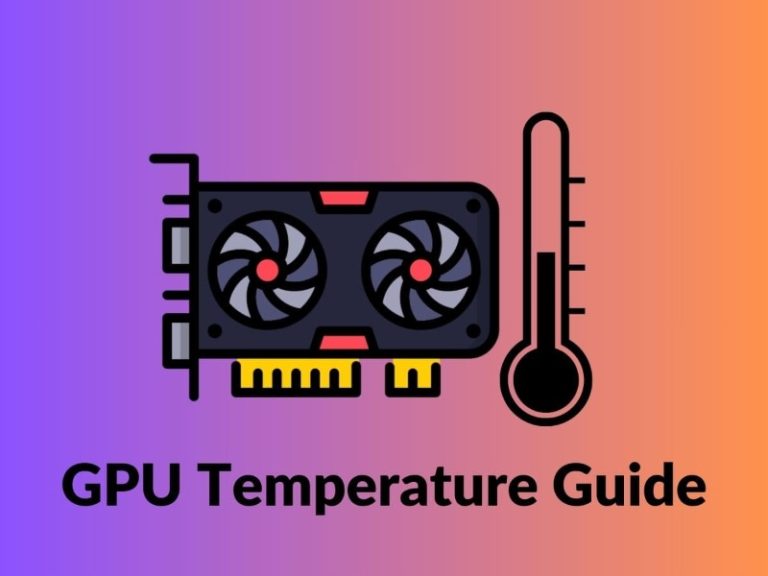
Thermal throttling represents another risk of sustained 100% utilization. When GPUs operate at maximum capacity for extended periods, they generate significant heat. If cooling systems can’t manage this heat effectively, the GPU may automatically reduce its performance to prevent damage, actually slowing down your computations despite showing high utilization numbers.
Additionally, running at absolute maximum capacity leaves no headroom for system tasks, monitoring tools, or handling unexpected workload spikes. This can lead to system instability, dropped processes, or an inability to respond to changing demands, ultimately reducing overall productivity despite the seemingly optimal utilization metric.
Part 3. Beyond the Number: Key Metrics for True GPU Health
To truly understand your GPU’s performance, you need to look beyond the basic utilization percentage and examine several additional metrics that provide a more complete picture of hardware health and efficiency.
SM (Streaming Multiprocessor) Efficiency helps determine whether the GPU’s cores are actually doing useful work or simply stalled while waiting for data. This metric provides insight into how effectively the GPU is executing computations rather than just measuring how busy it appears. High SM efficiency combined with high utilization indicates truly productive operation.
Memory Bandwidth Utilization is particularly crucial for modern AI workloads using high-performance GPUs like NVIDIA’s H100, H200, and A100 series. These cards feature advanced memory systems (HBM2e, HBM3) that can become bottlenecks if not fully utilized. Monitoring memory bandwidth helps identify whether your computations are limited by processing power or memory speed.
Power Draw and Temperature metrics provide essential information about the physical operation of your GPUs. Consistent power draw at expected levels indicates stable operation, while unusual fluctuations might signal problems. Temperature monitoring is crucial for preventing thermal throttling and ensuring long-term hardware health, especially during sustained high-utilization periods.
Frame Time Variance (for inference workloads) measures the consistency of output delivery. While maximum utilization might suggest optimal performance, high variance in frame times can indicate underlying instability that affects user experience. Consistent performance often matters more than raw throughput for many production AI applications.
Part 4. How to Achieve and Maintain Optimal GPU Utilization
Achieving the right kind of high utilization requires careful attention to several aspects of your AI infrastructure and workflows:
Right-Sizing Models involves matching your model architecture and batch sizes to your available GPU memory. Models that are too large for your hardware can cause excessive memory swapping and stalling, while models that are too small may not fully utilize available resources. Finding the right balance ensures efficient use of your GPU’s capabilities.
Data Pipeline Optimization ensures that your CPU and storage systems can feed data to the GPU fast enough to keep it productively busy. This often involves implementing efficient data loading patterns, using fast storage solutions, and ensuring adequate CPU resources for data preprocessing. A well-optimized data pipeline prevents the GPU from waiting for information to process.
Software Optimization through using properly configured frameworks like TensorFlow and PyTorch, along with optimized libraries like CUDA and cuDNN, can significantly improve computational efficiency. Keeping your software stack updated and properly tuned for your specific hardware ensures that you’re getting the maximum performance from your GPUs.
Part 5. How WhaleFlux Helps You Achieve Intelligent 100% Utilization
Striking the balance between maximum utilization and system stability is complex, requiring both the right hardware and sophisticated management capabilities. WhaleFlux simplifies this challenge by providing the tools and infrastructure needed for intelligent performance management.
Performance-Optimized Hardware forms the foundation of WhaleFlux’s solution. We provide access to pre-configured NVIDIA GPUs including H100, H200, A100, and RTX 4090 models, all tested and validated for sustained high-performance workloads. These systems are configured with appropriate cooling, power delivery, and networking to handle sustained high utilization without stability issues.
Advanced Monitoring & Insights through WhaleFlux’s dashboard go far beyond basic utilization metrics. Our platform provides deep insights into memory bandwidth utilization, power efficiency, thermal performance, and potential bottlenecks that might affect your workloads. This comprehensive visibility helps you understand what’s really happening with your GPUs, not just whether they appear busy.
Cluster-Wide Optimization capabilities ensure that multi-GPU setups operate efficiently as a coordinated system rather than as individual components. WhaleFlux intelligently distributes workloads across available GPUs to maximize overall cluster efficiency without pushing any single card to unstable operating conditions. This balanced approach maintains high utilization while preserving system stability.
Stable Infrastructure through monthly rental options provides a consistent, dedicated environment for achieving and maintaining optimal performance. Unlike cloud environments where “noisy neighbors” can cause performance variability, WhaleFlux’s dedicated hardware ensures consistent operation that’s essential for sustained high utilization without compromise.
Part 6. Best Practices for Sustainable High Performance
Achieving and maintaining optimal GPU performance requires adopting several key practices that focus on sustainable operation rather than just chasing numbers:
Stop focusing exclusively on the 100% utilization metric and instead aim for efficiently high utilization that balances performance with stability. The goal should be productive computation rather than just keeping the GPU busy at all costs.
Monitor a comprehensive suite of metrics that provides a complete picture of GPU health and performance. This should include SM efficiency, memory bandwidth, power consumption, temperature, and application-specific performance indicators that matter for your particular use case.
Use profiling tools regularly to identify and eliminate bottlenecks in your computational pipelines. Modern profiling tools can help you understand exactly where inefficiencies occur, whether in data loading, computation, or output processing, allowing you to make targeted improvements.
Ensure adequate cooling and power delivery for sustained high-load operation. This includes both physical infrastructure considerations and monitoring systems that can alert you to potential thermal or power issues before they affect performance or hardware health.
Conclusion: It’s About Intelligent Performance, Not Just a Number
The question of whether 100% GPU utilization is good or bad ultimately depends on what that number represents in your specific context. While high utilization is generally desirable for maximizing return on hardware investments, the crucial factor is whether that utilization represents productive, efficient computation rather than wasted cycles or impending system issues.
Achieving truly optimal performance requires the right combination of high-quality hardware and sophisticated management tools that provide visibility into what’s happening beneath surface-level metrics. It’s about understanding the difference between being busy and being productive, and building systems that prioritize sustainable performance over simply chasing numbers.
WhaleFlux positions itself as the ideal partner for organizations seeking to maximize their GPU investments through intelligent performance management. By providing both top-tier NVIDIA hardware and advanced management capabilities, WhaleFlux enables teams to achieve the right kind of high utilization—the kind that delivers maximum computational output without compromising stability or hardware health.
Explore GPU Solutions
Ready to achieve truly efficient GPU performance that balances high utilization with system stability? Explore WhaleFlux’s optimized NVIDIA GPU solutions for AI workloads that demand both power and reliability. Our pre-configured systems and advanced management tools help you get the most from your hardware investment.
Contact our experts today to get a performance-optimized setup that maximizes your utilization without the risks. We’ll help you design an infrastructure solution that delivers sustainable high performance for your specific AI workloads and operational requirements.
FAQs
1. What does it mean when my NVIDIA GPU shows 100% utilization during an AI workload?
A sustained 100% GPU utilization reading typically means the GPU’s processing cores (SMs) are fully occupied with computation tasks, indicating high workload intensity. This can be a positive sign of efficiency for batch-oriented, compute-bound tasks like large-batch training or offline inference, as it suggests you are maximizing the return on your hardware investment (e.g., an H100 or A100). However, it is a neutral diagnostic metric, not a goal in itself. Context is crucial: 100% utilization during a single-user inference request likely indicates a performance bottleneck, whereas during a distributed training job, it may be ideal.
2. For which specific AI workloads is striving for near 100% GPU utilization a good target?
Aiming for consistently high utilization is an excellent target for offline, throughput-oriented workloads where latency (time to completion for a single item) is not the primary concern. Key examples include:
- Model Training: Especially large-batch distributed training across NVIDIA GPU clusters.
- Batch Inference: Processing large datasets offline (e.g., generating embeddings for a million documents).
- Model Fine-tuning.
For these tasks, tools like WhaleFlux are invaluable. WhaleFlux’s intelligent scheduling maximizes aggregate cluster utilization for such batch workloads by efficiently packing jobs across its NVIDIA GPU resources (from H200 to RTX 4090s), directly translating high utilization into lower cost-per-task and faster time-to-insight.
3. When is high GPU utilization a warning sign of a problem or inefficiency?
High or pegged 100% utilization is a red flag in these scenarios:
- Latency-Sensitive Inference: For real-time applications (chatbots, APIs), it often indicates contention, where requests are queued, leading to poor user experience.
- With Low Throughput: If utilization is 100% but the samples/second or tokens/second is far below expected benchmarks, it points to an inefficient software pipeline (e.g., CPU data pre-processing bottleneck, suboptimal kernel usage).
- Sustained Peak Utilization with Thermal Throttling: This can lead to reduced clock speeds and long-term hardware stress.
In such cases, the goal isn’t to lower utilization, but to improve the performance-at-utilization. WhaleFlux provides the observability to diagnose this, correlating high utilization with low application throughput, and can help re-architect the deployment—for instance, by scaling out inference across more GPU nodes to reduce contention on any single one.
4. How should I manage GPU utilization in a shared, multi-tenant cluster serving diverse workloads?
This is a core challenge in production environments. The strategy is tiered prioritization and intelligent scheduling:
- Throughput Jobs: Schedule on dedicated or non-critical nodes to keep them saturated.
- Latency-Sensitive Services: Allocate with significant headroom, targeting 50-70% peak utilization to absorb traffic bursts.
- Dynamic Scheduling: Use a resource manager to automatically pack batch jobs around the reserved capacity for critical services.
WhaleFlux is specifically engineered for this. As an intelligent GPU resource management tool, it doesn’t just report utilization; it actively manages it. WhaleFlux can enforce utilization-based scheduling policies across your heterogeneous NVIDIA GPU fleet, ensuring high-priority inference workloads remain responsive while still achieving high overall cluster efficiency.
5. How does WhaleFlux help achieve the optimal balance between high GPU utilization, performance stability, and cost?
WhaleFlux tackles this tri-lemma by providing intelligent orchestration and financial predictability. It moves beyond simply chasing 100% on a single GPU:
- Stability: It monitors workload performance, preventing the scheduling of tasks that would cause contention and latency spikes for critical services.
- Efficiency: By viewing an entire cluster (of H100s, A100s, etc.) as a pooled resource, WhaleFlux’s scheduler packs diverse workloads to drive high aggregate utilization without compromising individual job SLAs.
- Cost: By maximizing the useful work from each GPU and offering a monthly rental/purchase model (vs. unpredictable hourly cloud billing), WhaleFlux ensures high utilization directly translates to a lower Total Cost of Ownership (TCO). You pay for capacity that is intelligently used, not just provisioned.