1. The Dual Role of Modern GPUs: Gaming & AI Development
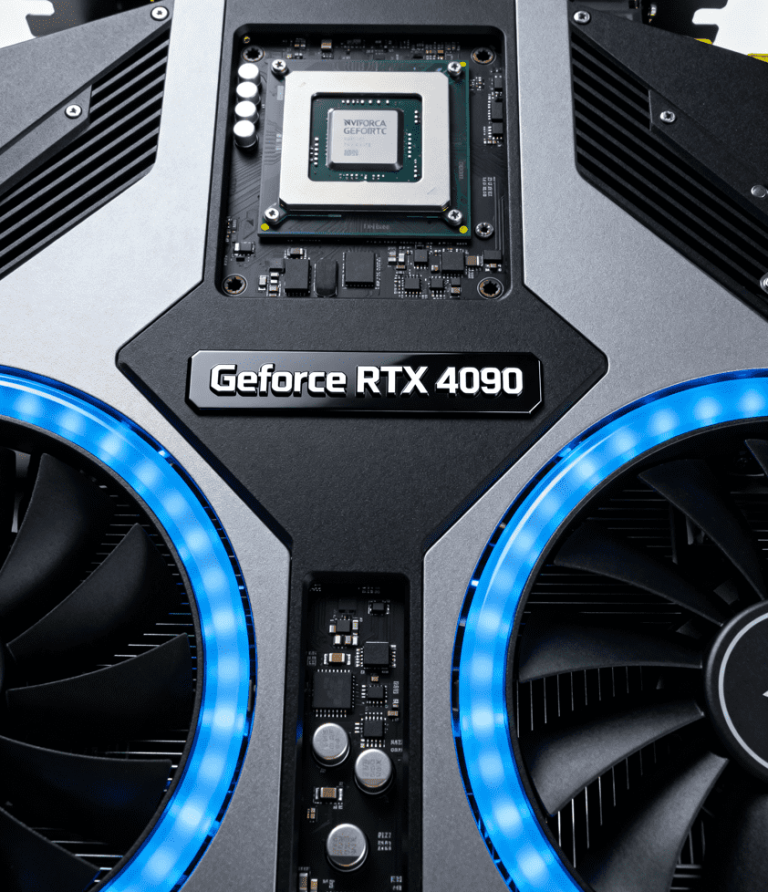
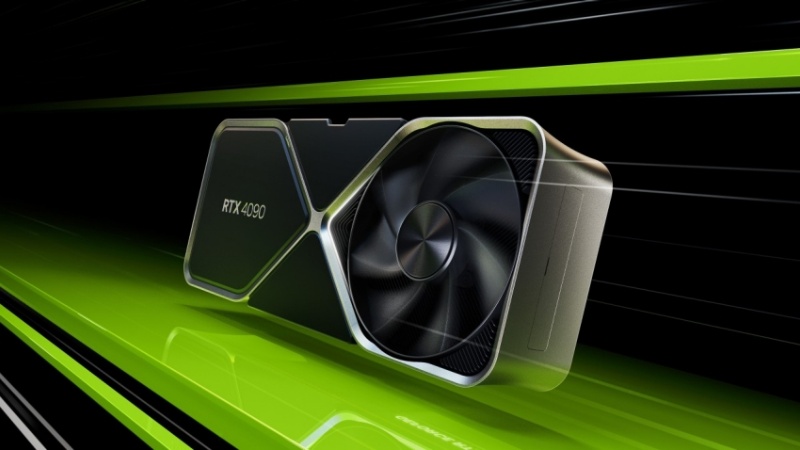
Your gaming PC’s GPU isn’t just for Call of Duty anymore. NVIDIA’s RTX 4090 can crush 4K gaming and prototype AI models—blurring lines between entertainment and innovation. But can a gaming GPU handle real AI workloads? WhaleFlux bridges this gap, letting you start locally and scale to enterprise AI infrastructure seamlessly.
2. Choosing the Right GPU for Your PC: Gaming vs. AI Needs
For Gamers:
- Priorities: High FPS, ray tracing, DLSS.
- Top Picks: RTX 4090 (24GB VRAM), RTX 4080 (16GB).
- Best For: Cyberpunk 2077, VR, Blender renders.
For AI Developers:
Capabilities:
- Run 7B-13B parameter LLMs (e.g., Mistral, Llama 2).
- Fine-tune models locally.
Limitations:
- VRAM Walls: Can’t load Llama 70B (requires 80GB+).
- No ECC: Risk data corruption in 48-hour training runs.
- Thermal Throttling: RTX 4090 hits 84°C in small form factor (SFF) PCs like the NZXT H1.
Gaming GPUs: Great for AI experiments, not production.
3. The Local Limit: When Your Gaming GPU Isn’t Enough for AI
Hitting walls? You’re not alone:
- VRAM Ceiling: Llama 13B barely fits in 24GB; larger models fail.
- Snail-Paced Training: Training ResNet-152 takes 18 hours on an RTX 4090 vs. 35 mins on an H100.
- Stability Crashes: Consumer drivers crash during long runs.
The Solution? Scale to cloud-based H100s/A100s—without rebuilding your workflow.
4. Scaling Chaos: Mixing PC GPUs with Data Center Power
Developers love testing on RTX 4090s but deploy on H100s. Chaos ensues:
- Driver Conflicts: CUDA versions clash between local/cloud environments.
- “Doom the Dark Ages” Effect: Debugging eats 30% engineering time.
- Cost Leaks: Idle cloud GPUs waste $20k/month while local rigs choke.
“Our team’s RTX 4090s worked great—until we tried deploying on A100s. Everything broke.”
– AI Startup CTO
5. WhaleFlux: Your Unified AI Scaling Platform
WhaleFlux integrates your entire GPU ecosystem—from desktop RTX 4090s to cloud H100s—into one intelligent platform:
Solving the Scale Problem:
- Seamless Environment Sync:
Mirror your local Python/CUDA setup on cloud clusters. No more “works on my machine” fails.
- Intelligent Offload:
WhaleFlux auto-shifts heavy training from your RTX 4090 to optimized H100 clusters.
- Unified Dashboard:
Track costs, utilization, and job status across all GPUs.
Unlocked Value:
- Prototype locally → Deploy globally at 2x speed.
- Slash cloud costs by 40%+ via H100 bin-packing.
- Eliminate deployment nightmares.
6. The WhaleFlux Advantage: Flexibility from PC to Cloud
WhaleFlux works with your workflow:
Hardware Agnostic:
Manage RTX 4090s, H100s, H200s, and A100s in one system.
Optimized Acquisition:
- Rent H100/H200/A100: Min. 1-month rental via WhaleFlux.
- Maximize Existing Gear: Keep using your RTX 4090 for R&D.
Outcome:
Scale AI projects 10x without infrastructure headaches.
7. Smart GPU Strategy: From Desktop to Data Center
The Verdict:
- Gaming GPUs (RTX 4090): Perfect for prototyping.
- Data Center GPUs (H100/H200): Essential for production.
WhaleFlux unifies both worlds, transforming fragmented workflows into streamlined AI pipelines.
Ready to scale beyond your PC?
1️⃣ Supercharge development with seamless cloud scaling.
2️⃣ Rent H100/H200/A100 GPUs (1-month min.) managed by WhaleFlux.
Stop choosing between your desktop and the data center. Start scaling intelligently.
Schedule a WhaleFlux Demo →
FAQs
1. What’s the key distinction between NVIDIA gaming GPUs and AI powerhouses for PC-based workloads? Does WhaleFlux support both for enterprise PC clusters?
The core difference lies in design optimization for target tasks, even when deployed on PCs (or PC-based enterprise clusters):
- NVIDIA Gaming GPUs (e.g., RTX 4090, 4080, 4060): Optimized for high frame rates, real-time ray tracing (RTX cores), and consumer entertainment. They offer strong FP32/CUDA performance for lightweight AI tasks (e.g., model prototyping, small-scale inference) and are cost-effective for developer workstations. Lack ECC memory and specialized tensor core optimizations for large-scale AI.
- NVIDIA AI Powerhouses (e.g., H100, H200, A100, RTX A6000): Built for enterprise-grade AI workloads on PC clusters. Key features include ECC memory (data accuracy), massive HBM3/HBM3e high-bandwidth memory (e.g., H200: 141GB), and advanced tensor cores for distributed training/inference of 100-billion-parameter+ LLMs. Designed for 24/7 reliability on professional PC clusters.
WhaleFlux fully supports both categories of NVIDIA GPUs for enterprise PC clusters. Customers can purchase or lease (hourly rental not available) – gaming GPUs for developer workstations, and AI powerhouses for PC-based training/inference clusters, with WhaleFlux managing resource allocation across the fleet.
2. How do NVIDIA gaming GPUs and AI powerhouses compare in performance metrics (memory, computing power, reliability) for PC workloads? How does WhaleFlux enhance their efficiency?
Performance and reliability vary significantly based on task alignment, with WhaleFlux optimizing cluster-wide utility:
| Metric | NVIDIA Gaming GPUs (e.g., RTX 4090) | NVIDIA AI Powerhouses (e.g., H200, A100) |
| Memory Configuration | 8GB–24GB GDDR6X (non-ECC) | 40GB–141GB HBM3/HBM3e (ECC-supported) |
| Computing Power Focus | CUDA/RTX cores for gaming/light AI | Tensor/FP64 cores for large-scale AI |
| Reliability | Consumer-grade (suitable for daily development, not 24/7 cluster use) | Enterprise-grade (7×24 operation for PC clusters) |
| PC Workload Fit | Developer prototyping, lightweight inference | Distributed training, mission-critical inference on PC clusters |
WhaleFlux maximizes their potential for PC-based enterprise use: For AI powerhouses, it optimizes multi-PC cluster load balancing to avoid bandwidth bottlenecks during distributed training. For gaming GPUs in developer PC fleets, it schedules lightweight AI tasks (e.g., model testing) to minimize idle time, reducing overall cloud computing costs while maintaining workflow flexibility.
3. When should enterprises/developers choose an NVIDIA gaming GPU over an AI powerhouse (or vice versa) for their PC setups? How does WhaleFlux support this decision?
The choice hinges on your PC’s intended workload and scalability needs:
- Choose NVIDIA Gaming GPUs (e.g., RTX 4090, 4070 Ti) for: Developer workstations, small-scale AI prototyping (e.g., testing chatbot models), or PC-based lightweight inference. They offer excellent cost-performance for entry-level AI tasks and double as capable gaming GPUs for flexible use.
- Choose NVIDIA AI Powerhouses (e.g., H200, A100, RTX A6000) for: PC clusters dedicated to large-scale AI training (e.g., 100B+ parameter LLMs), mission-critical inference, or professional AI research. Their ECC memory, high-bandwidth HBM, and tensor core optimizations are non-negotiable for enterprise-grade PC-based AI.
WhaleFlux simplifies scalability: Start with gaming GPUs for developer PCs, then seamlessly integrate AI powerhouses into your PC cluster via WhaleFlux as your models scale – no need to rebuild your PC-based infrastructure.
4. Which specific NVIDIA gaming GPUs and AI powerhouses does WhaleFlux offer for PC-centric enterprise workloads? How do they integrate into PC clusters?
WhaleFlux provides access to NVIDIA’s full lineup of gaming GPUs and AI powerhouses suitable for PC-based enterprise use, including but not limited to:
- Gaming GPUs: RTX 4090, 4080, 4070 Ti, 4060, 3090
- AI Powerhouses: H100, H200, A100, RTX A6000, RTX A5000
Integration into PC clusters is seamless via WhaleFlux’s unified management platform:
- Gaming GPUs in developer PCs connect to the cluster to offload prototyping tasks, while AI powerhouses in dedicated PC nodes handle heavy training – WhaleFlux automatically routes tasks based on GPU capabilities.
- For hybrid PC clusters (mixing gaming and AI powerhouse GPUs), WhaleFlux ensures compatibility with NVIDIA’s CUDA Toolkit and AI frameworks (e.g., PyTorch), enabling smooth collaboration between developer PCs and training nodes.
5. How does WhaleFlux balance cost and performance for enterprises using NVIDIA gaming GPUs or AI powerhouses in PC clusters?
WhaleFlux delivers cost-efficiency and performance optimization for PC-centric AI workloads through three core capabilities:
- Cluster Utilization: By pooling gaming GPUs (e.g., RTX 4060) and AI powerhouses (e.g., H200) in PC clusters, WhaleFlux eliminates resource idleness – e.g., assigning developer PC’s underutilized RTX 4090s to lightweight inference, or leveraging A100-equipped PCs for peak training demand. This cuts cloud computing costs by up to 30%.
- Flexible Procurement: WhaleFlux offers purchase or long-term lease options (no hourly rental) to match PC cluster needs: Startups can lease gaming GPUs for developer workstations, while enterprises scaling to large-scale AI can purchase H200/A100-equipped PC nodes.
- LLM Deployment Acceleration: Regardless of GPU type, WhaleFlux’s LLM-optimized engine speeds up model deployment on PC clusters by 50%+ and enhances stability via fault tolerance. For gaming GPUs, this means reliable prototyping; for AI powerhouses, it translates to faster training cycles on PC-based clusters.
All solutions are exclusive to NVIDIA GPUs, ensuring full compatibility with PC hardware and NVIDIA’s AI software ecosystem.