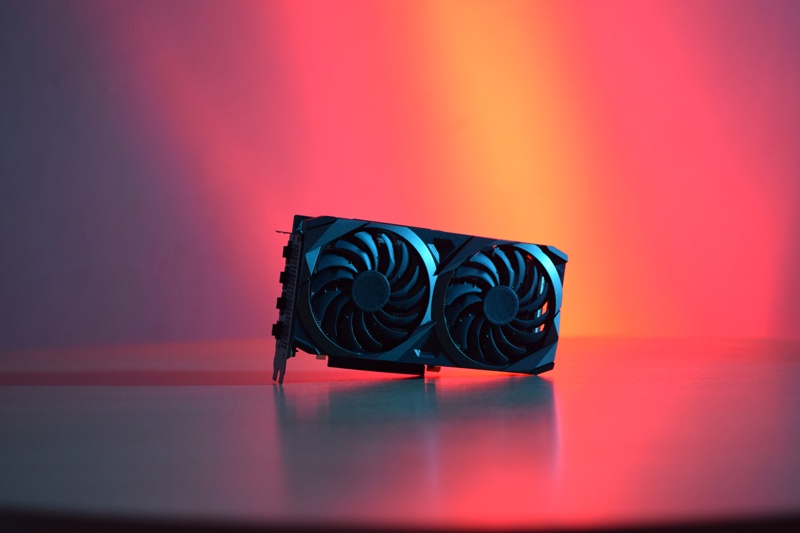
1. The “Best GPU Card” Dilemma in AI Development
The AI boom demands unprecedented GPU power, but choosing the “best” card is complex. Is it NVIDIA’s flagship H100? The accessible RTX 4090? Or the reliable A100? Raw specs alone don’t define value – WhaleFlux proves that optimized utilization trumps hardware specs alone when cutting costs and accelerating deployments.
2. Contenders for “Best GPU Card”: AI Workload Breakdown
NVIDIA H100/H200:*
- ✅ Pros: Dominates LLM training (80GB VRAM), PCIe 5.0 speed, 30% faster than A100.
- ⚠️ Cons: $30k+ price tag; overkill for small models.
- 🏆 Best For: Enterprise-scale production (e.g., GPT-4 training).
NVIDIA A100:
- ✅ Pros: Battle-tested reliability, strong FP64 performance, best value at scale.
- ⚠️ Cons: PCIe 4.0 bottlenecks next-gen workloads.
- 🏆 Best For: Mature AI pipelines needing stability.
NVIDIA RTX 4090:
- ✅ Pros: $1,600 cost, highest FP32 TFLOPS/$, perfect for prototyping.
- ⚠️ Cons: 24GB VRAM cap, crashes in clusters, no ECC.
- 🏆 Best For: Local dev workstations.
Verdict: No universal “best” – your workload defines the winner.
3. The Hidden Cost of Standalone “Best” GPUs
Elite hardware often underperforms due to:
- H100s sitting idle during inference phases (30% wasted capacity).
- RTX 4090s crashing when forced into production clusters.
- Management nightmares in mixed fleets (H100 + A100 + 4090).
⚠️ Key Insight: Poor deployment erases 40% of hardware value.
4. Beyond Hardware: Orchestrating Your “Best GPU Card” Fleet
Even elite GPUs fail without intelligent orchestration:
- “Doom the Dark Ages” Risk: Driver conflicts paralyze clusters for days.
- Resource Silos: A100s overloaded while H100s sit idle.
- Solution Requirement: Unified control for heterogeneous fleets.
5. WhaleFlux: Maximizing Value from Your Best GPU Cards
WhaleFlux transforms raw hardware into AI-ready power:
Optimization Engine:
Intelligent Scheduling:
- Auto-routes LLM training to H100s, fine-tuning to A100s, prototyping to RTX 4090s.
Bin-Packing Efficiency:
- Achieves 90%+ utilization across H100/H200/A100/RTX 4090 fleets.
Stability Shield:
- Isolates environments to prevent RTX 4090 drivers from crashing H100 workloads.
Unlocked Value:
- 40%+ Cost Reduction: Zero idle time for $30k H100s.
- 2x Faster Deployments: No more environment mismatches.
- Safe Hybrid Use: RTX 4090s handle preprocessing → H100s run mission-critical training.
6. The WhaleFlux Advantage: Flexibility Meets Elite Performance
WhaleFlux optimizes any top-tier NVIDIA setup:
| GPU | Role | WhaleFlux Boost |
| H100/H200 | Enterprise-scale training | 95% utilization via bin-packing |
| A100 | Cost-efficient inference | Zero downtime with driver isolation |
| RTX 4090 | Rapid prototyping | Safe sandboxing in hybrid fleets |
Acquisition Freedom:
- Rent H100/H200/A100: Min. 1-month via WhaleFlux.
- Maximize Owned GPUs: Extract full value from existing investments.
7. Redefining “Best”: Performance + Optimization
The New Formula:
“Best GPU” = Right Hardware (H100/A100/4090) + WhaleFlux Optimization
Final Truth: An unmanaged H100 cluster wastes more money than optimized RTX 4090s.
Ready to unlock your GPU’s true potential?
1️⃣ Deploy your ideal mix of H100/H200/A100/RTX 4090 with WhaleFlux.
2️⃣ Rent enterprise GPUs (1-month min) or maximize owned hardware.
Stop overpaying for underutilized GPUs. Start optimizing.
Schedule a WhaleFlux Demo →
FAQs
1. What defines “performance” vs. “practicality” for NVIDIA GPUs in AI workloads? Which models does WhaleFlux offer to balance both?
For AI-focused NVIDIA GPUs, the two pillars are clearly differentiated:
- Performance: Refers to hardware capabilities critical for AI tasks – including tensor/CUDA core count, memory capacity (e.g., HBM3/HBM3e for large models), bandwidth, and support for advanced features like ECC memory or NVLink. High-performance models (e.g., NVIDIA H200, A100) excel at 100-billion-parameter+ LLM training and large-scale inference.
- Practicality: Encompasses real-world usability factors – cost (purchase/operational), power consumption, compatibility with existing workflows, and scalability. Practical models (e.g., NVIDIA RTX 4090, 4060) deliver sufficient performance for small-scale training, prototyping, or lightweight inference at a lower cost, with manageable power demands.
WhaleFlux offers NVIDIA’s full lineup to balance both: High-performance options (H200, H100, A100) for enterprise-grade AI, and practical choices (RTX 4090, 4070 Ti, 4060) for cost-sensitive workloads. Customers can purchase or lease (hourly rental not available) based on their performance needs and practical constraints, with WhaleFlux optimizing resource use across both categories.
2. How do top-performing vs. practical NVIDIA GPUs compare in key AI metrics? How does WhaleFlux enhance their balance?
The tradeoff between performance and practicality is evident in core AI metrics, with WhaleFlux bridging gaps for enterprise use:
| Metric | High-Performance NVIDIA GPUs (e.g., H200, A100) | Practical NVIDIA GPUs (e.g., RTX 4090, 4060) |
| AI Performance | Peak tensor/FP32 computing power,40GB–141GB HBM3/HBM3e (ECC) | Solid CUDA/tensor performance, 8GB–24GB GDDR6X (non-ECC) |
| Cost & Power | Higher upfront/operational cost, 400W–700W TDP | Lower cost, 115W–450W TDP (more energy-efficient) |
| Practical Use Cases | Large-scale LLM training, mission-critical inference | Prototyping, small-team inference, developer workstations |
WhaleFlux optimizes the balance by: ① For high-performance GPUs, reducing idle time via cluster load balancing (cutting unnecessary costs); ② For practical GPUs, mitigating limitations (e.g., non-ECC memory) with real-time error monitoring and task scheduling; ③ Enabling hybrid clusters (e.g., H200 + RTX 4090) to offload heavy tasks to high-performance models and lightweight work to practical ones.
3. For AI startups vs. large enterprises, how to prioritize performance vs. practicality when selecting NVIDIA GPUs via WhaleFlux?
Prioritization depends on scale, budget, and workflow maturity:
- AI Startups/Small Teams: Prioritize practicality first. Opt for NVIDIA RTX 4090, 4070 Ti, or 4060 via WhaleFlux’s lease/purchase options – they offer enough performance for prototyping, small-model training, and inference at a lower cost. WhaleFlux’s cluster optimization ensures you get maximum value without overinvesting in unneeded performance.
- Large Enterprises/Scaled AI: Prioritize performance for core workloads. Choose NVIDIA H200, H100, or A100 for 100B+ parameter LLM training and high-throughput inference. WhaleFlux enhances practicality here by optimizing cluster utilization (reducing cloud costs by up to 30%) and enabling seamless integration with existing practical GPU fleets (e.g., RTX 4090 for secondary tasks).
WhaleFlux supports seamless scaling: Startups can upgrade from practical to high-performance GPUs as their models grow, without restructuring their cluster.
4. What are the most common tradeoffs between performance and practicality for NVIDIA AI GPUs, and how does WhaleFlux address them?
Key tradeoffs include: ① High-performance GPUs (e.g., H200) have steep costs; ② Practical GPUs (e.g., RTX 4060) lack ECC memory or sufficient bandwidth for large models; ③ High-performance models consume more power, increasing operational costs.
WhaleFlux mitigates these with targeted solutions:
- Cost Tradeoff: Pool high-performance and practical GPUs into a unified cluster, so high-cost H200/A100s are only used for critical tasks, while RTX 4090/4060 handle non-peak workloads.
- Performance Limitations: For practical GPUs, WhaleFlux’s LLM optimization engine compresses data and batches tasks to maximize bandwidth utilization, making them viable for lightweight inference.
- Power/Operational Costs: Real-time monitoring of GPU power usage, with WhaleFlux scheduling energy-intensive tasks during off-peak hours (where applicable) and balancing load to avoid overheating.
5. How does WhaleFlux ensure enterprises don’t sacrifice performance for practicality (or vice versa) when selecting NVIDIA GPUs?
WhaleFlux’s core value lies in aligning NVIDIA GPU capabilities with enterprise needs to eliminate forced tradeoffs:
- Precision Resource Matching: WhaleFlux analyzes your AI workloads (e.g., model size, inference volume, training frequency) and recommends the right mix of high-performance (H200/A100) and practical (RTX 4090/4060) NVIDIA GPUs – ensuring you get enough performance for critical tasks without overpaying for unused capacity.
- Deployment & Scalability: WhaleFlux accelerates LLM deployment by 50%+ on both GPU types, with fault tolerance ensuring practical GPUs deliver reliable performance for non-critical tasks. As needs grow, you can add high-performance GPUs to the cluster without disrupting existing workflows.
- Cost-Efficiency Without Performance Loss: By optimizing multi-GPU cluster utilization, WhaleFlux reduces cloud computing costs by up to 30% compared to standalone GPU deployments – letting enterprises invest in high-performance GPUs for core tasks while keeping practical options for secondary work, without compromising on either.
All solutions are exclusive to NVIDIA GPUs, ensuring full compatibility with NVIDIA’s AI software ecosystem and WhaleFlux’s resource management tools.
Would you like me to expand on any specific FAQ or create a complementary NVIDIA GPU selection checklist (aligned with performance/practicality) for AI enterprises?
